



Home » Active Directory Recovery Tools: A Feature Comparison Guide
Active Directory Recovery Tools: A Feature Comparison Guide
Learn what active directory recovery tools do, key features to evaluate, and how leading solutions compare.
Stop AD Threats As They Happen
Cayosoft Protector provides continuous monitoring and real-time alerts across your entire Microsoft Identity stack
Like This Article?
Subscribe to our LinkedIn Newsletter to receive more educational content
Active Directory (AD) has long been the identity workhorse for most organizations. Unfortunately, it has become an increasingly preferred attack vector. As organizations adopt a hybrid identity approach using Entra ID for the cloud, it has become even more critical to keep it secure and operational.
Traditional and generic backup tools often lack AD-specific capabilities, including the ability to quickly restore after an attack, because they do not account for fundamental architectural considerations of AD and Entra ID. This widens the gap between rapidly evolving sophisticated threats and an organization’s recovery capabilities.
In this article, we discuss modern identity resilience, limitations of traditional approaches and modern AD recovery tool features, followed by popular tools that meet these requirements.
Summary of key features to look for in Active Directory recovery tools
| Feature | Description |
| Automated full forest recovery | The ability to automatically restore a complete AD forest by orchestrating all steps in the correct order. It restores the identity infrastructure to its last known good state after a catastrophic event, such as a forest-wide ransomware attack. |
| Standby forest with instant recovery | A warm, synchronized replica of the forest in an isolated location for fast failover in minutes. In the event of a complete forest downtime, it reduces the Recovery Time Objective (RTO). |
| Real-time change monitoring | A continuous change detection engine that captures all changes to AD in real-time. It supports observability, alerting, and granular restoration. |
| Vulnerability scanning | A purpose-built AD security assessment capability for identifying:
|
| Threat detection | The ability to proactively identify suspicious activities and potential security breaches in AD. |
| Alerting | A notification system providing real-time updates of unauthorized changes, suspicious activities, or risky changes. |
| Rollback | A remediation engine that allows reversal of malicious or accidental changes on a click or automatically at a granular level. |
| Granular recovery | A feature that enables recovery of specific objects, attributes, and permissions without requiring a full restore. |
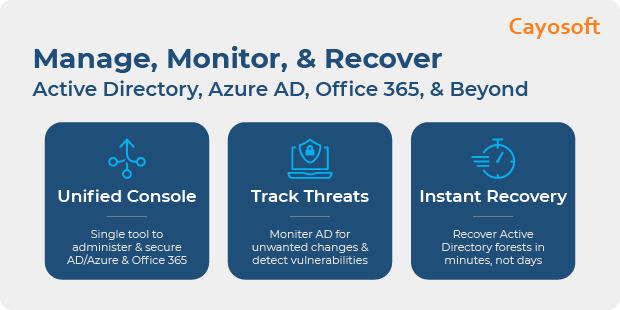
Manage, Monitor & Recover AD, Entra ID, Microsoft 365

Unified Console
Use a single tool to administer and secure AD, Entra ID, and M365

Track Threats
Monitor AD for unwanted changes – detect for security or critical functions

Instant Recovery
Recover global enterprise-wide Active Directory forests in minutes, not days
Active Directory’s role in identity resilience
Combined with Entra ID, Active Directory (AD) has become the primary layer for access to applications, resources (cloud and on-prem), and data for modern hybrid environments.
Since AD acts as a gatekeeper for access to everything an organization owns, it becomes a single point of failure. An offline, infected, or corrupted identity fabric results in business downtime, as no operations can occur even though other layers of the stack are functional.
Recognizing the bottleneck, 80% of enterprise cyberattacks leverage AD for privilege escalation and lateral movement, and up to 95% of breaches follow identity-based attack paths predominantly through AD environments. Despite a 42% year-over-year surge in AD attacks, an AD Forest Recovery Survey found that only 6% of enterprises can recover AD in minutes. The financial stakes for a scenario like this in an enterprise could run into millions of dollars for the duration of the outage.
Limitations of traditional AD backup and recovery approaches
While the role and importance of AD have increased, the methods used to back up AD are still mostly traditional. Organizations typically take one of two approaches:
- Complete operating system backup
- General System State backup that includes the AD database, SYSVOL, the registry, and boot files, with manual recovery steps.
While some modern tools automate manual steps and schedule them, they cannot recover (fully or partially) from modern multi-forest outages, especially those caused by a cyberattack.
Challenges include:
- Generic, image-based, or full server backup methods carry the inherent risk of reintroducing latent security threats, such as malware, enabling a threat actor to regain access.
- Recovery using the Microsoft Forest Recovery Guide involves error-prone manual steps and longer recovery times, sometimes up to days.
- Traditional backups lack granular recovery for objects and attributes.
There is a mismatch between an organization’s assumed and actual recovery capabilities, leading to a resilience gap.
Manage, Monitor & Recover AD, Entra ID, M365, Teams
| Platform | Admin Features | Single Console for Hybrid (On-prem AD, Entra ID, M365, Teams) | Change Monitoring & Auditing | User Governance (Roles, Rules, Automation) | Forest Recovery in Minutes |
| Microsoft AD Native Tools | ✓ | ||||
| Microsoft AD + Cayosoft | ✓ | ✓ | ✓ | ✓ | ✓ |
Watch our recorded & upcoming educational webinars about identity protection
Must-have features in Active Directory recovery tools
Identity resilience today requires the ability to provide continuous identity services even during downtime or a cyberattack, to recover in minutes, and to support granular restoration.
Specialized AD recovery tools must move away from a complete server backup or a database-and-file/folder approach to an identity-only approach, supporting the following capabilities:
AD-only recovery, decoupling AD data from the OS
Instead of backing up the entire operating system, AD recovery tools should back up only AD components, such as the NTDS.dit database, the SYSVOL folder, Registry hives, etc. This enables restoring AD to a clean, hardened OS and is particularly useful for scenarios involving cyberattacks such as malware and rootkit infections.
Automated directory structure rebuild
AD recovery tools should automate many of the tasks required to build a forest from scratch or repair after a failure or recovery. These tasks are typically run using the ntdsutil command in manual workflows, such as:
- Clean up metadata
- Seize or transfer Flexible Single Master Operations (FSMO) roles
- Clean up orphaned objects, etc.,
For example, in the event of a forest-wide ransomware attack that results in a restore, you should not have to manually configure the first restored DC as a Global Catalog, the Primary Domain Controller (PDC) Emulator, or many other steps.
Instant standby AD
AD recovery tools should provide a fully isolated, continuously in sync, warm-active replica of the primary identity fabric. In the event of a disaster, such an active-instant-standby AD ensures you can
- Point to the standby forest with a switch flip
- Offer identity services to your employees and customers to maintain business continuity.
- Reduce the RTO (Recovery Time Objective), the maximum tolerable downtime after a disruption before business is impacted, to minutes.
Change monitoring
AD recovery tools should enable granular recovery by providing a last-known-good state by continuously capturing changes to objects, attributes, and permissions. This generally requires a real-time engine that captures every change at the granular level, along with associated information such as who, what, and when.
Rollbacks from accidental deletions or changes
AD recovery tools should provide a rollback option to restore changes at the granular level, like object, attribute, and permission, without taking the DC offline or performing a complete restore. This becomes necessary to recover in seconds from events such as accidental deletion of an OU (Organization Unit) and its associated member information, memberships, and passwords.
Recovery validation
A critical part of reducing the resiliency gap is to ensure that backups work when needed. AD recovery tools should validate backups to ensure they are functional and free of corruptions such as USN (Update Sequence Number) rollbacks or malware. Testing restoring a backup to a test environment or sandbox is a sure shot way to ensure a successful recovery in case of a crisis.
Auditing and logs
AD recovery tools should ensure the availability of a tamper-proof record of all changes in an environment for audits, regulatory compliance, or post-incident forensics. Logs should include the full timestamp and detailed metadata for each event.
Cayosoft
Cayosoft provides a modern approach to AD forest recovery with a patent-pending, purpose-built architecture that includes the features discussed earlier, further closing the resiliency gap through its flagship product, Cayosoft Guardian Instant Forest Recovery.
The standout feature is the ability to maintain a warm, instant standby AD in sync with the primary. A simple redirection completes the recovery within minutes in the event of a disaster, such as a forest wipe. It provides a policy-driven rollback capability that automatically detects and reverses unwanted or unauthorized changes to objects and attributes. Organizations get self-healing for security incidents. For example, malicious configuration changes are remediated before exploitation.
Cayosoft Guardian includes comprehensive real-time change monitoring for AD and other Microsoft products across the Microsoft ecosystem, including Entra ID, Intune, Teams, and Microsoft 365. It captures identity-related changes across any product, enabling granular recoverability of individual objects, attributes, and permissions across the hybrid environment. The tool also supports non-disruptive recovery drills in isolated environments, so teams can verify that backups work as expected.
Cayosoft Guardian also provides threat detection and vulnerability scanning of AD and Entra ID. It acts like an antivirus, but for identity, automatically identifying and remediating vulnerabilities and malicious changes, such as privilege escalations and group policy tampering. Events it watches for are maintained in a continuously updated threat library.
Cayosoft Guardian also includes alerting to notify stakeholders of such events. Alerts are real-time, contain rich-context and metadata, and support multiple channels for sending notifications.
Cayosoft’s standby model is known to achieve forest recovery in under 30 minutes, resulting in a 90% reduction in downtime compared to a traditional recovery process.
Watch our recorded & upcoming educational webinars about identity protection
Netwrix
Netwrix Identity Recovery is the primary Netwrix tool that automates the standard AD recovery framework, providing backup and full or granular recovery capabilities. It supports automated full-forest recovery from a backup file using a playbook with a specified sequence. You can also perform granular recovery of deleted objects and rollback unwanted changes to objects, attributes, or group policy objects.
Netwrix Audit, part of the Directory Security solution, provides time-line-based real-time monitoring and visibility into the ‘who, what, when, and where” of a change. This enables one-click rollback of unwanted changes to AD objects and attributes.
While Netwrix products support real-time monitoring of AD and Entra ID, they do not support Intune or Teams. They also lack the standby forest with instant AD recovery capability and alerting.
Quest
Quest’s Recovery Manager for Active Directory (RMAD) provides comprehensive capabilities for AD protection and recovery. Its features are similar to those provided by Netwrix, including backup, automated full forest and domain recovery, phased recovery, and granular restoration of objects and attributes.
Additionally, it supports restoring AD to a clean operating system, resulting in a malware-free restore. This process, however, is not fully automated and requires hand-holding. It does support granular recovery of AD objects.
A separate SaaS product, the Quest On Demand, provides hybrid backup and recovery capabilities, including auditing.
- On Demand Recovery provides Entra ID and M365 backup and recovery capabilities. However, it does not support granular recovery of Entra ID objects.
- On Demand Auditing tracks changes across the hybrid environment, highlighting vulnerabilities and suspicious activities, and provides alerts.
Quest Security Guardian provides identity threat detection and response (ITDR) capabilities to detect, contain, and respond to security exposures and threats, thereby reducing the identity attack surface area.
Like Netwrix, Quest’s RMAD also lacks instant AD recovery and standby forest capabilities. It does not support real-time monitoring for Intune and has fewer threat-detection capabilities than Cayosoft.
Learn About The First-Ever Monitoring and Rollback for Microsoft Intune
Semperis
Semperis provides a cyber-first identity resilience platform that includes multiple tools covering on-premises AD, Entra ID, and hybrid AD protection. The platform detects, prevents, and recovers from systemic identity attacks.
The flagship product, Active Directory Forest Recovery (ADFR), is a purpose-built disaster recovery solution designed to rapidly and securely restore a single or multi-forest AD after a cyberattack. ADFR reduces downtime by 90% through automated full multi-forest recovery workflows that rebuild global catalogs, clean metadata, and restructure site topology using a few clicks.
Additionally, it supports immutable backups to Azure storage and restores to any hardware, virtual, or physical. Semperis ADFR’s built-in forensics enable you to perform post-recovery scans to validate the recovered state.
Semperis’ Directory Services Protector (DSP) is another tool that helps with hybrid AD protection. It is an identity threat detection and response (ITDR) platform that continuously monitors AD and Entra ID to identify security vulnerabilities, risky configurations, and potential identity compromises, thereby minimizing the attack surface. Beyond real-time threat detection, DSP provides automated rollback for both on-premises AD and Entra ID, including granular restoration of attributes, group memberships, and objects to a specific point in time.
While it meets many of the standard requirements, Semperis does not support Standby Forest with Instant Recovery. It also does not provide real-time monitoring support for M365, Intune, and Teams.
Comparative summary of AD recovery tools
The following table summarizes the AD-specific recovery features of Cayosoft, Netwrix, Quest, and Semperis.
Feature | Cayosoft | Netwrix | Quest | Semperis |
Full Forest Recovery | ✓ | ✓ | ✓ | ✓ |
Standby Forest with Instant Recovery | ✓ | ✗ | ✗ | ✗ |
Real Time Change Monitoring – AD | ✓ | ✓ | ✓ | ✓ |
Real Time Change Monitoring – Entra ID | ✓ | ✓ | ✓ | ✓ |
Real Time Change Monitoring – M365 | ✓ | ✓ | ✓ | ✗ |
Real Time Change Monitoring – Intune | ✓ | ✗ | ✗ | ✗ |
Real Time Change Monitoring – Teams | ✓ | ✗ | ✓ | ✗ |
Vulnerability Scanning – AD | ✓ | ✓ | ✓ | ✓ |
Vulnerability Scanning – Entra ID | ✓ | ✓ | ✓ | ✓ |
Threat Detection – AD | ✓ | ✓ | Partial | ✓ |
Threat Detection – Entra ID | ✓ | ✓ | Partial | ✓ |
Alerting | ✓ | ✗ | ✓ | ✓ |
Automated Rollback – AD | ✓ | ✓ | ✓ | ✓ |
Automated Rollback – Entra ID | ✓ | ✓ | ✓ | ✓ |
Granular Object Recovery – AD | ✓ | ✓ | ✓ | ✓ |
Granular Object Recovery – Entra ID | ✓ | ✓ | ✗ | ✓ |
Watch a 15-minute Demo of Microsoft Intune Change Monitoring and Recovery
Conclusion
Active Directory resiliency directly translates to business resiliency as organizations increasingly depend on identity to operate.
Organizations can no longer rely on traditional or unreliable backup tools to address modern AD threats. They require forest-aware recovery, granular restoration, the ability to validate backups, and, if needed, rollback or provide an instant standby AD for the shortest possible recovery time.
General backup tools lack the context, speed, and precision to accurately restore a hybrid AD environment to a trusted state. Purpose-built AD recovery tools like Cayosoft provide the deep intelligence, monitoring, automation, and safeguards that reduce human error and downtime.
Stop AD Threats As They Happen
Cayosoft Protector provides continuous monitoring and real-time alerts across your entire Microsoft Identity stack
Like This Article?
Subscribe to our LinkedIn Newsletter to receive more educational content