Home > Threat Library > Stale privileged Microsoft Entra user account

Stale privileged Microsoft Entra user account

Cayosoft Threat Definition CTD-000081

Protect Your Active Directory

Tune into Guardians of the Directory Podcast.

Guardians of the Directory

Stop AD Threats As They Happen

Cayosoft Protector provides continuous monitoring and real-time alerts across your entire Microsoft Identity stack

Like This Article?​

Subscribe to our LinkedIn Newsletter to receive more educational content

Risk Summary

Shared, service, and emergency access accounts that use passwords and hold high-privilege roles (for example, Global Administrator or Security Administrator) must have regular password rotation to prevent ongoing access with stale credentials. 

  • Severity: Medium 
  • Platform: Entra ID
  • Category: Account protection
  • MITRE ATT&CK Tactics: Credential Access, Privilege Escalation
  • MITRE D3FEND Tactics: Domain Account Monitoring

Description

Shared, service, and emergency access accounts assigned to highly privileged administrative roles accumulate risk when passwords are not rotated. Because multiple people may know these credentials, former operators could retain access beyond their tenure; regular rotation reduces this exposure. 

Cayosoft Guardian Protector™

Real-World Scenario

A contractor team creates an emergency “Global Administrator” break-glass account for a migration. Months later, the account still exists and hasn’t signed in for over 90 days, but its password never changed. An ex-contractor who copied the credentials uses the account to grant themselves Privileged Role Administrator, then creates an access token and disables audit settings to avoid obvious detection. They exfiltrate mailbox data and create a hidden forwarding rule. Cayosoft Guardian flags the account as a stale privileged Microsoft Entra user account based on last sign-in age and active high-privilege roles, enabling the security team to remove the role assignment and delete or quarantine the account before further abuse. 

Stop Privilege Escalation—Then Undo It with Cayosoft Guardian Audit & Restore

Real-time alerts across AD & Entra ID with one-click rollback.

Detect this and other threats with Cayosoft Guardian Protector (Free of Charge)

1.) Download Cayosoft Guardian Protector for free real-time threat detection and monitoring of your hybrid AD and Microsoft 365 environment. Once downloaded, sign in and navigate to the Threat Detection Dashboard. 

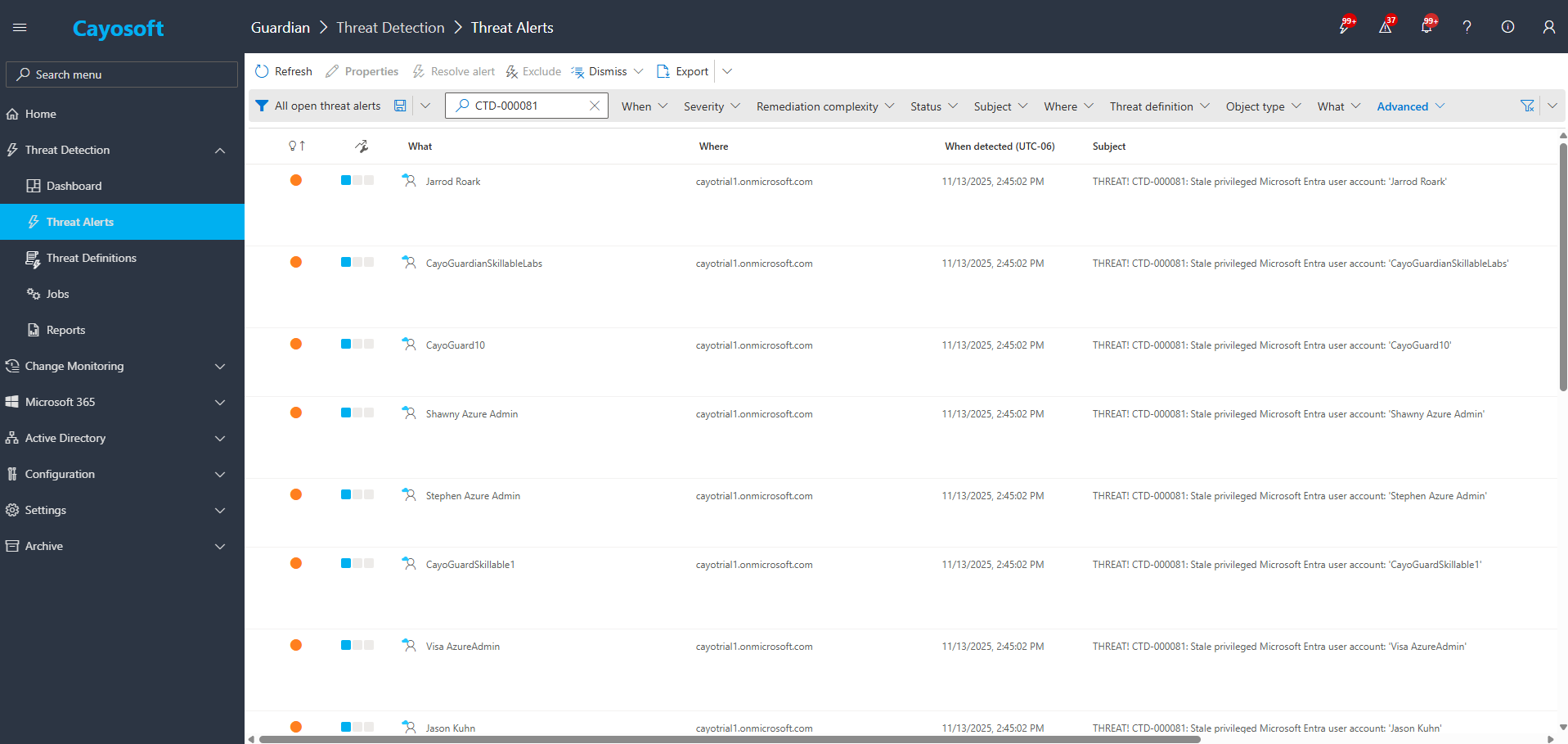
2.) Open All Alerts and search for CTD-000081 or Stale privileged Microsoft Entra user account. 

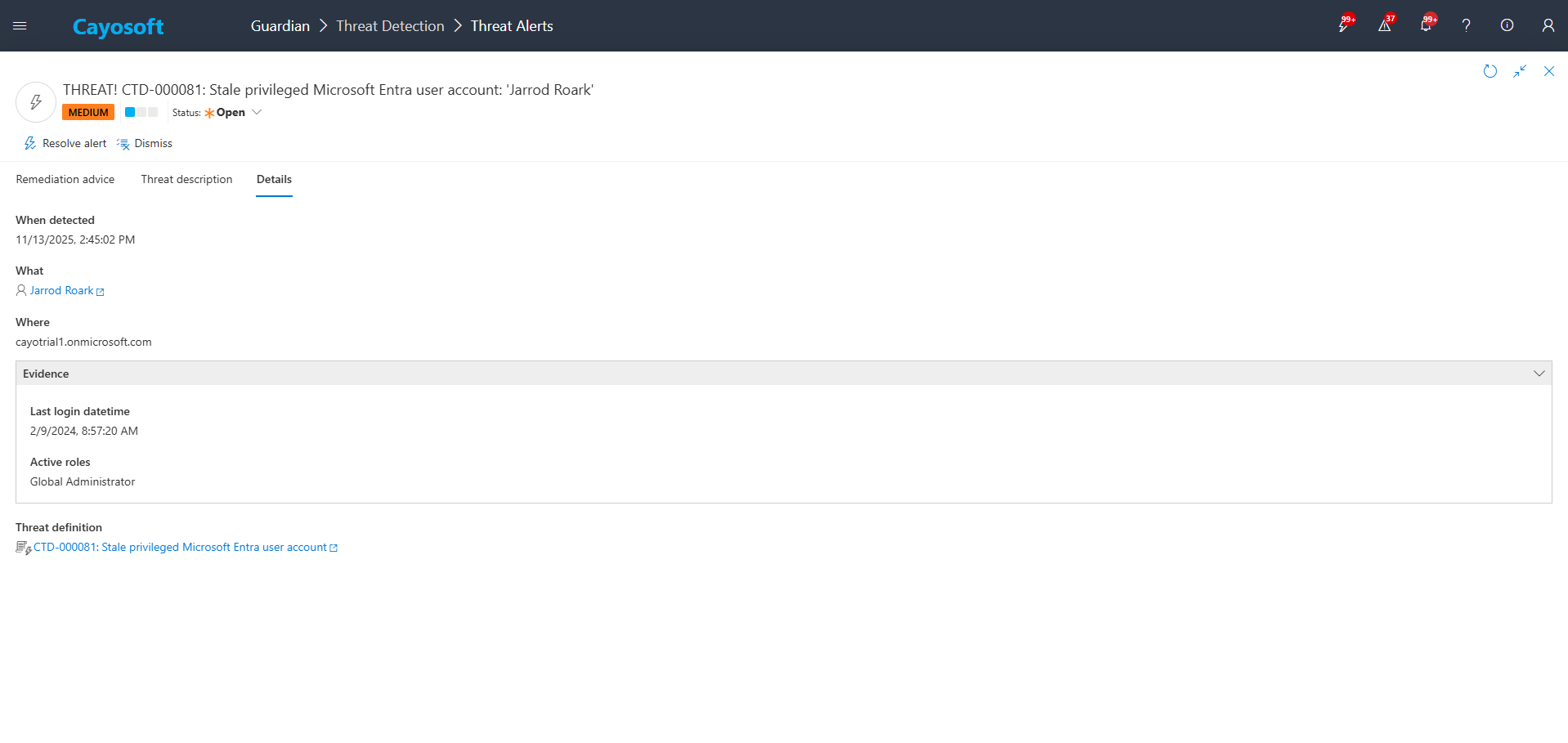
3.) Open any alert and Click for details (from Raise Threat Alert action).

4.)Evidence: 

  • Last login datetime 
  • Active roles 

Remediation Steps

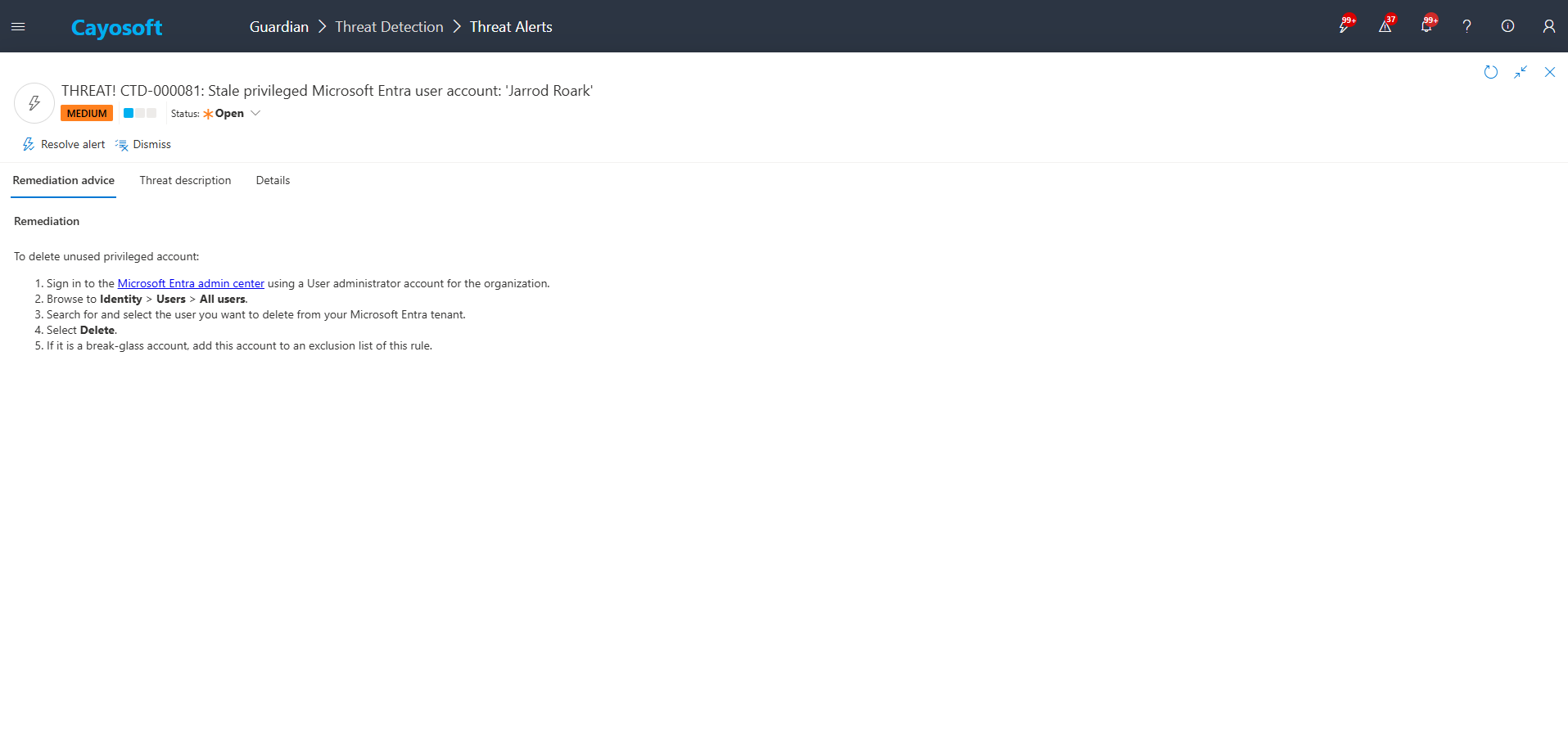
Using the remediation advice in Cayosoft Guardian, follow these steps to remove the vulnerability:

To delete unused privileged account:

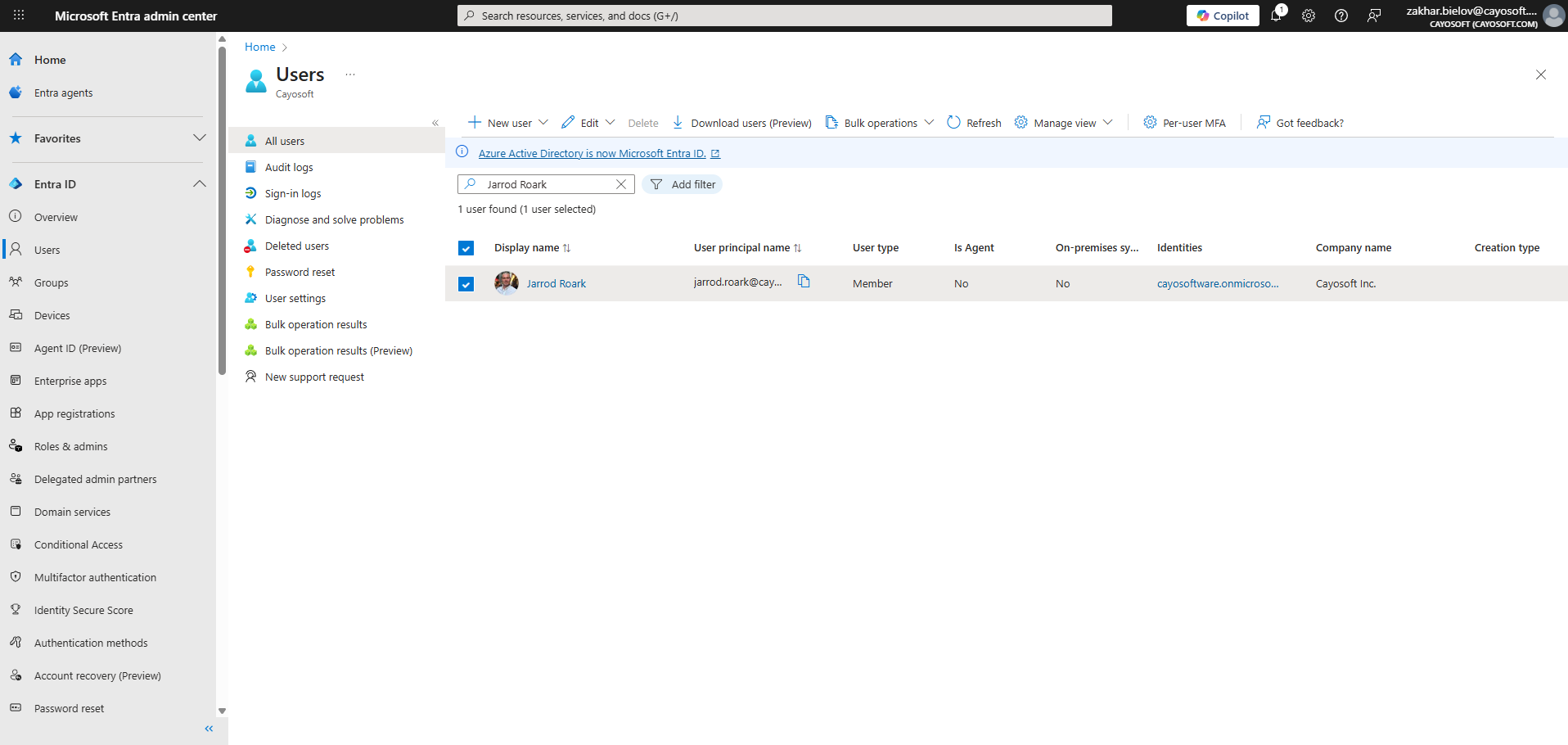
  1. ) Sign in to the Microsoft Entra admin center using a User administrator account for the organization.
  2. ) Browse to Identity > Users > All users.
  3. ) Search for and select the user you want to delete from your Microsoft Entra tenant.
  4. ) Select Delete.
  5. ) If it is a break-glass account, add this account to an exclusion list of this rule.

How to Prevent It

  • Enforce periodic password rotation for shared/service/emergency privileged accounts. 
  • Use useIsPrivileged filtering to monitor all privileged role definitions, not just name-based lists. 
  • Maintain a minimal, documented break-glass strategy (vaulted, MFA-exempt only where necessary, strict alerting, regular rotation, and quarterly validation). 
  • Prefer workload-appropriate managed identities or app registrations with least privilege over shared user accounts. 
  • Continuously monitor last sign-in activity and deactivate unused privileged identities promptly. 

FAQ

A stale privileged account still has high-level administrative access even though it is unused. If the credentials are known by former staff or contractors, they may silently regain access, escalate privilege, disable auditing, or exfiltrate data without detection.


Cayosoft Guardian analyzes last sign-in timestamps and checks whether the user holds privileged directory roles. If the sign-in age exceeds the configured threshold (for example, 90 days), Guardian raises CTD-000081 and presents evidence such as last login datetime and active roles.

Yes. Some free tools can highlight baseline AD or Entra risks, but Cayosoft Guardian provides a far more complete and automated approach, correlating configuration, role activity, and sign-in risk—far beyond what free tools can provide.

Yes — Cayosoft Guardian is a leading commercial solution designed specifically to continuously monitor Active Directory and Entra ID, alert on threats like CTD-000081, and provide guided, prescriptive remediation steps to fix issues securely and quickly.

References

Final Thought

Proactive monitoring and timely remediation of configuration risks is essential to maintaining a secure Active Directory and Microsoft 365 environment. By addressing issues like Stale privileged Microsoft Entra user account, you reduce attack surfaces and strengthen your organization’s overall security posture.