A compromised Enterprise Application can be used by a threat actor to access data in your tenant. Applications without recent sign-ins may be abandoned service principals that expand the attack surface if left enabled.
A Microsoft Entra Enterprise Application (service principal) that shows no sign-ins for an extended period is likely unused. Unused, enabled service principals can retain permissions and credentials (secrets/certificates) that attackers exploit for persistence and data access. Disabling or removing stale service principals reduces exposure.
Real-World Scenario
An internal app migration leaves behind an older Enterprise Application whose service principal still has Mail.ReadWrite and Sites.Read.All. Months later, an attacker finds a leaked client secret for that app on a developer workstation and silently uses it to exfiltrate mail and SharePoint data. Because the app is “headless,” there are no interactive sign-ins, helping the attacker evade obvious user-based detections while maintaining persistence. Cayosoft Guardian flags the service principal as stale after 30 days without sign-ins, surfacing Owners, Application ID, and Service Principal ID so operators can disable or remove it before abuse.
Stop Privilege Escalation—Then Undo It with Cayosoft Guardian
Audit & Restore
Real-time alerts across AD & Entra ID with one-click rollback.
Detect this and other threats with Cayosoft Guardian Protector (Free of Charge)
1.) Download Cayosoft Guardian Protector for free real-time threat detection and monitoring of your hybrid AD and Microsoft 365 environment. Once downloaded, sign in and navigate to the Threat Detection Dashboard.
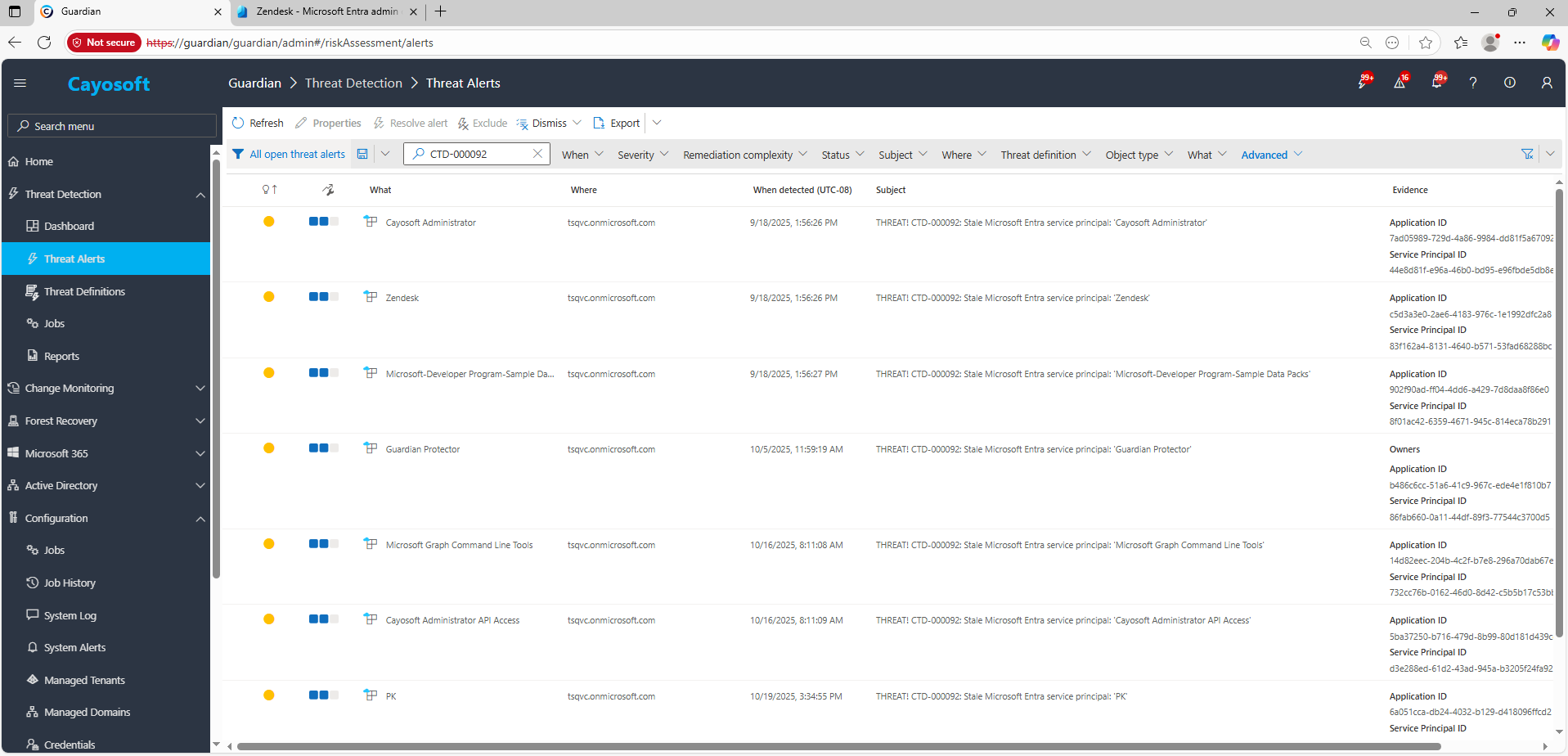
2.) View All Alerts and search for CTD-000092 or Stale Microsoft Entra service principal.
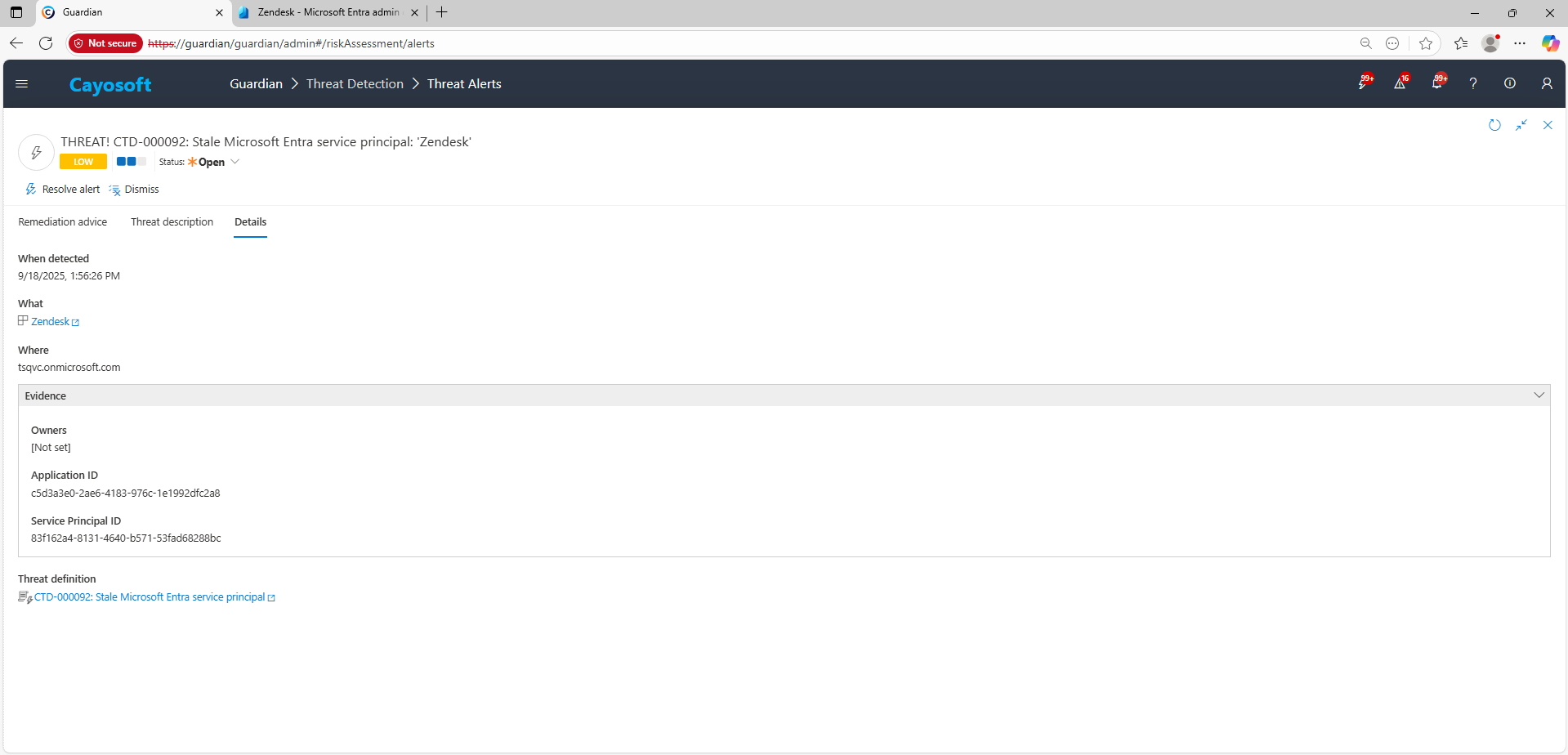
3.) Open any alert and Click for details (from Raise Threat Alert action).
4.) Evidence
Owners
Application ID
Service Principal ID
Remediation Steps
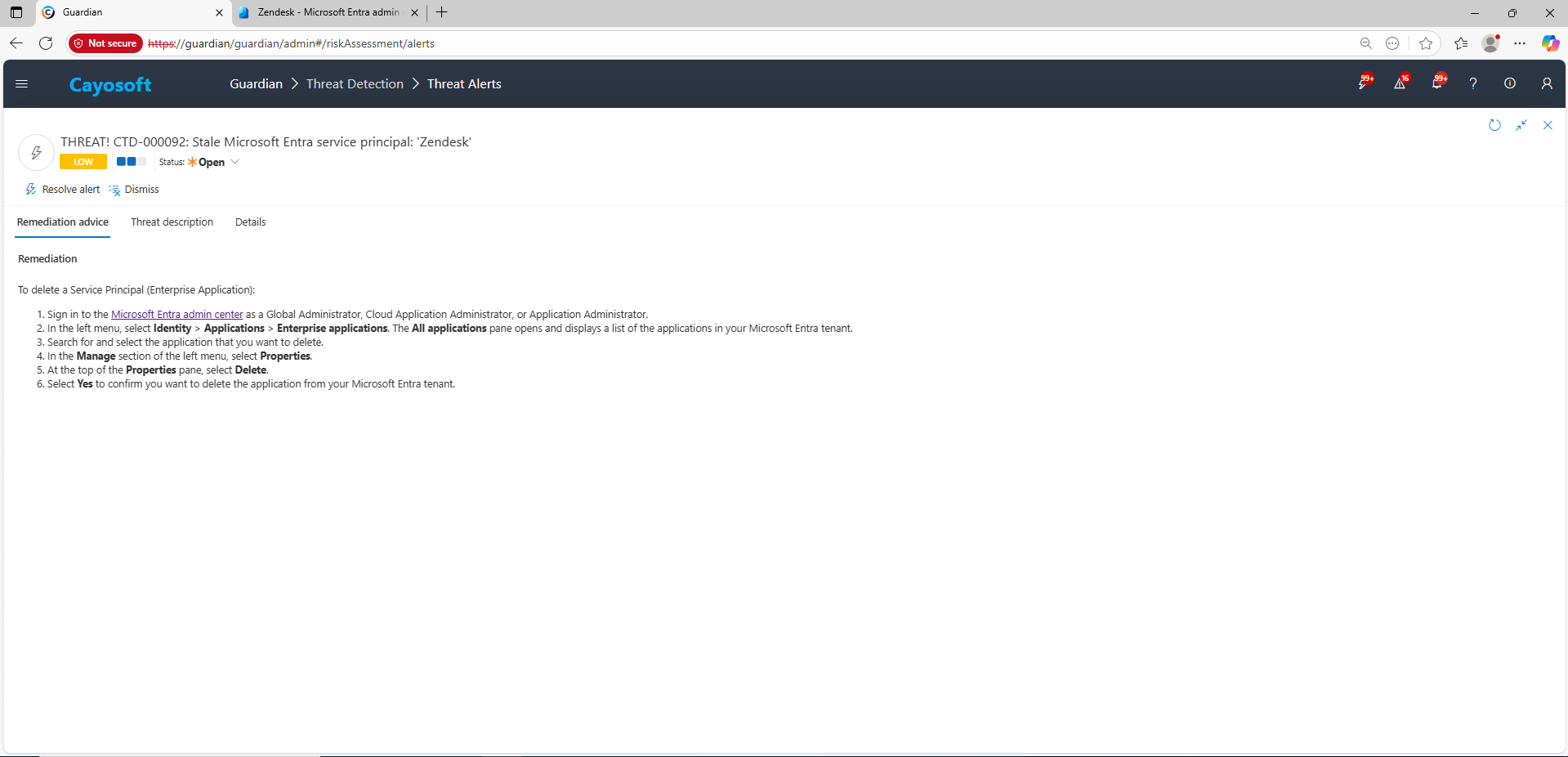
Using the remediation advice in Cayosoft Guardian, follow these steps to remove the vulnerability:
To delete a Service Principal (Enterprise Application):
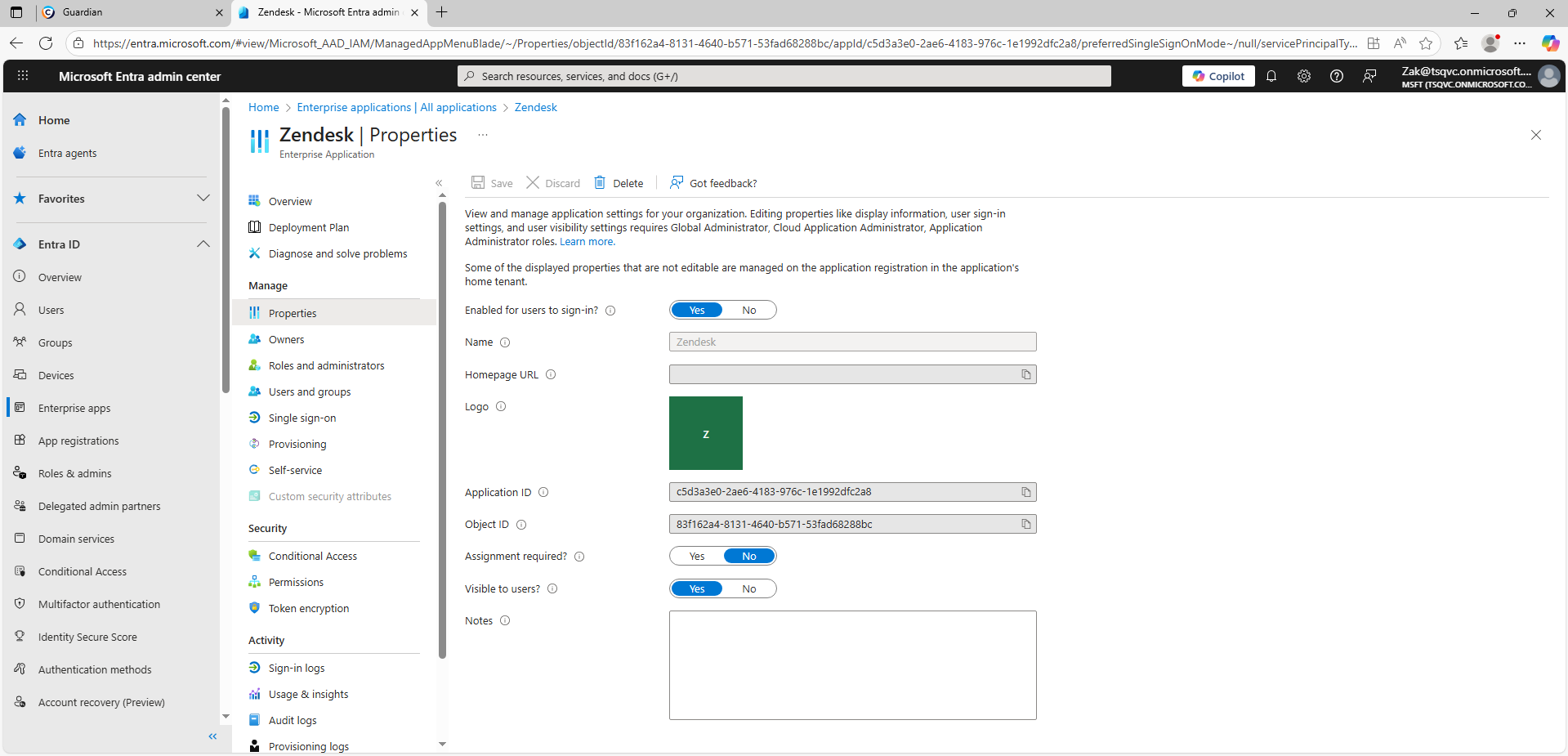
) Sign in to the Microsoft Entra admin center as a Global Administrator, Cloud Application Administrator, or Application Administrator.
) In the left menu, select Identity > Applications > Enterprise applications. The All applications pane opens and displays a list of the applications in your Microsoft Entra tenant.
) Search for and select the application that you want to delete.
) In the Manage section of the left menu, select Properties.
) At the top of the Properties pane, select Delete.
) Select Yes to confirm you want to delete the application from your Microsoft Entra tenant.
How to Prevent It
Cayosoft Guardian can proactively detect and alert on Stale Microsoft Entra service principal. It continuously monitors Active Directory, Entra ID, Microsoft 365, and Intune for over 200 misconfigurations, providing early warning before attackers can exploit them.
Stale service principals can retain credentials or privileged API permissions even when unused, giving attackers a stealthy path for persistence and data access if compromised.
Disable the service principal first (AccountEnabled = false) to confirm that no dependencies break. Once validated, safely delete it from the Entra admin center or via PowerShell.
Proactive monitoring and timely remediation of configuration risks is essential to maintaining a secure Active Directory and Microsoft 365 environment. By addressing issues like Stale Microsoft Entra service principal, you reduce attack surfaces and strengthen your organization’s overall security posture.