Stale guest accounts persist beyond business need and expand your attack surface—dormant identities are easier for attackers to hijack and reuse for access.
As organizations collaborate with external partners, many guest accounts are created in Microsoft Entra tenants. When collaboration ends and users no longer access the tenant, those guest accounts can become stale. Threat actors might compromise these guest accounts and use them to access the tenant.
Real-World Scenario
A partner’s contractor leaves, but the guest account remains active for months. An attacker reuses the contractor’s credentials from a third-party breach and signs in to Teams and SharePoint, reading internal project data and planting persistence by adding an access review bypass and an email forwarding rule. Because the account looks “external” and low-priority, the activity blends in. Cayosoft Guardian surfaces CTD-000078 with the guest’s User principal name and Last activity date so operators can disable or remove the account promptly.
Stop Privilege Escalation—Then Undo It with Cayosoft Guardian
Audit & Restore
Real-time alerts across AD & Entra ID with one-click rollback.
Detect this and other threats with Cayosoft Guardian Protector (Free of Charge)
1.) Download Cayosoft Guardian Protector for free real-time threat detection and monitoring of your hybrid AD and Microsoft 365 environment. Once downloaded, sign in and navigate to the Threat Detection Dashboard.
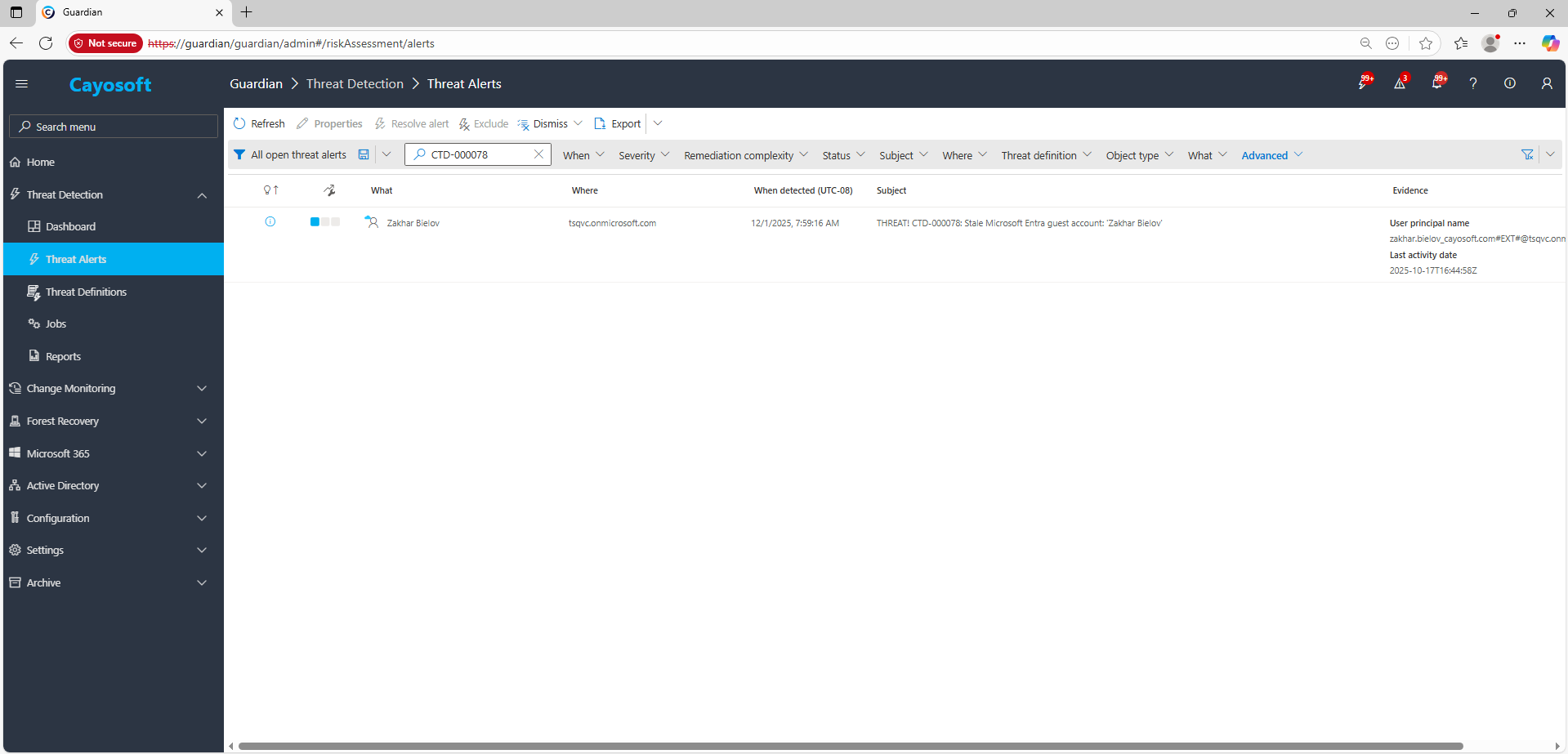
2.) Open All Alerts and search for CTD-000078 or Stale Microsoft Entra guest account.
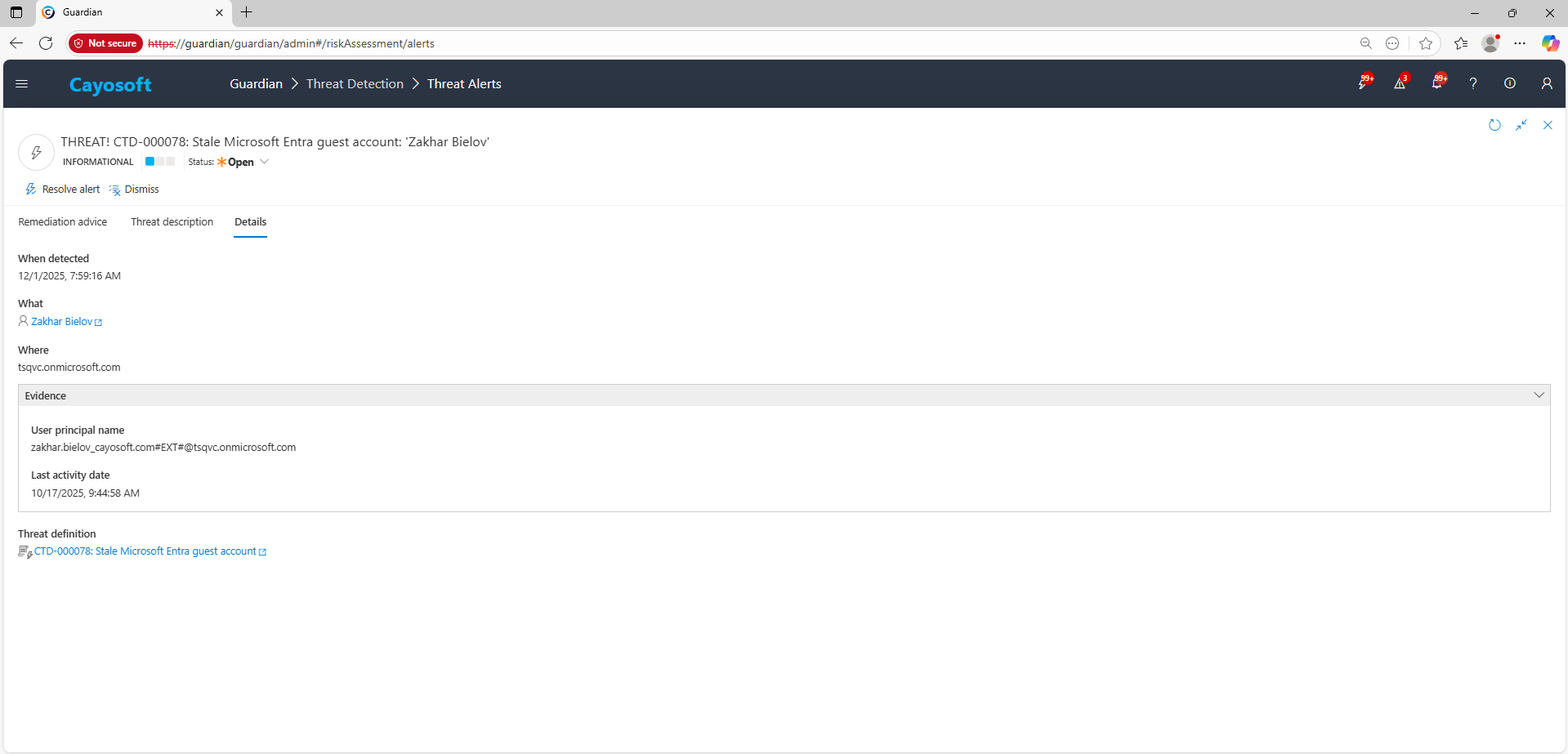
3.) Open any alert and Click for details (from Raise Threat Alert action).
4.) Evidence:
User principal name
Last activity date
Remediation Steps
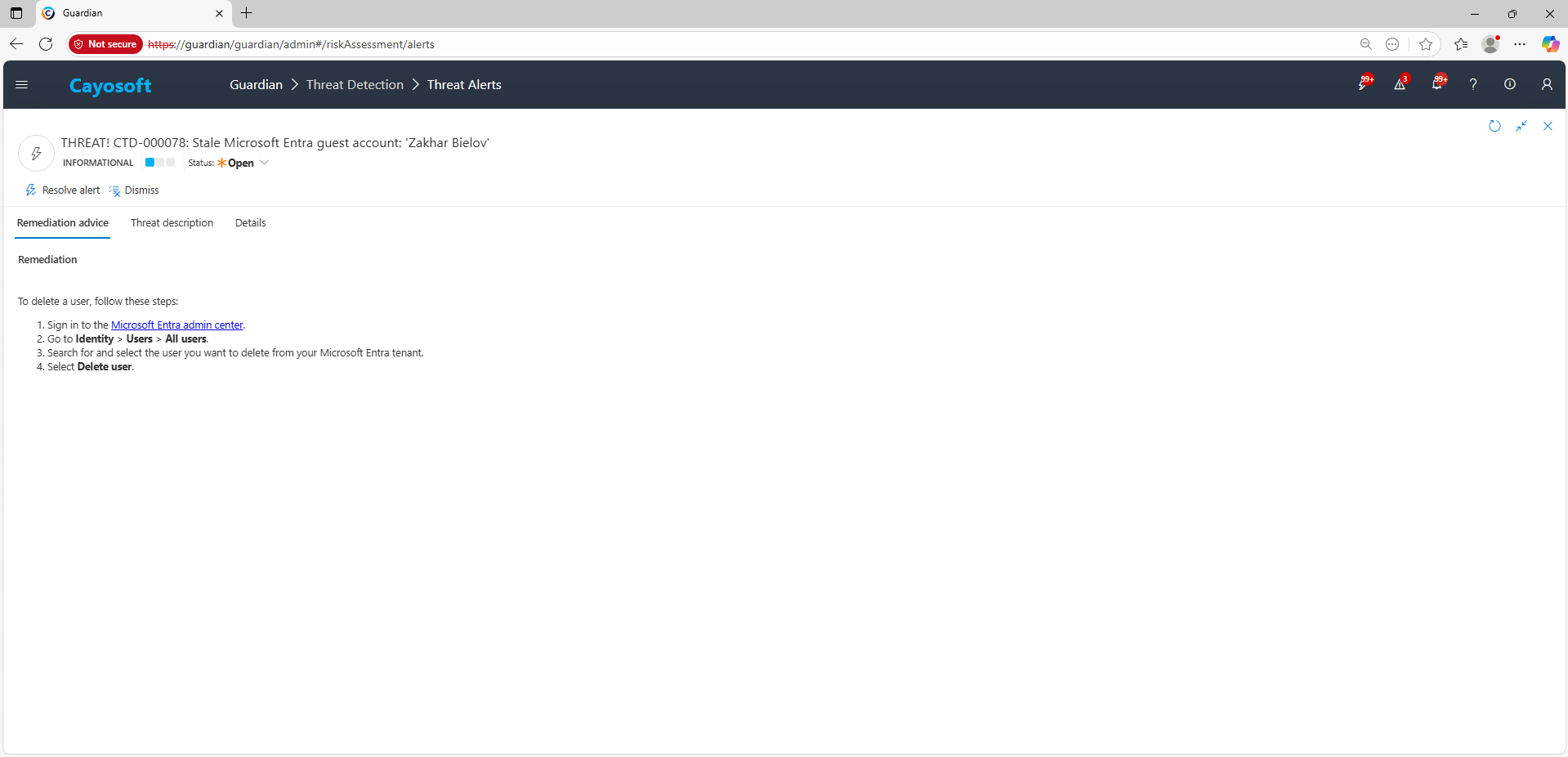
Using the remediation advice in Cayosoft Guardian, follow these steps to remove the vulnerability:
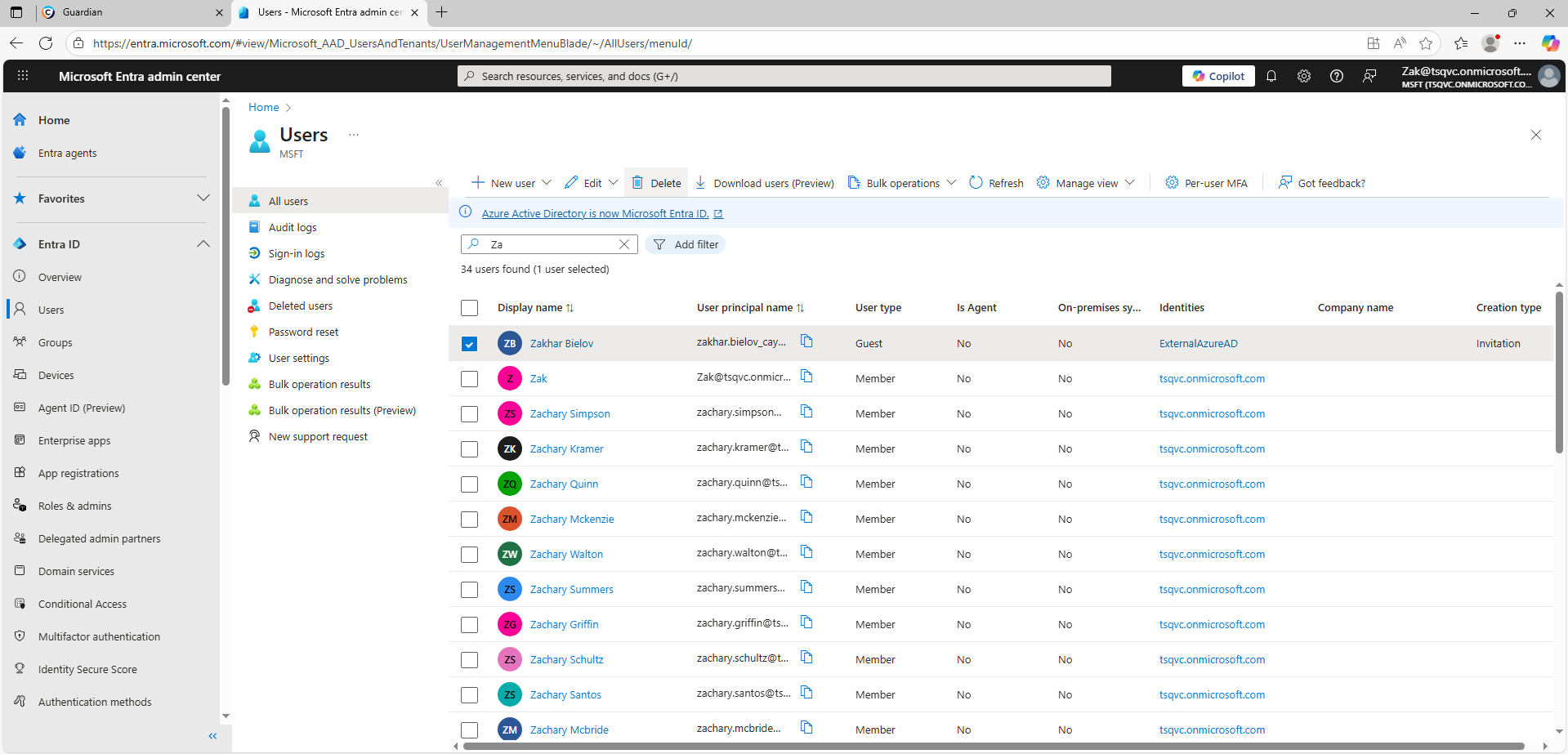
) Search for and select the user you want to delete from your Microsoft Entra tenant.
) Select Delete user.
How to Prevent It
Cayosoft Guardian can proactively detect and alert on Stale Microsoft Entra guest account. It continuously monitors Active Directory, Entra ID, Microsoft 365, and Intune for misconfigurations, providing early warning before attackers can exploit them. Establish lifecycle controls: require sponsorship for guests, enforce access reviews, set inactivity thresholds (e.g., 60 days), and auto-expire/disable unused guest accounts.
Dormant external identities are easy targets for credential stuffing, reuse of breached passwords, and covert persistence. Attackers often exploit these low-visibility accounts to access internal resources without drawing attention.
Best practice is to disable the guest temporarily, remove any role or group assignments, validate there is no business requirement, and then delete the account safely.
Yes. Cayosoft Guardian provides continuous monitoring, alerting, configuration auditing, and prescriptive remediation for stale guest accounts and 200+ other AD/M365 risks.
Final Thought
Proactive monitoring and timely remediation of configuration risks is essential to maintaining a secure Active Directory and Microsoft 365 environment. By addressing issues like Stale Microsoft Entra guest account, you reduce attack surfaces and strengthen your organization’s overall security posture.