
Persistent membership detected in Active Directory Schema Admins group
Cayosoft Threat Definition CTD-000191
Tune into Guardians of the Directory Podcast.




Stop AD Threats As They Happen
Cayosoft Protector provides continuous monitoring and real-time alerts across your entire Microsoft Identity stack
Like This Article?
Subscribe to our LinkedIn Newsletter to receive more educational content
Risk Summary
The Schema Admins group holds forest-wide privileges that allow modification of the Active Directory schema, which is one of the most sensitive operations in an AD environment. Persistent membership in the Schema Admins group greatly increases the risk of unauthorized schema changes, privilege escalation, and long-term attacker persistence. Best practice is to keep the Schema Admins group empty except during tightly controlled, temporary schema maintenance.
- Severity: High
- Platform: Active Directory
- Category: Forest-wide, Privileged Access Management
- MITRE ATT&CK Tactics: Persistence, Privilege Escalation, Defense Evasion
- MITRE D3FEND Tactics: Application Configuration Hardening
Description
The Schema Admins group has the ability to modify the Active Directory schema, including creating or altering object classes and attributes. These changes affect the entire forest and can introduce new objects, properties, or behaviors that are difficult to fully audit or roll back.
Persistent membership in the Schema Admins group means accounts retain this high level of privilege long after any legitimate schema work is completed. Such persistent membership creates an attractive target for threat actors, enabling silent privilege escalation, stealthy backdoors through schema manipulation, and durable persistence mechanisms that are hard to detect and remediate. Recommended practice is to keep the Schema Admins group empty during normal operations and only grant temporary, approved membership for specific schema extensions or directory upgrades, then remove membership immediately afterward.

Real-World Scenario
An attacker compromises a domain admin account in the forest root domain. To ensure long-term control, the attacker quietly adds a secondary compromised service account to the Schema Admins group and leaves that membership in place after a legitimate directory upgrade window. Weeks later, the attacker uses Schema Admins privileges to add new attributes to user objects that store hidden control data and to deploy a malicious extension that is loaded by domain controllers. The attacker performs these changes during maintenance windows and uses existing admin tooling to blend in with normal operations, making privilege escalation and persistence difficult to see. Cayosoft Guardian with CTD-000191 detects the persistent membership in the Schema Admins group and alerts before the attacker can further abuse these privileges.
Stop Privilege Escalation—Then Undo It with Cayosoft Guardian Audit & Restore
Real-time alerts across AD & Entra ID with one-click rollback.
Detect this and other threats with Cayosoft Guardian Protector (Free of Charge)
1.) Download Cayosoft Guardian Protector for free real-time threat detection and monitoring of your hybrid AD and Microsoft 365 environment. Once downloaded, sign in and navigate to the Threat Detection Dashboard.


2.) Go to All Alerts and search for CTD-000191 or Persistent membership detected in Active Directory Schema Admins group.
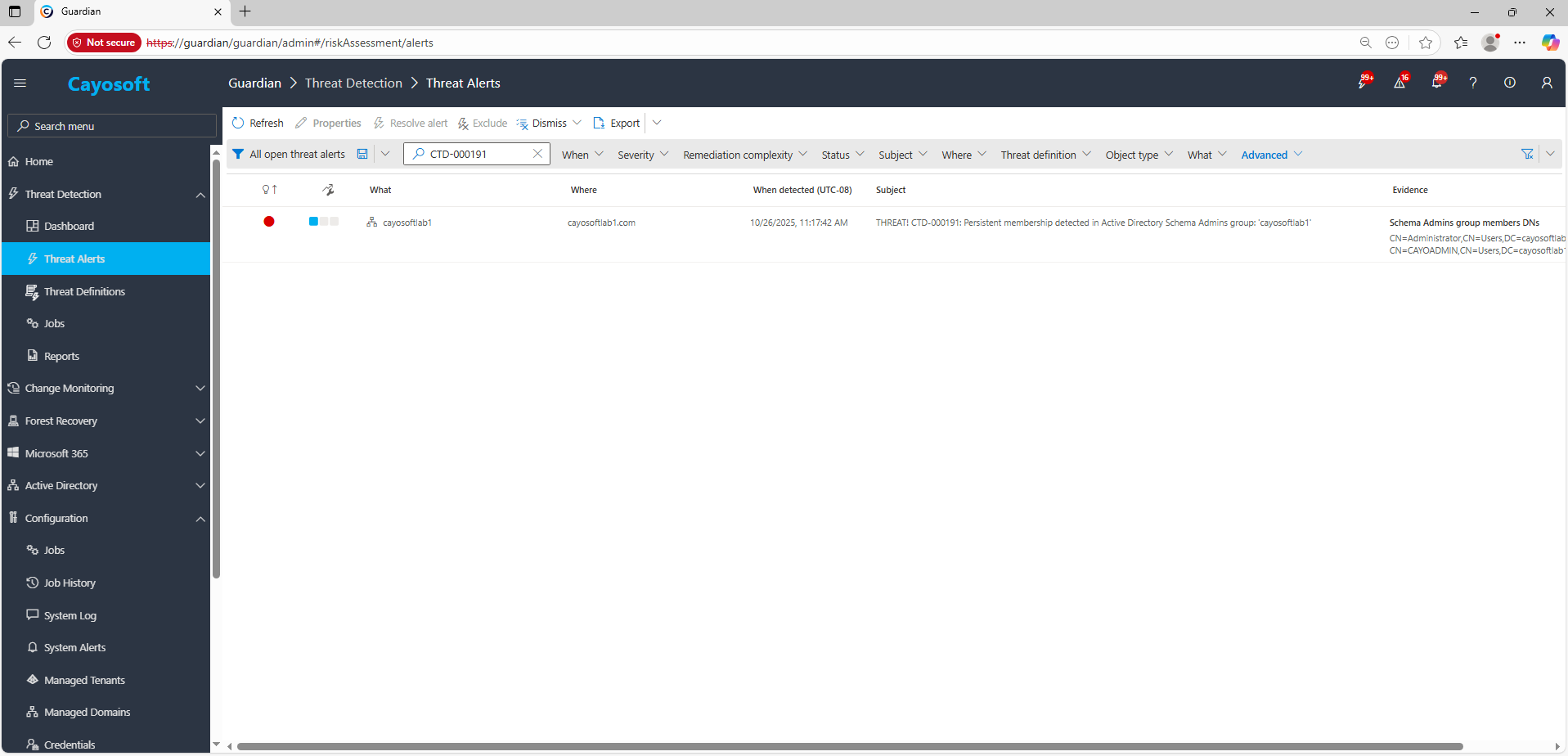
3.) Open any alert and Click for details (from Raise Threat Alert action).
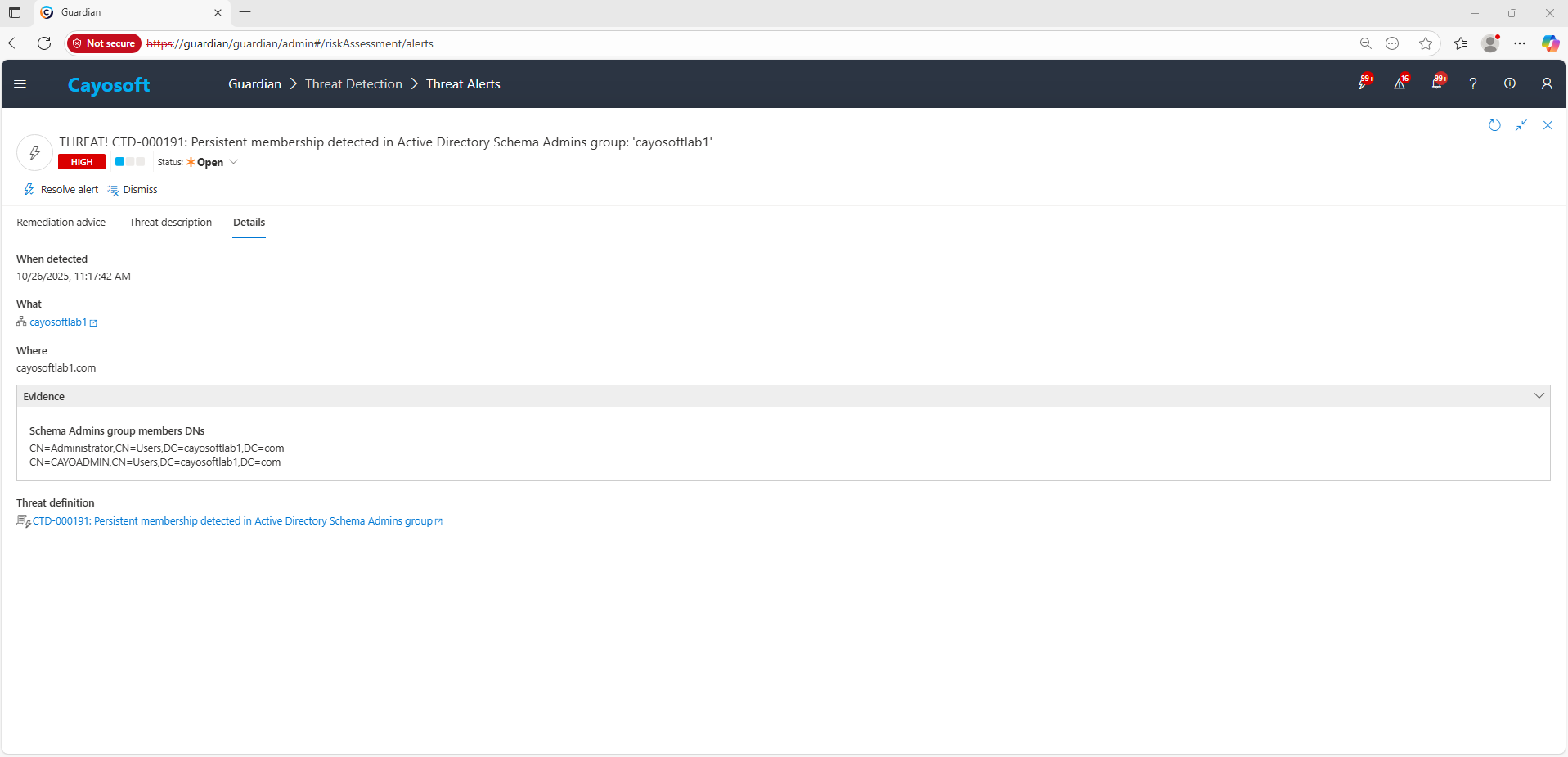
4.) Review the Where, Who, and When detected sections to identify affected domains and accounts.
Evidence:
- Schema Admins group members DNs – distinguished names of the detected Schema Admins group members at the time of assessment.
Remediation Steps
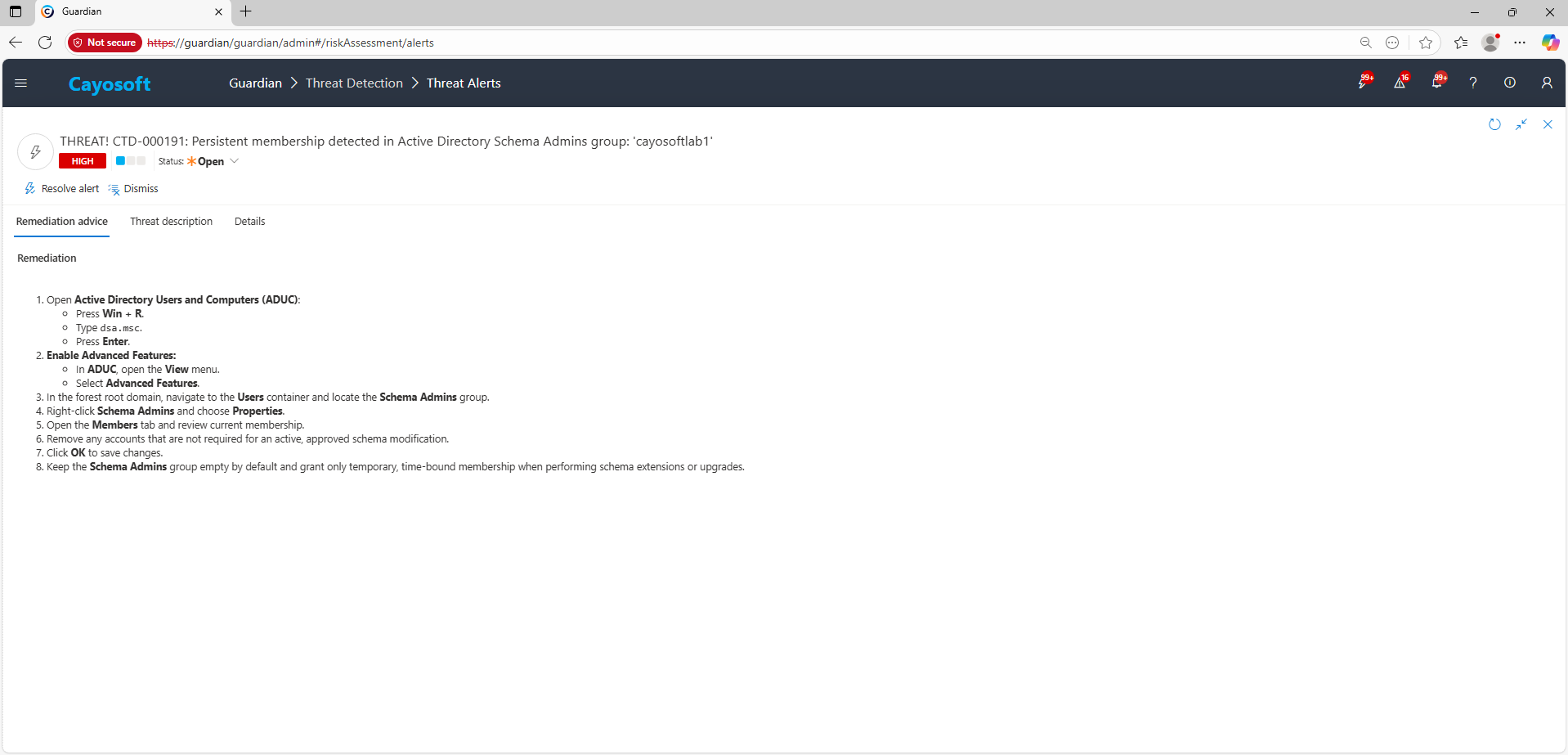
- ) Open Active Directory Users and Computers (ADUC):
- Press Win + R.
- Type
dsa.msc. - Press Enter.
- ) Enable Advanced Features:
- In ADUC, open the View menu.
- Select Advanced Features.
- ) In the forest root domain, navigate to the Users container and locate the Schema Admins group.
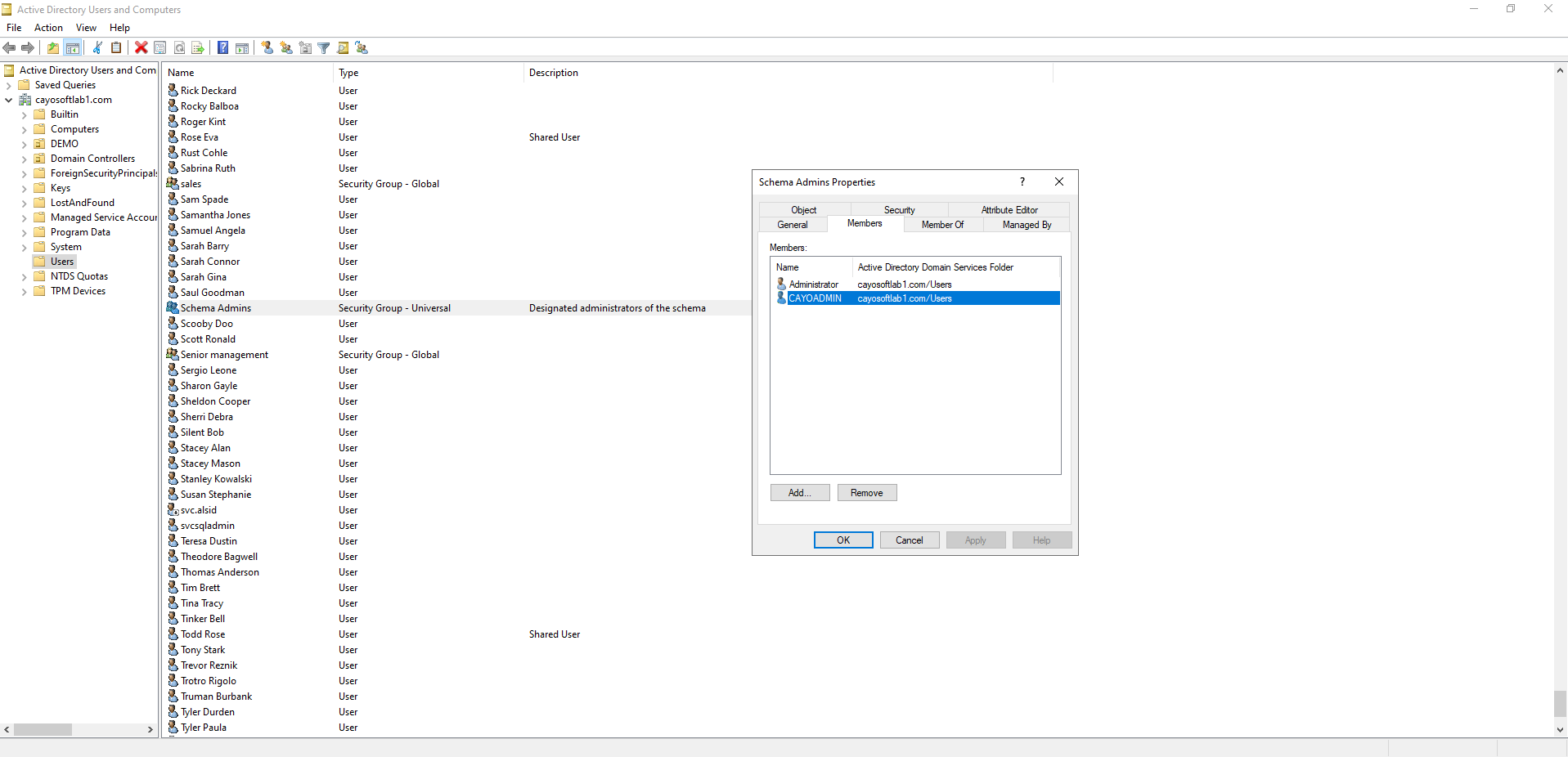
- ) Right-click Schema Admins and choose Properties.
- ) Open the Members tab and review current membership.
- ) Remove any accounts that are not required for an active, approved schema modification.
- ) Click OK to save changes.
- ) Keep the Schema Admins group empty by default and grant only temporary, time-bound membership when performing schema extensions or upgrades.
How to Prevent It
Cayosoft Guardian can proactively detect and alert on Persistent membership detected in Active Directory Schema Admins group. Cayosoft Guardian continuously monitors Active Directory, Entra ID, Microsoft 365, and Intune for misconfigurations and risky access patterns, providing early warning before attackers can exploit them.
To reduce the risk from the Schema Admins group:
- Enforce a policy that the Schema Admins group remains empty during normal operations.
- Use temporary, time-bound membership with documented approvals for any schema work.
- Regularly review CTD-000191 alerts and reconcile all detected members with approved change records.
- Integrate Cayosoft Guardian alerts with your ticketing or SOAR platform so that Schema Admins membership changes trigger immediate investigation.
FAQ
Persistent membership grants forest-wide schema modification rights, which can be abused for stealthy privilege escalation, long-term persistence, and the creation of hidden backdoors that are difficult to detect or reverse.
Review the group after every schema change, during routine monthly privileged-access reviews, and immediately whenever Cayosoft Guardian raises a CTD-000191 alert.
Enterprise Admins manage forest-level configuration and security, but they cannot change the schema without Schema Admins membership. Schema Admins exclusively control schema alterations across the entire forest.
Yes, Cayosoft Guardian Protector.
Final Thought
Proactive monitoring and timely remediation of configuration risks is essential to maintaining a secure Active Directory and Microsoft 365 environment. By addressing issues like Persistent membership detected in Active Directory Schema Admins group, you reduce attack surfaces and strengthen your organization’s overall security posture.