Recent changes to Cross-Tenant Access (CTA) or Cross-tenant synchronization can create or modifya trust with another tenant. Malicious or misconfigured updates can grant long-term persistence or unintended privileged access via synced accounts and groups.
When cross-tenant synchronization is configured, a trust relationship is established between a source tenant and a target tenant. A threat actor with access to the source tenant could persist in or escalate privileges within the target tenant by creating or modifying CTA configuration and syncing accounts into privileged groups. Regular review of CTA changes is critical to prevent unauthorized access paths.
Real-World Scenario
An attacker compromises a partner’s tenant (source) and quietly edits a cross-tenant sync configuration to include a new security group mapped to Privileged Role Administrator in the target tenant. The sync runs hourly, adding a backdoor user that never triggers standard invite prompts. The attacker disables email notifications in the source tenant to avoid obvious detection and uses the synced account to assign additional roles. Cayosoft Guardian detects recent changes in Cross Tenant Access configuration with timestamps and configuration names, allowing security teams to investigate and roll back the change before privileges are abused further.
Stop Privilege Escalation—Then Undo It with Cayosoft Guardian
Audit & Restore
Real-time alerts across AD & Entra ID with one-click rollback.
Detect this and other threats with Cayosoft Guardian Protector (Free of Charge)
1.) Download Cayosoft Guardian Protector for free real-time threat detection and monitoring of your hybrid AD and Microsoft 365 environment. Once downloaded, sign in and navigate to the Threat Detection Dashboard.
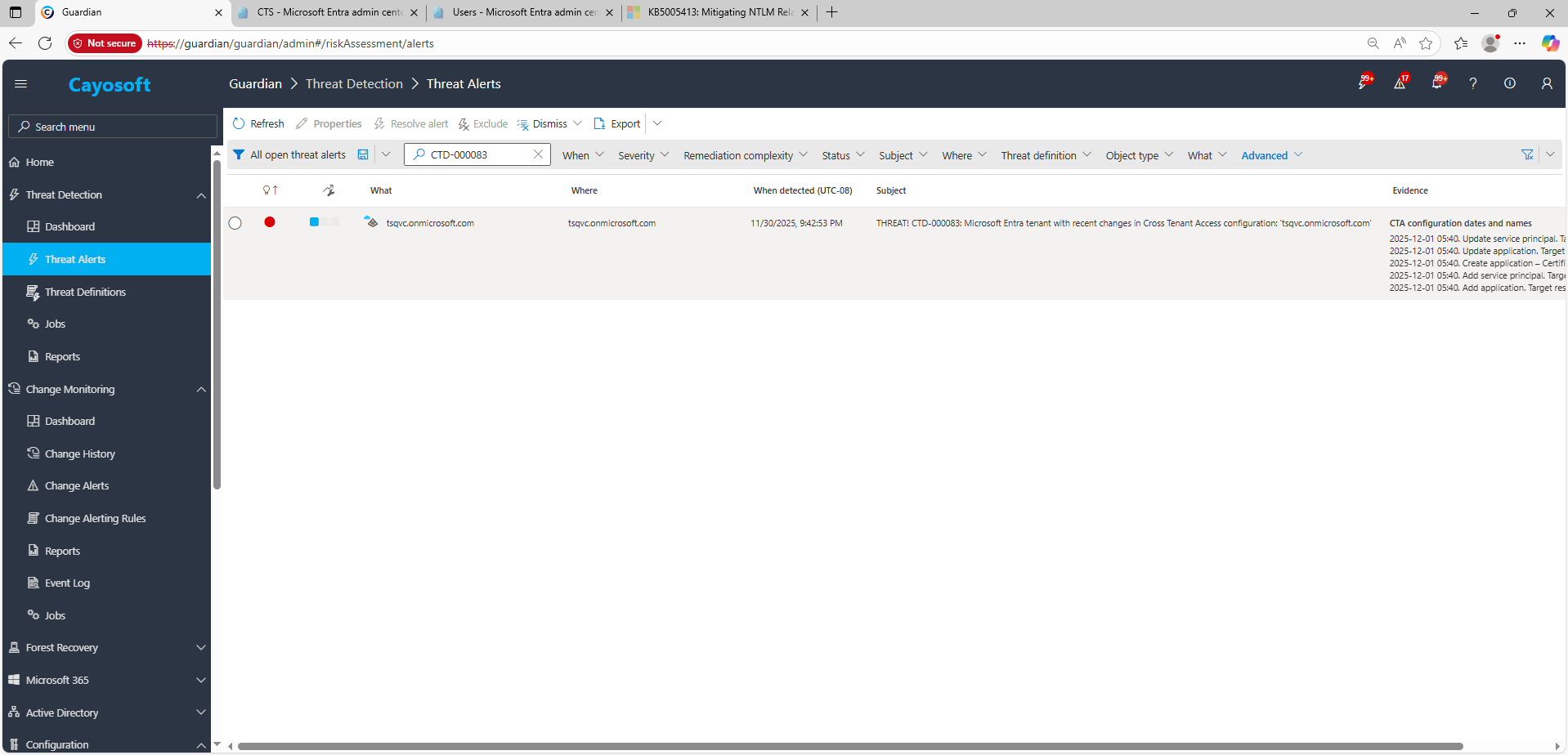
2.) Open All Alerts and search for CTD-000083 or Microsoft Entra tenant with recent changes in Cross Tenant Access configuration.
3.) Open any alert and Click for details (from Raise Threat Alert action).
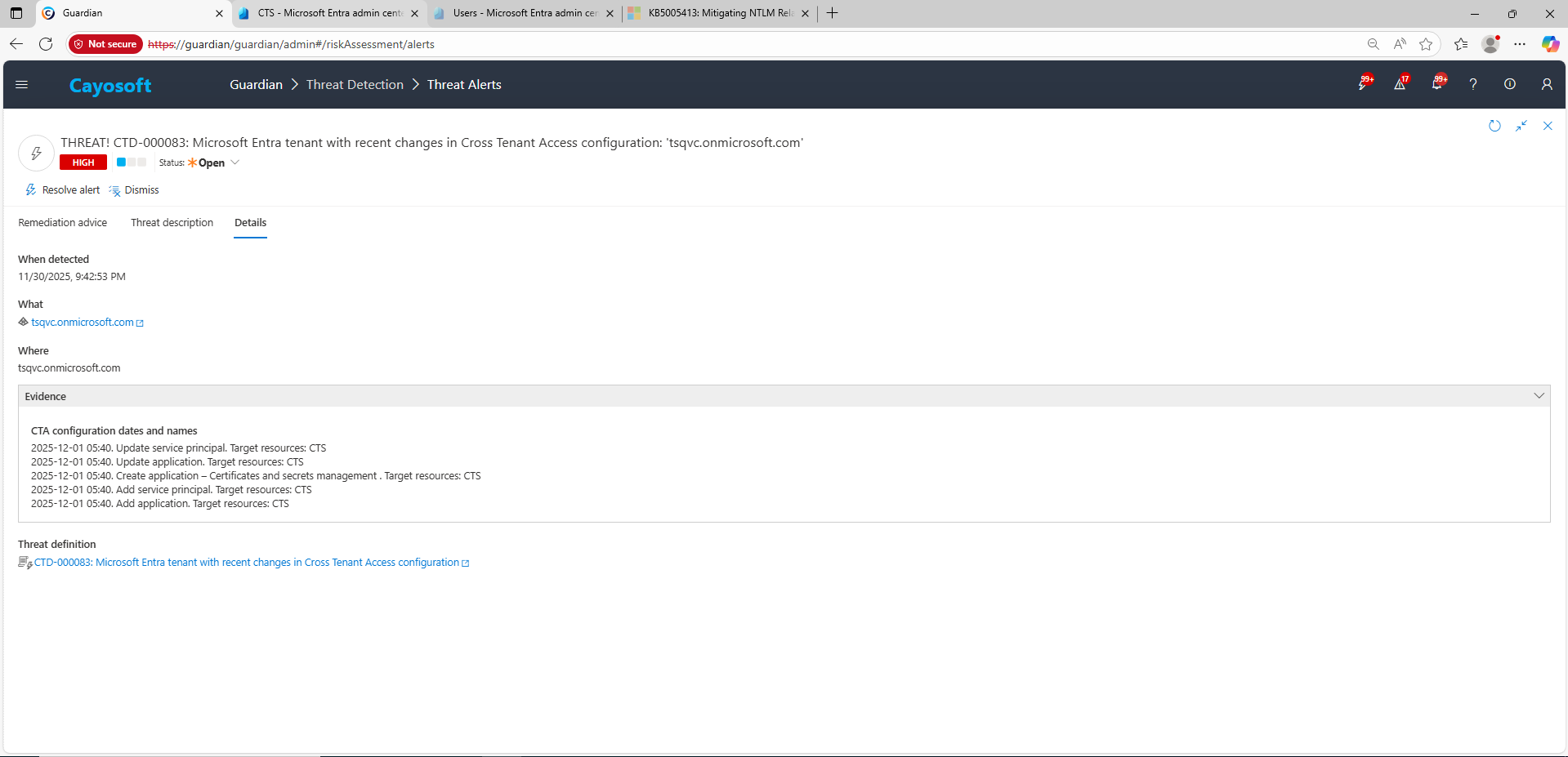
4.) Evidence:
CTA configuration dates and names
Remediation Steps
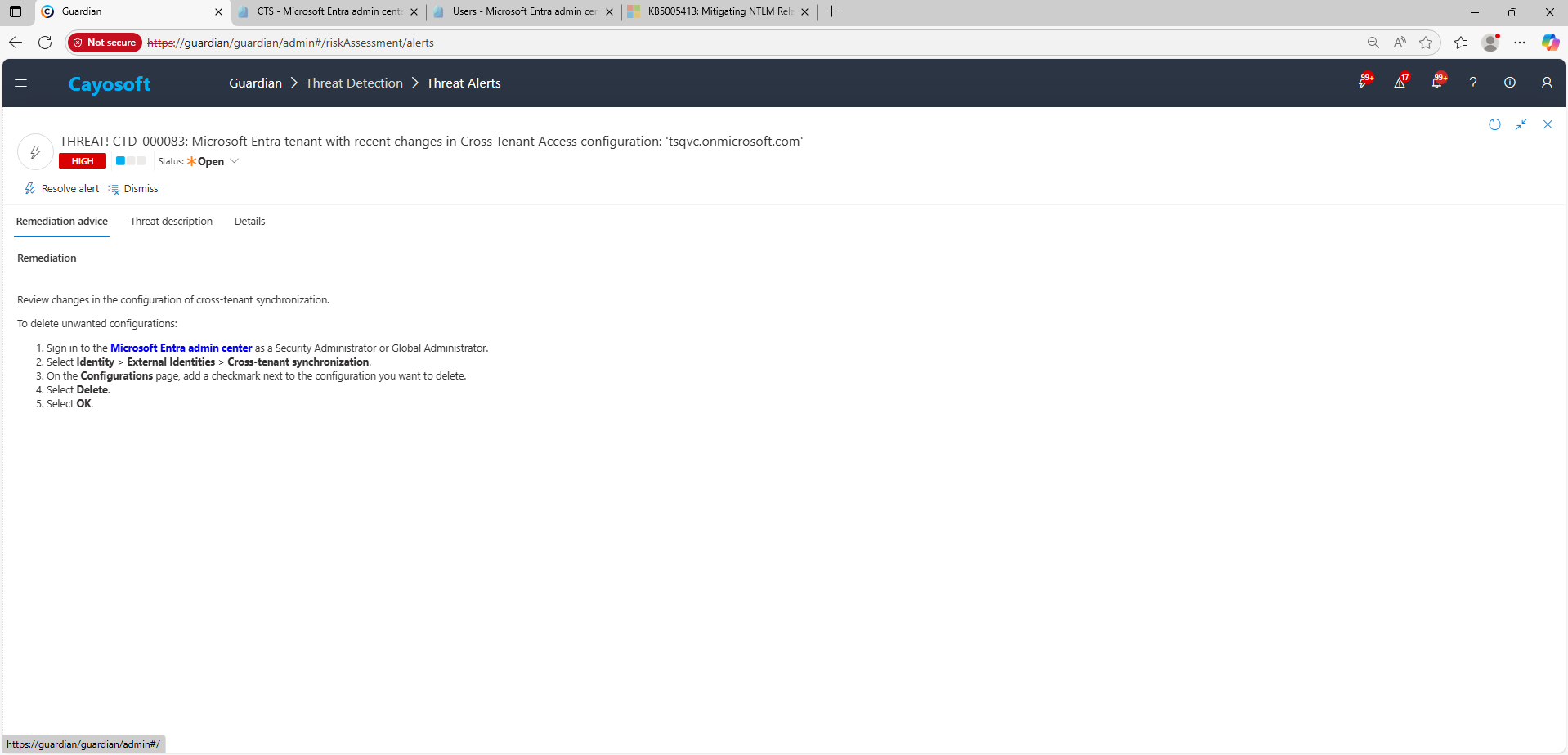
Using the remediation advice in Cayosoft Guardian, follow these steps to remove the vulnerability:
Review changes in the configuration of cross-tenant synchronization.
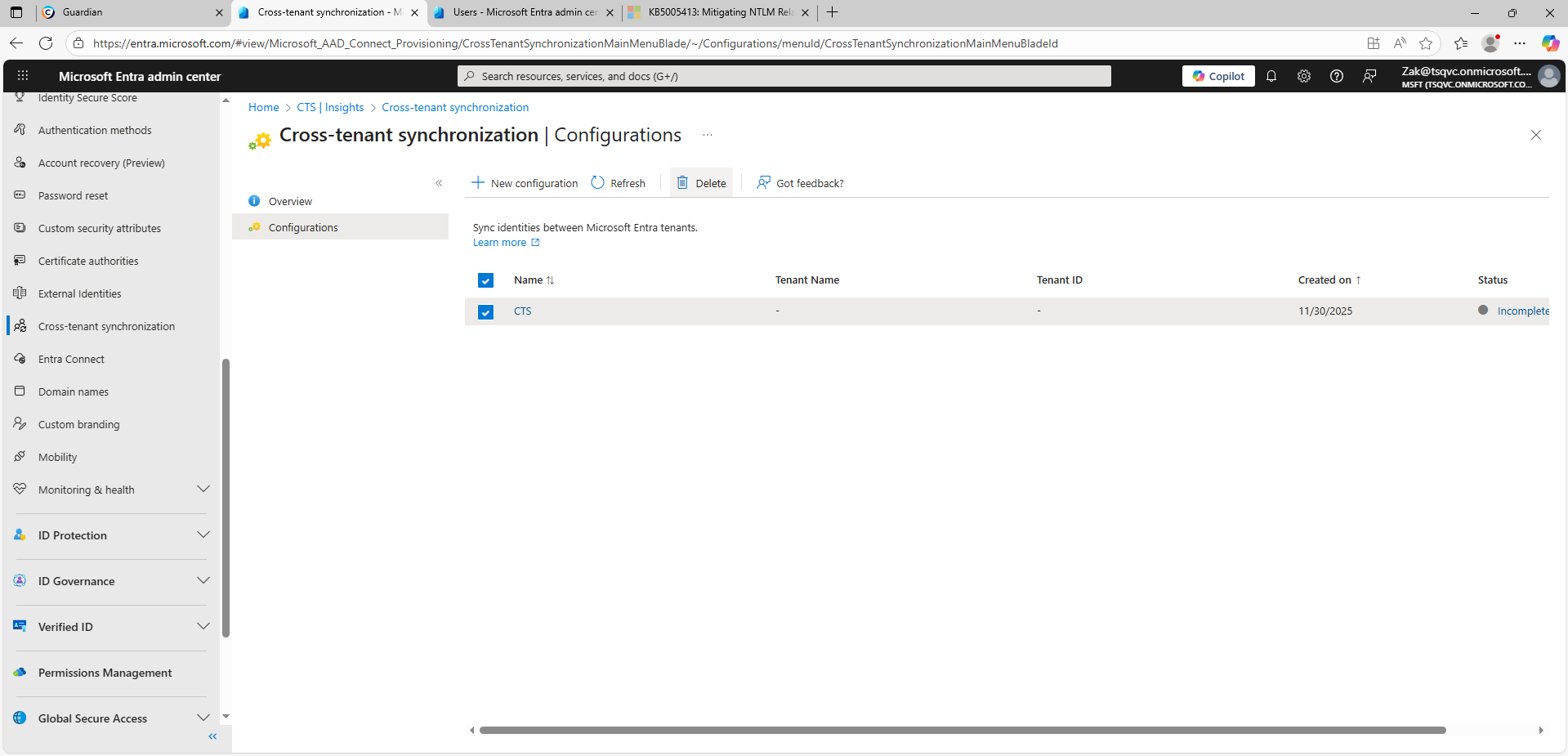
) On the Configurations page, add a checkmark next to the configuration you want to delete.
) Select Delete.
) Select OK.
How to Prevent It
Cayosoft Guardian can proactively detect and alert on Microsoft Entra tenant with recent changes in Cross Tenant Access configuration. It continuously monitors Active Directory, Entra ID, Microsoft 365, and Intune for 200+ misconfigurations, providing early warning before attackers can exploit them.
Limit who can create/edit CTA/sync configurations; require change control and approvals.
Use least-privileged group mappings; avoid mapping synced groups to tenant-wide privileged roles.
Enable continuous review of last modified timestamps and change owners for CTA partners.
Periodically validate partner tenants and remove stale or unused configurations.
CTA and cross-tenant synchronization establish trust paths. Malicious or misconfigured changes can sync users or groups into privileged roles, enabling persistence, privilege escalation, or stealthy access without standard invitations.
Navigate to Microsoft Entra admin center → Identity → External Identities → Cross-tenant synchronization → Configurations, select the configuration, choose Delete, and confirm with OK.
Yes. Cayosoft Guardian provides continuous monitoring, alerting, configuration auditing, and prescriptive remediation for CTA-related risks and 200+ other AD/M365 misconfigurations.
Proactive monitoring and timely remediation of configuration risks is essential to maintaining a secure Active Directory and Microsoft 365 environment. By addressing issues like Microsoft Entra tenant with recent changes in Cross Tenant Access configuration, you reduce attack surfaces and strengthen your organization’s overall security posture.