Not using Privileged Identity Management (PIM) leaves permanent, always-on admin access in place. If a privileged account is compromised, an attacker can immediately use high-impact roles without approvals, MFA at activation, or time limits.
In a tenant with Privileged Identity Management (PIM), Microsoft Entra roles can be secured with an additional approval process and require MFA on activation. Without PIM, if a threat actor gets access to an account with membership in a powerful role such as Global Admin, he will be able to use it right away. PIM provides a time-based and approval-based role activation to mitigate the risks of excessive, unnecessary, or misused access permissions to important resources. These resources include resources in Microsoft Entra ID, Azure, and other Microsoft Online Services such as Microsoft 365 or Microsoft Intune.
Real-World Scenario
A helpdesk user is temporarily added as a User Administrator and never removed. Their device is later compromised via infostealer malware. Because PIM isn’t enforced, the attacker immediately resets executive passwords, creates a backdoor Cloud App Administrator, and registers a malicious enterprise app. With no approval or JIT limits, changes are fast and blend into normal admin activity. Cayosoft Guardian flags the PIM not being used exposure so admins can move privileged roles to eligible, time-bound access before abuse occurs.
Stop Privilege Escalation—Then Undo It with Cayosoft Guardian
Audit & Restore
Real-time alerts across AD & Entra ID with one-click rollback.
Detect this and other threats with Cayosoft Guardian Protector (Free of Charge)
1.) Download Cayosoft Guardian Protector for free real-time threat detection and monitoring of your hybrid AD and Microsoft 365 environment. Once downloaded, sign in and navigate to the Threat Detection Dashboard.
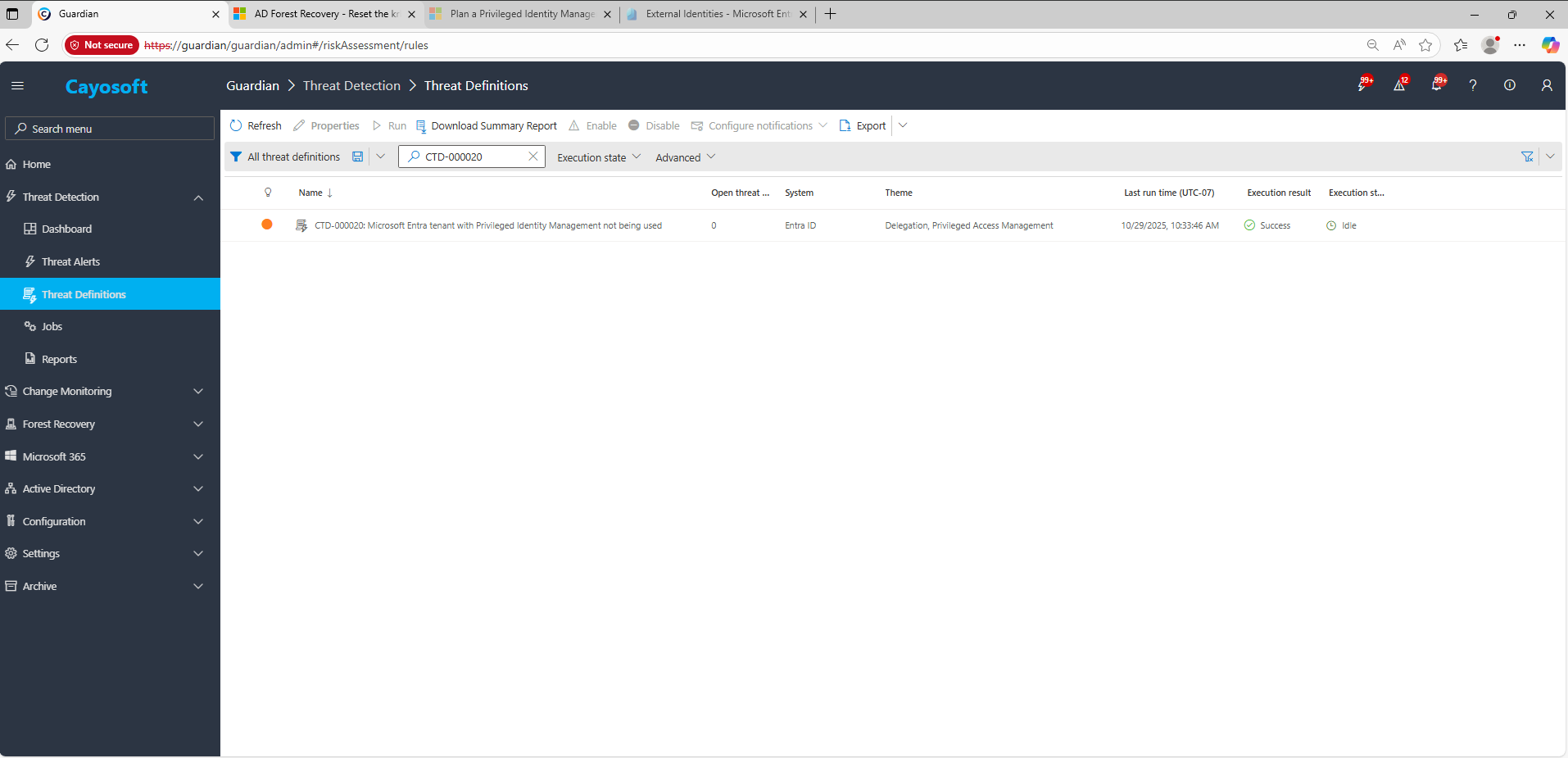
2.) View All Alerts and search for CTD-000020 or AD object with non-default primary group.
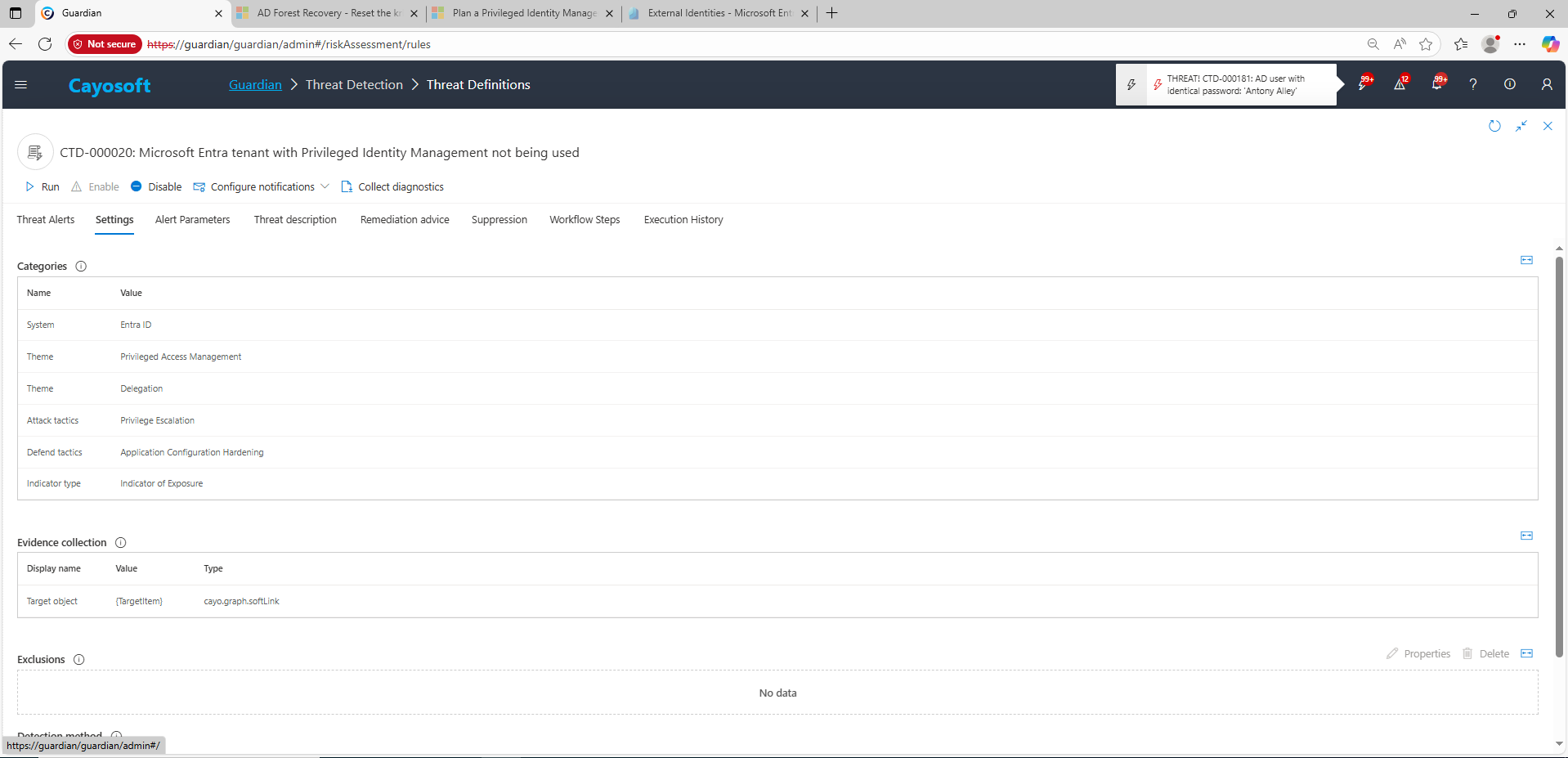
3.) Open any alert and Click for details (from Raise Threat Alert action).
4.) Evidence:
Target object
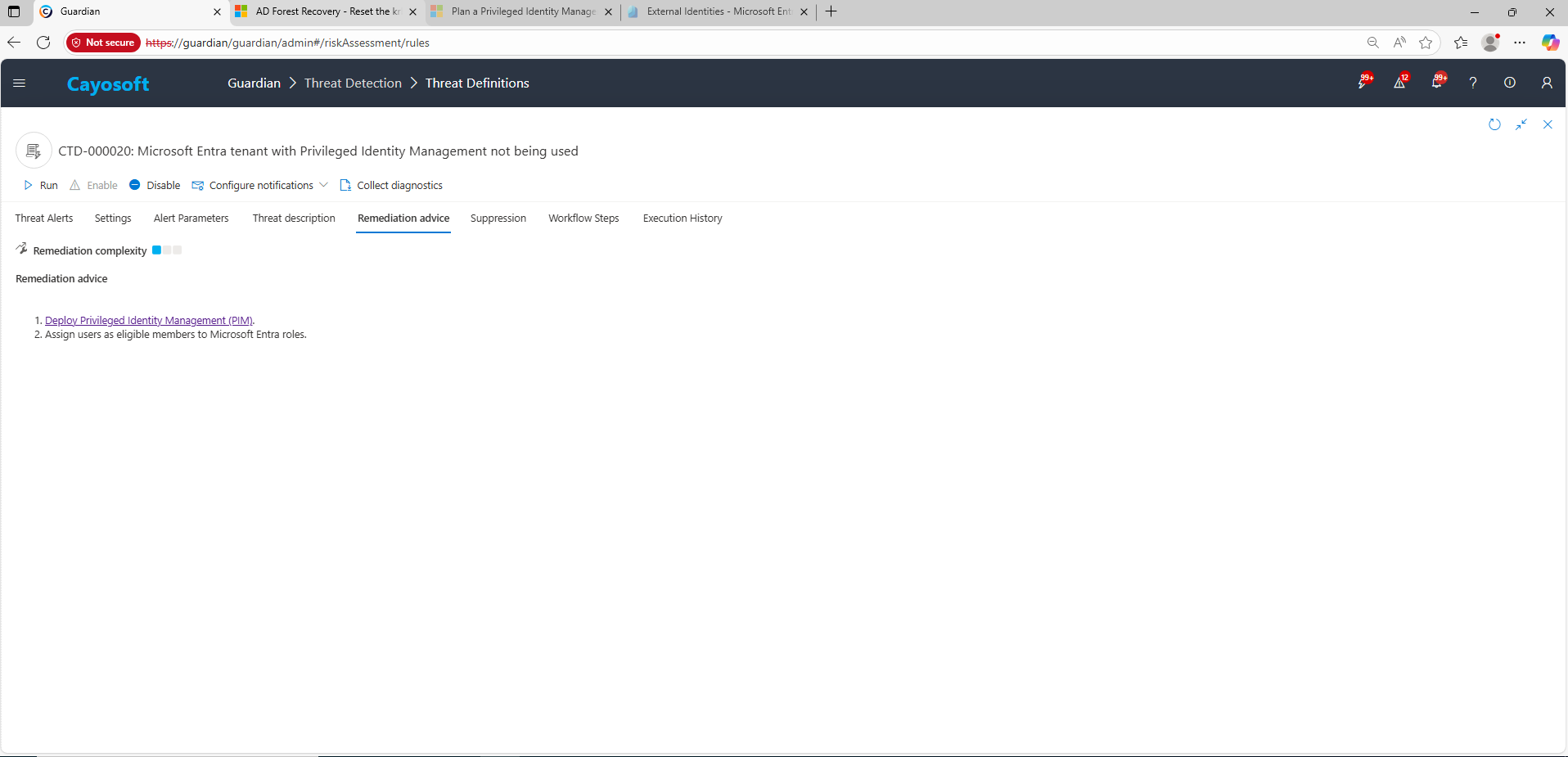
Remediation Steps
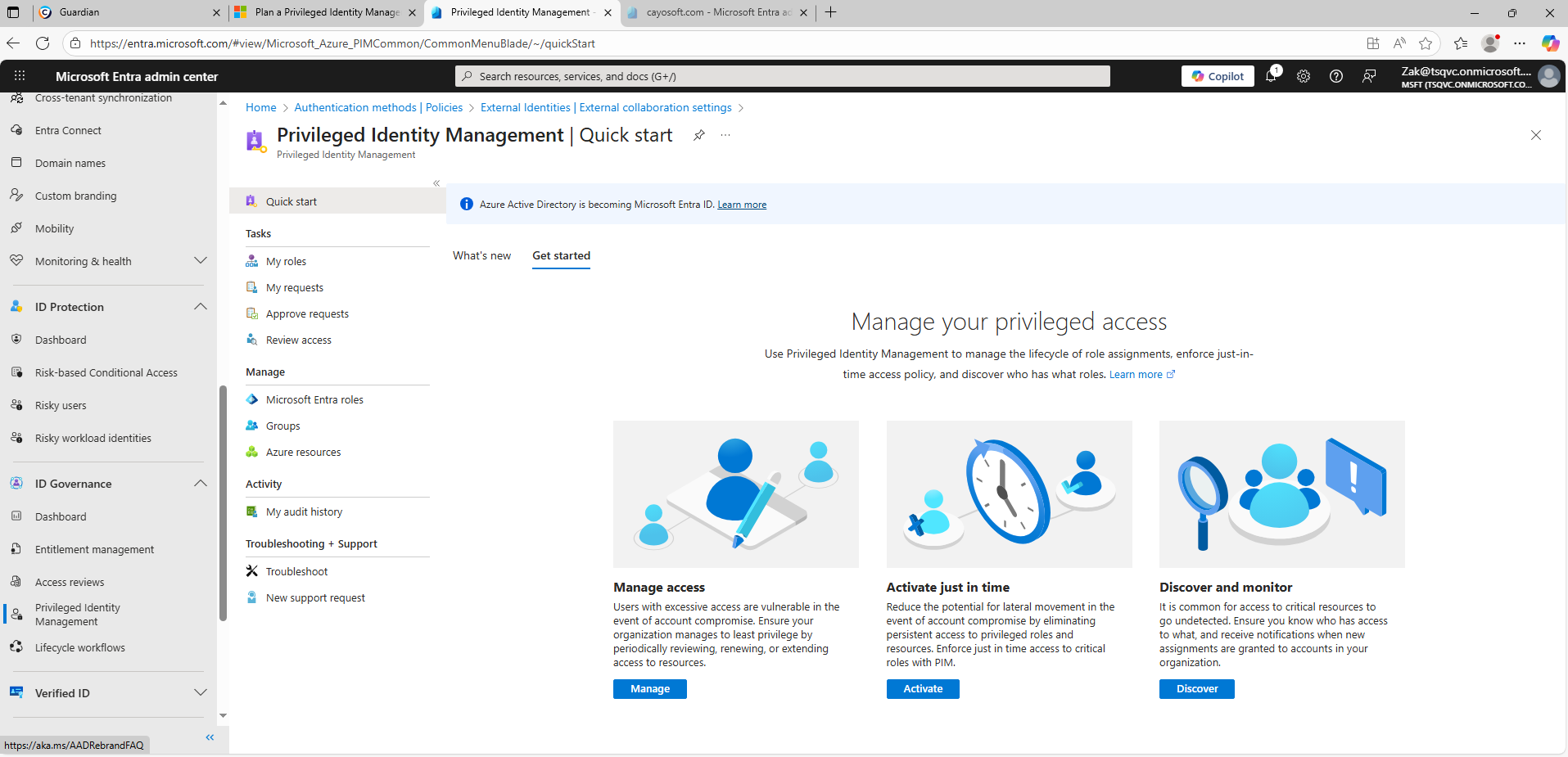
Using the remediation advice in Cayosoft Guardian, follow these steps to remove the vulnerability:
MFA protects the sign-in process, but PIM controls when administrative rights are active. PIM enforces approvals, time limits, and MFA at activation, reducing the risk window after credential theft or session hijacking.
Start with Tier-0 and other high-impact roles such as Global Administrator, Privileged Role Administrator, User Administrator, and Cloud App Administrator, since compromise of these roles provides complete tenant control.
No. Users can still activate their role on demand with justification and MFA. This change simply adds governance and time-bound access, not loss of capability.
Yes. Cayosoft Guardian provides continuous monitoring, automated detection of standing role assignments, and prescriptive remediation to ensure PIM enforcement across Microsoft Entra and Microsoft 365.
Proactive monitoring and timely remediation of configuration risks is essential to maintaining a secure Active Directory and Microsoft 365 environment. By addressing issues like Microsoft Entra tenant with Privileged Identity Management not being used, you reduce attack surfaces and strengthen your organization’s overall security posture.