
Microsoft Entra tenant with Microsoft 365 groups exposed to the whole organization
Cayosoft Threat Definition CTD-000019
Tune into Guardians of the Directory Podcast.




Stop AD Threats As They Happen
Cayosoft Protector provides continuous monitoring and real-time alerts across your entire Microsoft Identity stack
Like This Article?
Subscribe to our LinkedIn Newsletter to receive more educational content
Risk Summary
A public group might pose a threat as all users in the organization might have access to the group’s content. This broad visibility increases the chance of data exposure and aids attackers in reconnaissance.
- Severity: Low
- Platform: Entra ID
- Category: Groups protection, Tenant-wide
- MITRE ATT&CK Tactics: Discovery
- MITRE D3FEND Tactics: Application Configuration Hardening
Description
A public group might pose a threat as all users in the organization might have access to the group’s content. A threat actor can add herself to any public group using the Microsoft Entra admin center and access resources such as SharePoint documents or Teams chats.

Real-World Scenario
An attacker with a foothold in the tenant enumerates public Microsoft 365 groups and self-joins from the Entra admin experience. After joining a “Product Roadmap” team, the attacker accesses SharePoint docs with future pricing and customer lists, then scrapes channel messages for VIP names and meeting links. Using this intelligence, the attacker crafts convincing spear-phish to finance staff and pivots to sensitive repositories. The attacker leaves the groups to reduce suspicion, but cached files remain exfiltrated. Cayosoft Guardian highlights the exposed public groups condition so admins can quickly review and restrict group privacy before it’s abused further.
Stop Privilege Escalation—Then Undo It with Cayosoft Guardian Audit & Restore
Real-time alerts across AD & Entra ID with one-click rollback.
Detect this and other threats with Cayosoft Guardian Protector (Free of Charge)
1.) Download Cayosoft Guardian Protector for free real-time threat detection and monitoring of your hybrid AD and Microsoft 365 environment. Once downloaded, sign in and navigate to the Threat Detection Dashboard.


2.) View All Alerts and search for CTD-000019 or Microsoft Entra tenant with Microsoft 365 groups exposed to the whole organization.
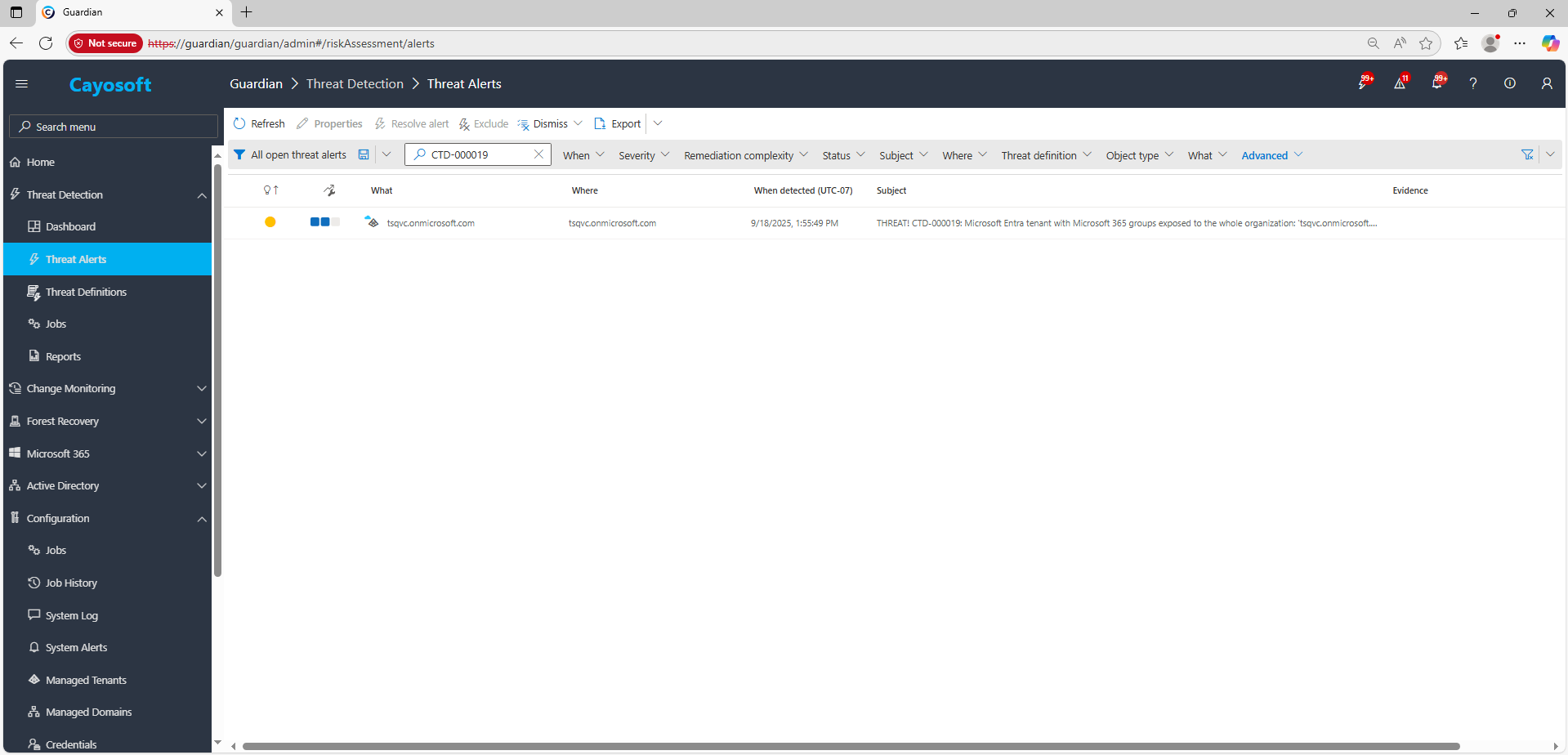
3.) Open any alert and Click for details (from Raise Threat Alert action).
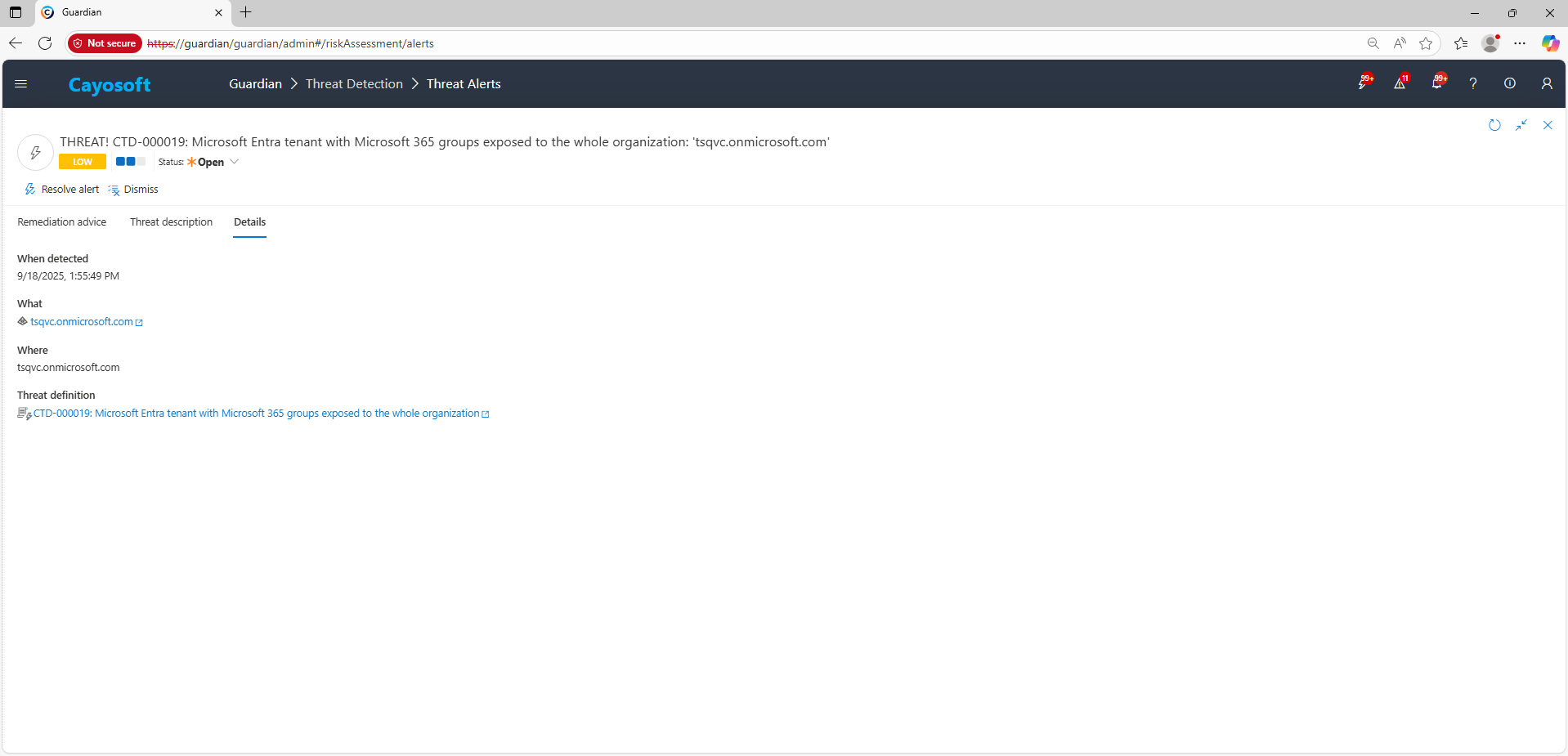
4.) Review the list of detected public Microsoft 365 groups and prioritize groups tied to sensitive business functions.
Remediation Steps
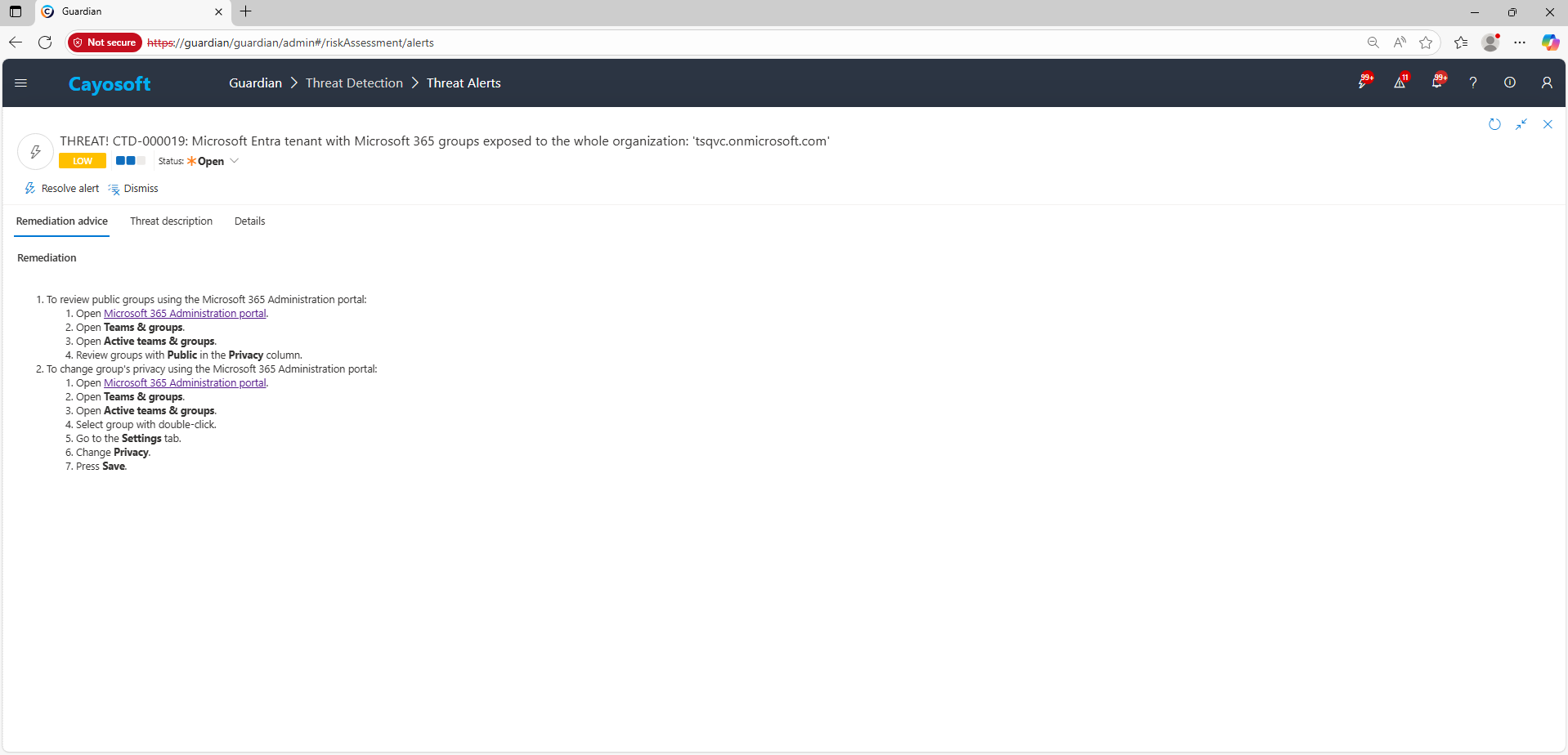
- ) To review public groups using the Microsoft 365 Administration portal:
- ) Open Microsoft 365 Administration portal.
- ) Open Teams & groups.
- ) Open Active teams & groups.
- ) Review groups with Public in the Privacy column.
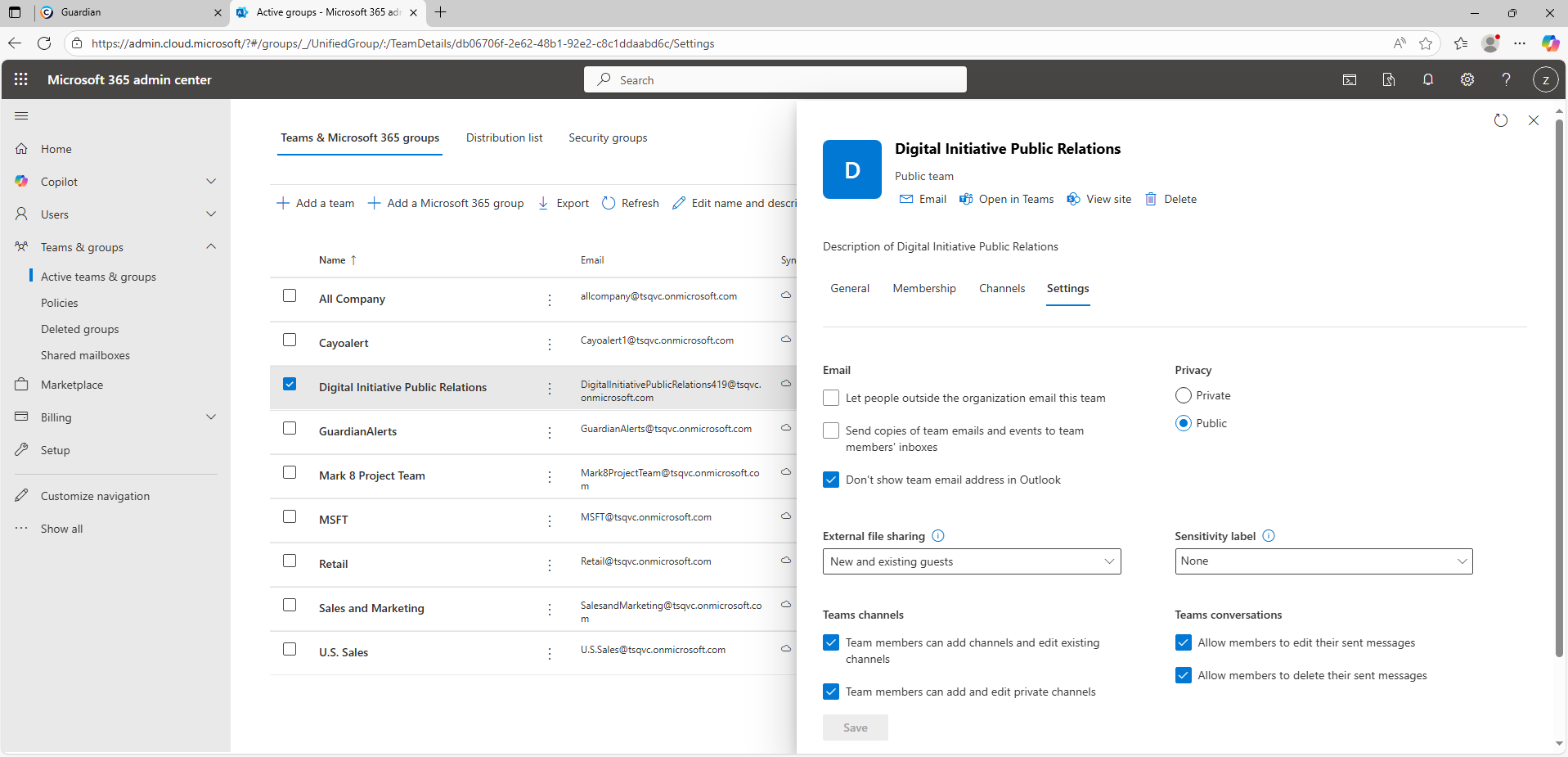
- ) To change group’s privacy using the Microsoft 365 Administration portal:
- ) Open Microsoft 365 Administration portal.
- ) Open Teams & groups.
- ) Open Active teams & groups.
- ) Select group with double-click.
- ) Go to the Settings tab.
- ) Change Privacy.
- ) Press Save.
How to Prevent It
- Default new Microsoft 365 groups to Private; allow Public only by exception with approval.
- Periodically review Public groups and convert to Private if they contain business data.
- Apply naming and sensitivity label policies that discourage public exposure for sensitive teams.
- Monitor for newly created or converted Public groups with Cayosoft Guardian alerts.
FAQ
It warns that public Microsoft 365 groups allow every user in the organization to access group content, increasing the risk of data exposure and providing attackers with valuable reconnaissance opportunities.
Microsoft 365 and Entra administrators should review all public groups, identify those tied to sensitive business areas, and change their privacy settings to Private to prevent unauthorized access.
They should enforce policies that make new groups Private by default, apply sensitivity labels, and continuously monitor for newly created public groups using Cayosoft Guardian alerts.
Yes. Administrators can use Microsoft Graph PowerShell or the Microsoft 365 Admin Center to list and review group visibility, helping to identify publicly exposed groups across the tenant.
Yes. Solutions like Cayosoft Guardian provide continuous monitoring and automated alerts for risky public groups, ensuring administrators can quickly respond to configuration weaknesses before data is exposed.
References
- Microsoft 365 Admin Center: https://admin.microsoft.com/
Final Thought
Proactive monitoring and timely remediation of configuration risks is essential to maintaining a secure Active Directory and Microsoft 365 environment. By addressing issues like Microsoft Entra tenant with Microsoft 365 groups exposed to the whole organization, you reduce attack surfaces and strengthen your organization’s overall security posture.