
Microsoft Entra tenant with Certificate-Based Authentication enabled for all users
Cayosoft Threat Definition CTD-000042
Tune into Guardians of the Directory Podcast.




Stop AD Threats As They Happen
Cayosoft Protector provides continuous monitoring and real-time alerts across your entire Microsoft Identity stack
Like This Article?
Subscribe to our LinkedIn Newsletter to receive more educational content
Risk Summary
If an attacker gains control of a root CA trusted by Microsoft Entra ID, the attacker can impersonate any user without knowing their password. Because Certificate-Based Authentication (CBA) is enabled tenant-wide, the attacker’s forged certificates would succeed broadly and quietly, enabling long-term access.
- Severity: High
- Platform: Entra ID
- Category: Tenant-wide
- MITRE ATT&CK Tactics: Defense Evasion, Persistence
- MITRE D3FEND Tactics: Application Configuration Hardening
Description
Certificate-Based Authentication allows users to authenticate with X.509 certificates issued by trusted certificate authorities. When CBA is enabled for all users, compromise or misuse of a trusted root/intermediate CA can enable silent impersonation across the tenant. CBA configuration and abuse to impersonate highly privileged users does not itself require Global Admin rights, which makes it a viable path for stealthy privilege escalation and persistence.

Real-World Scenario
An attacker compromises a partner PKI that your tenant trusts for CBA. The attacker issues a certificate for a target employee and signs in to Microsoft 365 as that user—no password guessing, no suspicious MFA prompts. Next, the attacker forges a certificate with the UPN of a privileged user to access the Entra admin portal and registers a backdoor application with high-risk permissions. To avoid obvious alerts, the attacker limits activity to business hours and rotates forged identities. Cayosoft Guardian detects that CBA is enabled for all users and surfaces the list of trusted issuers so administrators can quickly restrict scope and remove unneeded roots.
Stop Privilege Escalation—Then Undo It with Cayosoft Guardian Audit & Restore
Real-time alerts across AD & Entra ID with one-click rollback.
Detect this and other threats with Cayosoft Guardian Protector (Free of Charge)
1.) Download Cayosoft Guardian Protector for free real-time threat detection and monitoring of your hybrid AD and Microsoft 365 environment. Once downloaded, sign in and navigate to the Threat Detection Dashboard.


2.) View All Alerts and search for CTD-000042 or Microsoft Entra tenant with Certificate-Based Authentication enabled for all users.
3.) Open any alert and Click for details (from Raise Threat Alert action).
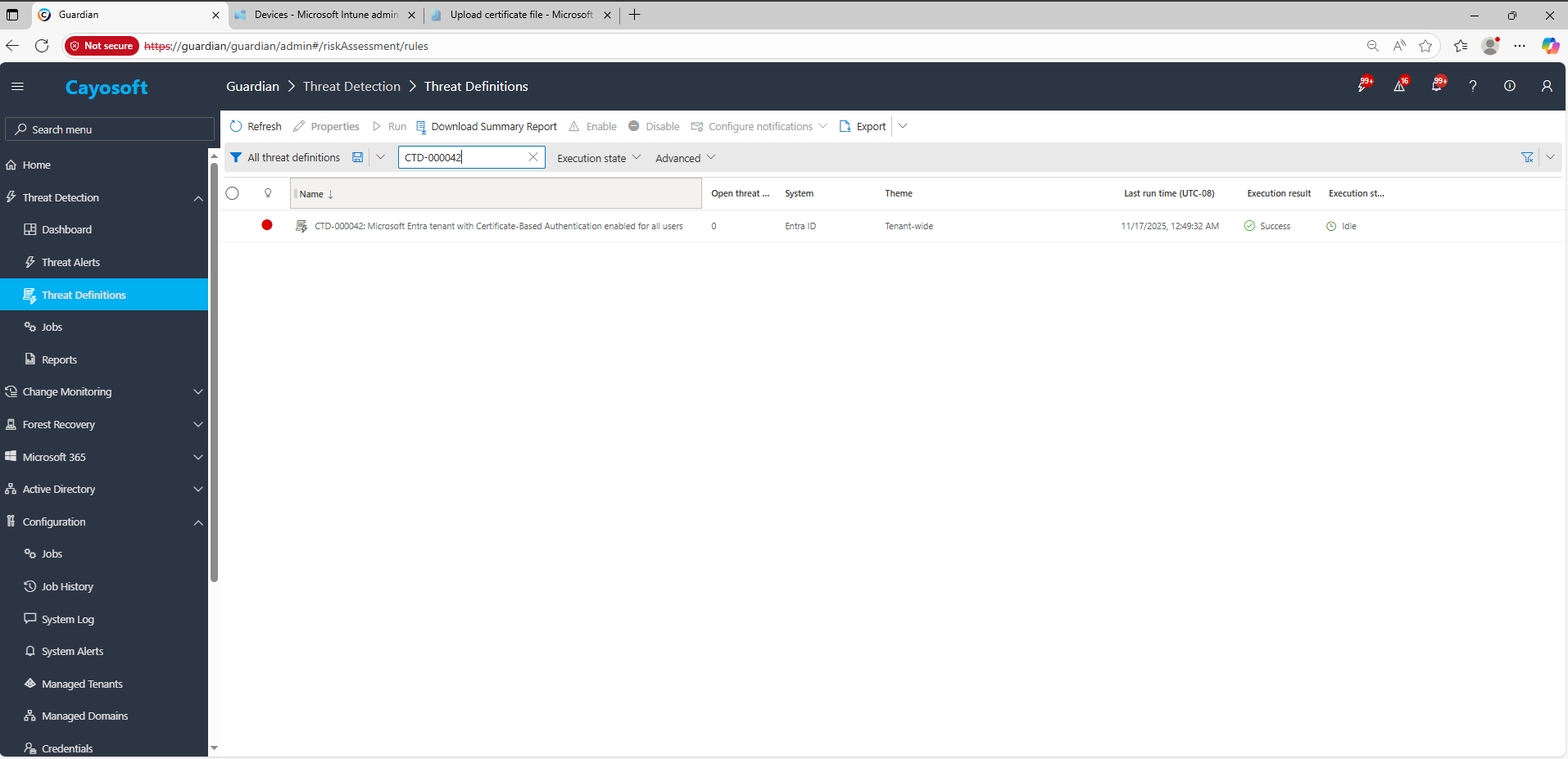
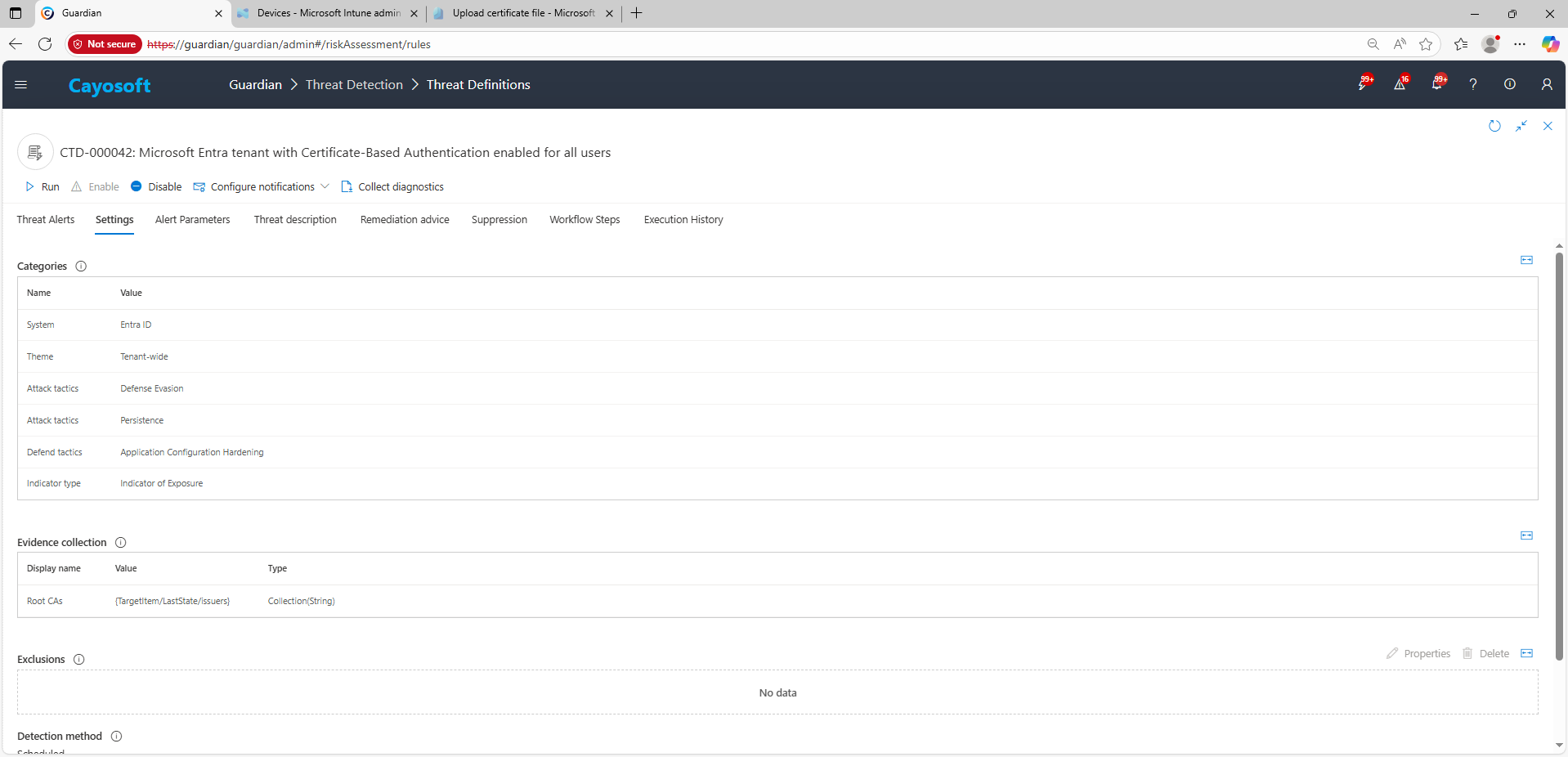
4.) Evidence:
- Root CAs (issuers)
Remediation Steps
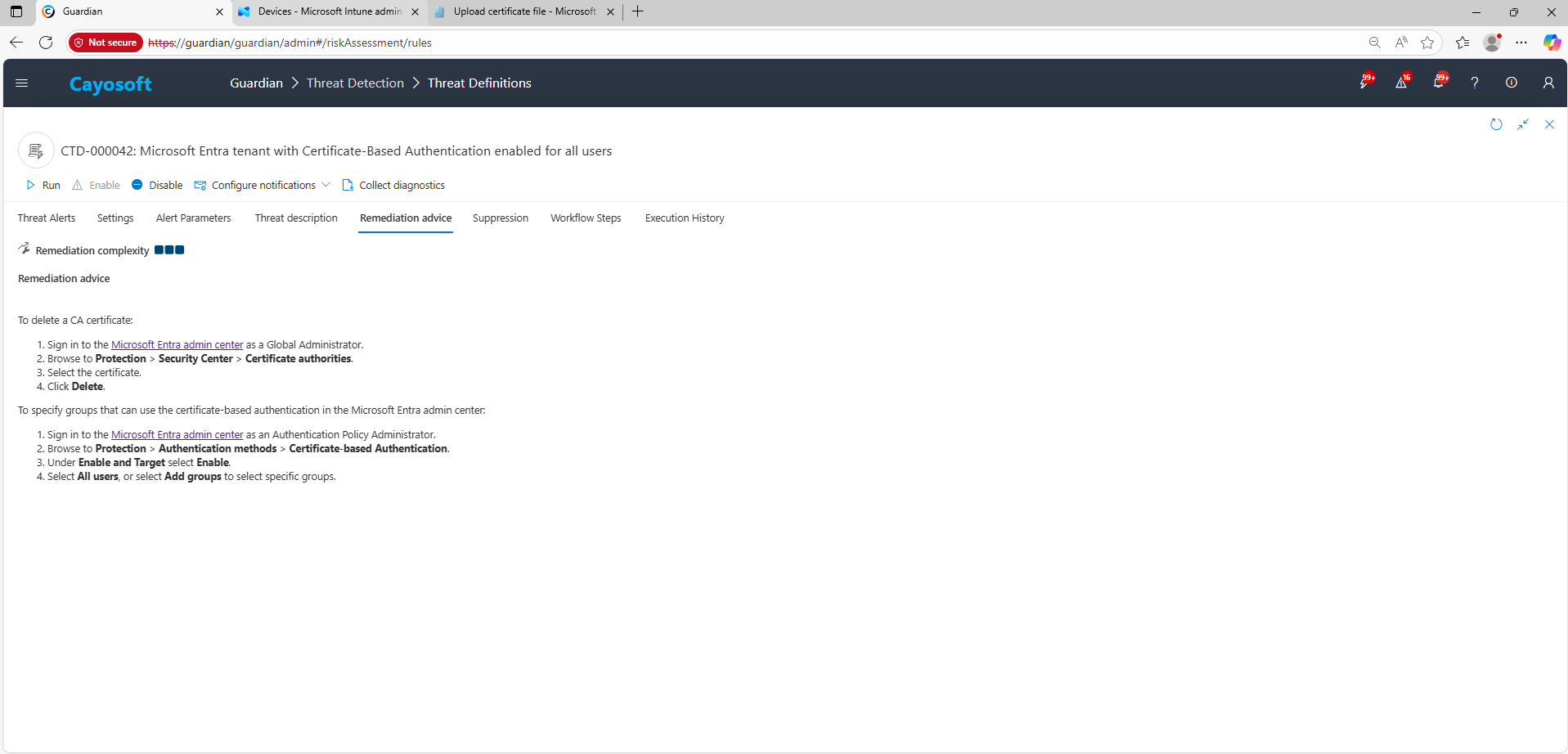
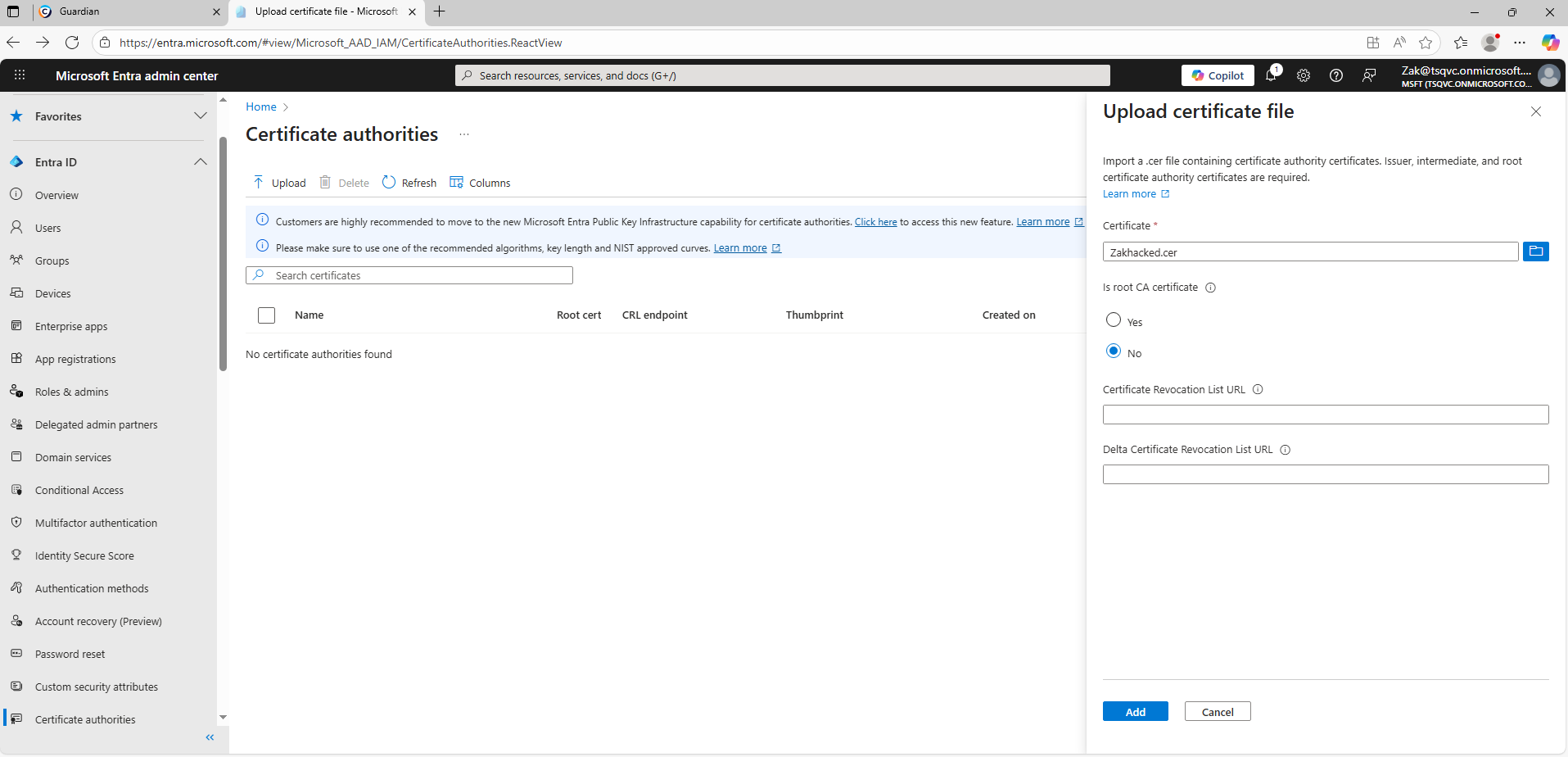
To delete a CA certificate:
- ) Sign in to the Microsoft Entra admin center as a Global Administrator.
- ) Browse to Protection > Security Center > Certificate authorities.
- ) Select the certificate.
- ) Click Delete.
To specify groups that can use the certificate-based authentication in the Microsoft Entra admin center:
- ) Sign in to the Microsoft Entra admin center as an Authentication Policy Administrator.
- ) Browse to Protection > Authentication methods > Certificate-based Authentication.
- ) Under Enable and Target select Enable.
- ) Select All users, or select Add groups to select specific groups.
How to Prevent It
Cayosoft Guardian can proactively detect and alert on Microsoft Entra tenant with Certificate-Based Authentication enabled for all users. It continuously monitors Active Directory, Entra ID, Microsoft 365, and Intune for over 200 misconfigurations, providing early warning before attackers can exploit them.
Additionally:
- Scope CBA to least privilege: target only necessary groups; avoid tenant-wide enablement.
- Control the trust chain: accept only CAs you own/manage; require formal onboarding, proof of ownership, and annual attestation.
- Monitor changes to trusted CAs and CBA targeting; alert on additions or scope expansions.
- Harden privileged access: require PIM/JIT and conditional access; prefer phishing-resistant MFA (FIDO2/Windows Hello for Business) for admins.
FAQ
When Certificate-Based Authentication (CBA) is enabled for every user in the tenant, any compromise of a trusted Certificate Authority (CA) can allow attackers to impersonate users silently. A forged certificate from a compromised or misused CA can bypass passwords and MFA, enabling long-term persistence and stealthy access across the tenant.
In the Cayosoft Guardian Threat Detection Dashboard, search for CTD-000042 or the issue name. The alert provides details of trusted root and intermediate CAs configured in Microsoft Entra ID. Reviewing this list helps administrators identify excessive or unverified trust relationships that expand the risk of unauthorized authentication.
In the Microsoft Entra admin center, navigate to Protection → Authentication methods → Certificate-based Authentication, and change the targeting scope from All users to Selected groups. Keep CBA limited to only those who require it, remove unneeded CAs from Protection → Security Center → Certificate authorities, and implement a formal approval and review process for any CA changes.
Yes. Identity security tools that monitor Microsoft Entra configuration—such as SIEM rules, posture management platforms, and configuration analyzers—can flag overly broad CBA targeting, suspicious CA additions, or unexpected authentication method changes.
Cayosoft Guardian continuously monitors Entra ID for risky configurations, including tenant-wide CBA and untrusted or excessive certificate authorities. It generates alerts, provides evidence of the trusted CAs, and gives prescriptive remediation steps to safely scope or remove hazardous CBA settings.
References
- Microsoft Entra admin center: https://entra.microsoft.com/
Final Thought
Proactive monitoring and timely remediation of configuration risks is essential to maintaining a secure Active Directory and Microsoft 365 environment. By addressing issues like Microsoft Entra tenant with Certificate-Based Authentication enabled for all users, you reduce attack surfaces and strengthen your organization’s overall security posture.