Custom-developed applications might pose a threat to your environment. A threat actor might use an application to access data in the tenant on behalf of a user.
Custom-developed applications might pose a threat to your environment. A threat actor might use an application to access data in the tenant on behalf of a user. It is recommended to prevent regular users from registering their own applications and let administrators review and register applications. This ensures that the application undergoes a security review before exposing the tenant’s data to the application.
Real-World Scenario
An employee is phished and consents to a rogue OAuth app that the attacker registered using a standard user account. The app requests Mail.Read and Offline Access, quietly harvesting messages and refresh tokens. The attacker pivots by adding additional permissions and multi-tenant access, enabling persistence beyond the user’s password reset. Finance data is exfiltrated via Graph API with benign-looking traffic, avoiding obvious sign-in anomalies. Cayosoft Guardian detects the risky tenant configuration (regular users allowed to register apps) and raises an alert before widespread abuse.
Stop Privilege Escalation—Then Undo It with Cayosoft Guardian
Audit & Restore
Real-time alerts across AD & Entra ID with one-click rollback.
Detect this and other threats with Cayosoft Guardian Protector (Free of Charge)
1.) Download Cayosoft Guardian Protector for free real-time threat detection and monitoring of your hybrid AD and Microsoft 365 environment. Once downloaded, sign in and navigate to the Threat Detection Dashboard.
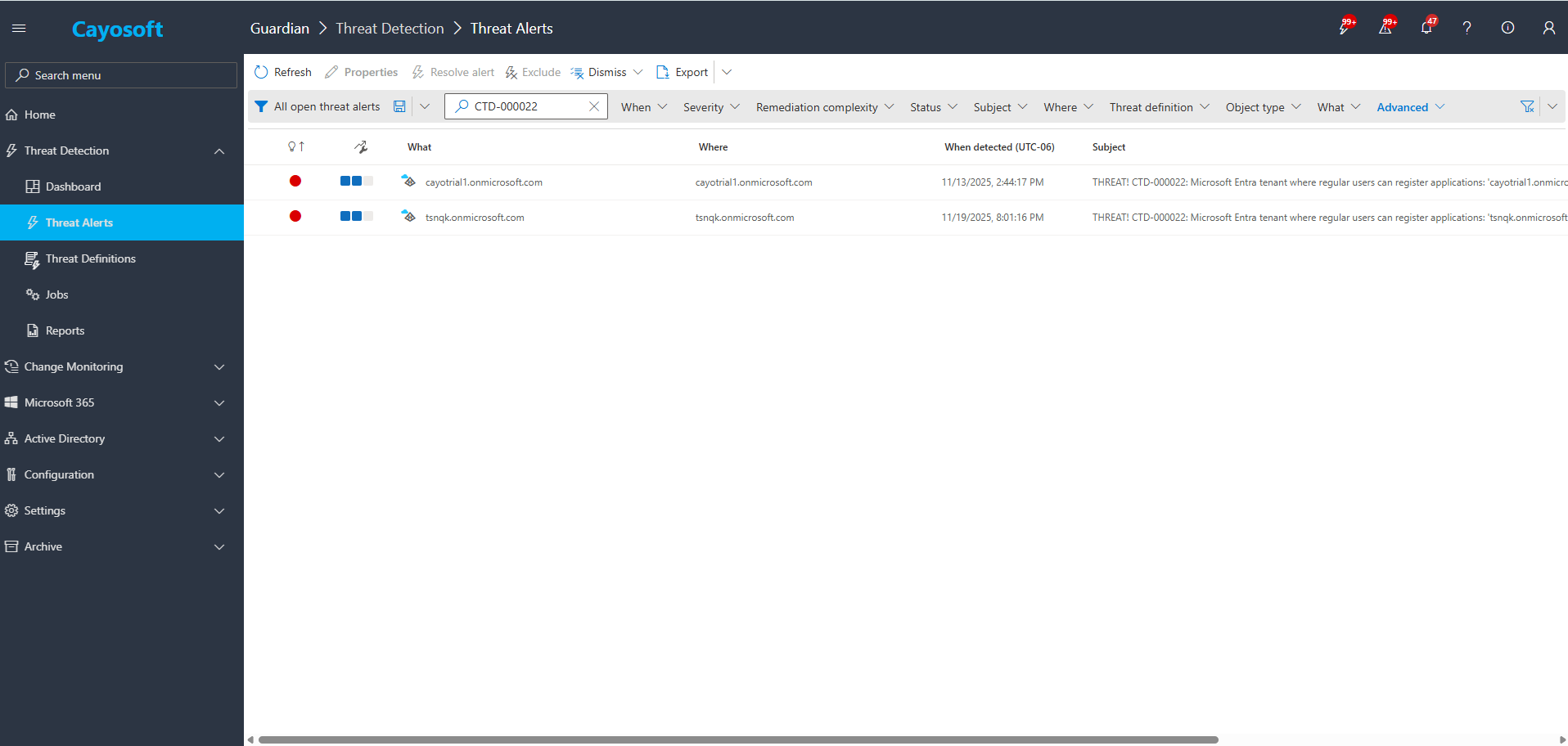
2.) View All Alertsand search for CTD-000022 or Microsoft Entra tenant where regular users can register applications.
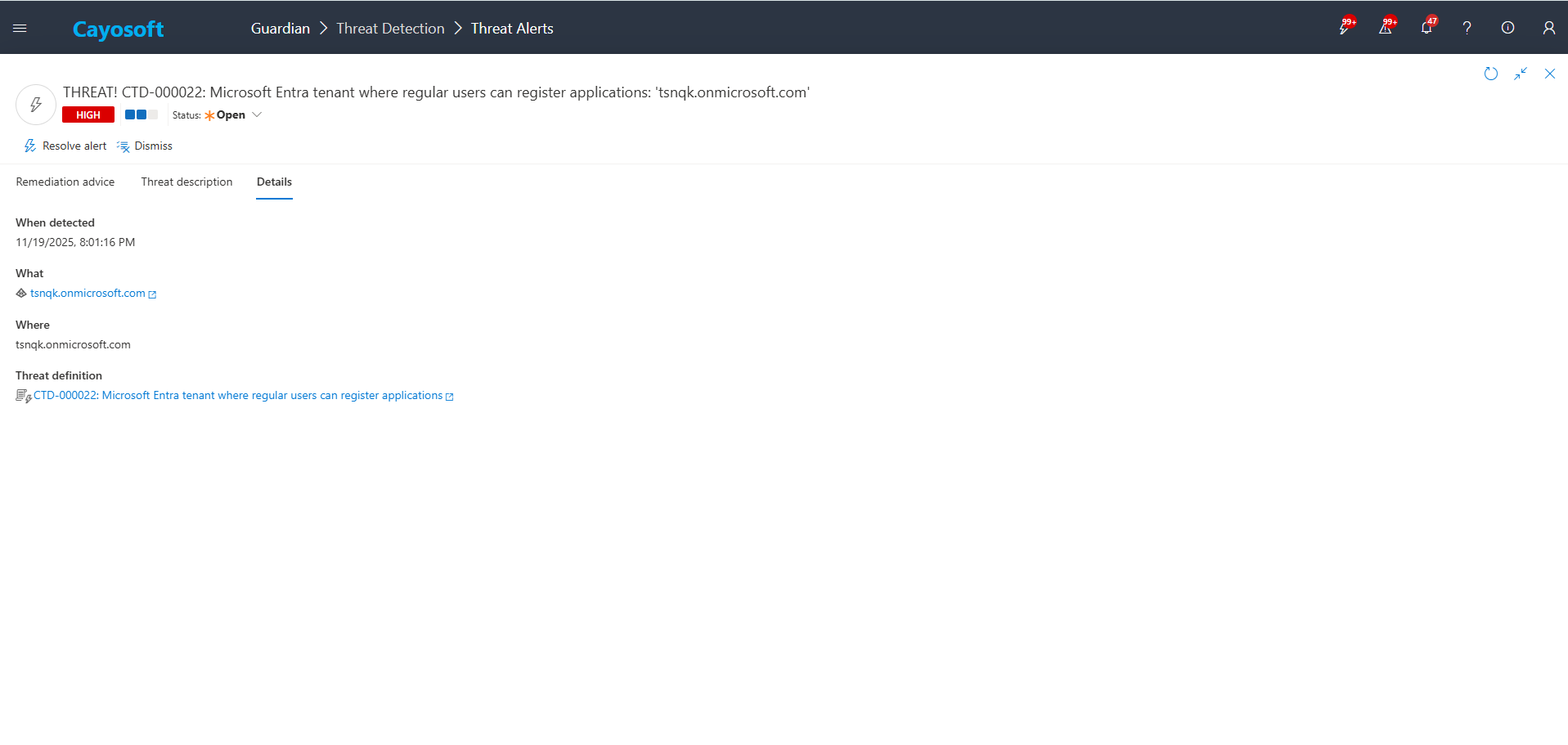
3.) Open any alert and Click for details (from Raise Threat Alert action).
4.) Review configuration context and alert message for tenant scope and timing.
Remediation Steps
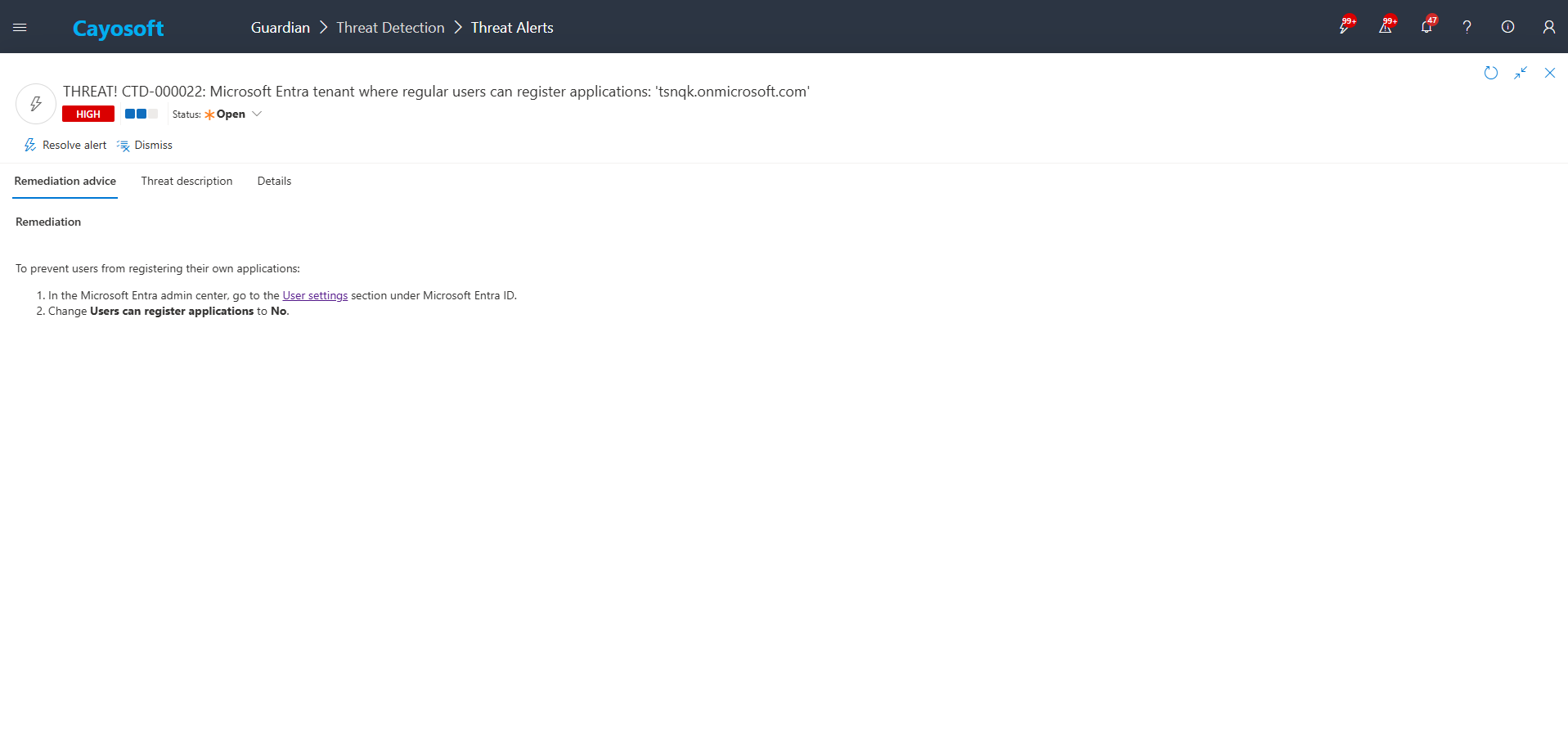
Using the remediation advice in Cayosoft Guardian, follow these steps to remove the vulnerability:
To prevent users from registering their own applications:
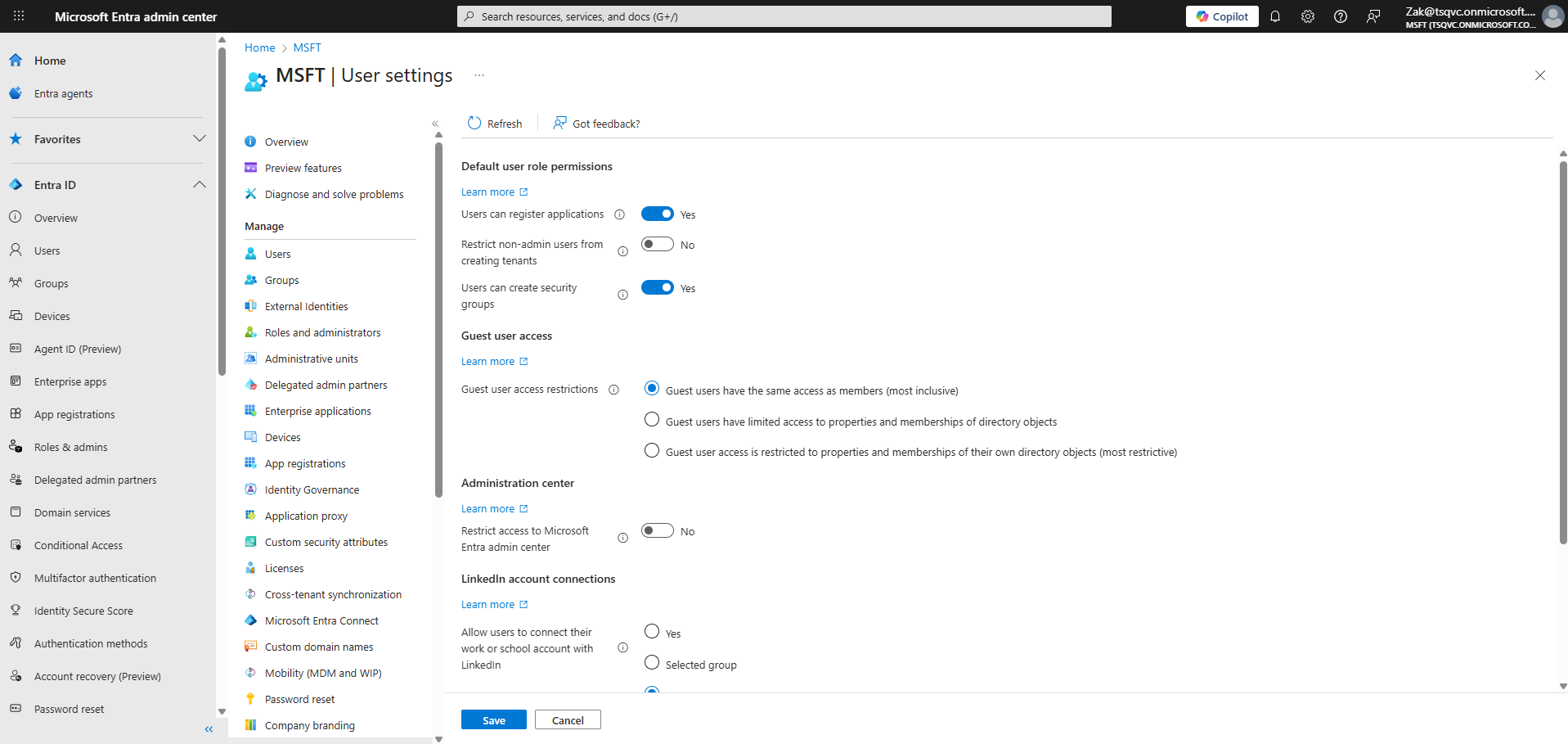
) In the Microsoft Entra admin center, go to the User settings section under Microsoft Entra ID.
) Change Users can register applications to No.
How to Prevent It
Cayosoft Guardian can proactively detect and alert onMicrosoft Entra tenant where regular users can register applications. It continuously monitors Active Directory, Entra ID, Microsoft 365, and Intune for over 200 misconfigurations, providing early warning before attackers can exploit them.
Regular users can create OAuth applications that request access to tenant data, enabling attackers to abuse consent, harvest tokens, and maintain persistence without needing admin credentials.
Permissions such as Mail.Read, Files.Read, User.Read, Directory.Read.All, and Offline Access are frequently abused for data exfiltration and long-term access.
Cayosoft Guardian continuously evaluates tenant-wide Entra ID configuration and raises CTD-000022 when the “Users can register applications” setting is enabled.
Guardian provides early alerts, configuration context, and guided remediation, helping security teams lock down app registration, review risky consent grants, and reduce OAuth-based persistence across Entra ID and Microsoft 365.
Proactive monitoring and timely remediation of configuration risks is essential to maintaining a secure Active Directory and Microsoft 365 environment. By addressing issues like Microsoft Entra tenant where regular users can register applications, you reduce attack surfaces and strengthen your organization’s overall security posture.