Allowing regular users to create Microsoft 365 groups enables unauthorized or uncontrolled access paths to SharePoint sites, Teams, mailboxes, and apps, increasing the risk of data exposure and privilege creep.
Microsoft 365 groups are used to manage access to resources and services in Azure. If a regular user can create groups in the tenant, a threat actor might create a group and use that group to get access to other user accounts. Microsoft 365 group creation should be restricted to Microsoft Entra administrators only.
Real-World Scenario
An employee’s account is phished, giving the attacker standard user access. The attacker creates a Microsoft 365 group and links it to a new Team and SharePoint site, then adds external identities and permissive owners to avoid scrutiny. Business files begin syncing to the new site and the group is granted access to additional internal resources via existing group-based permissions. The attacker harvests documents and credentials stored in files and app connectors while remaining below privileged-action monitoring. Cayosoft Guardian detects the risky configuration where regular users can create Microsoft 365 groups and raises an alert before widespread access expansion occurs.
Stop Privilege Escalation—Then Undo It with Cayosoft Guardian
Audit & Restore
Real-time alerts across AD & Entra ID with one-click rollback.
Detect this and other threats with Cayosoft Guardian Protector (Free of Charge)
1.) Download Cayosoft Guardian Protector for free real-time threat detection and monitoring of your hybrid AD and Microsoft 365 environment. Once downloaded, sign in and navigate to the Threat Detection Dashboard.
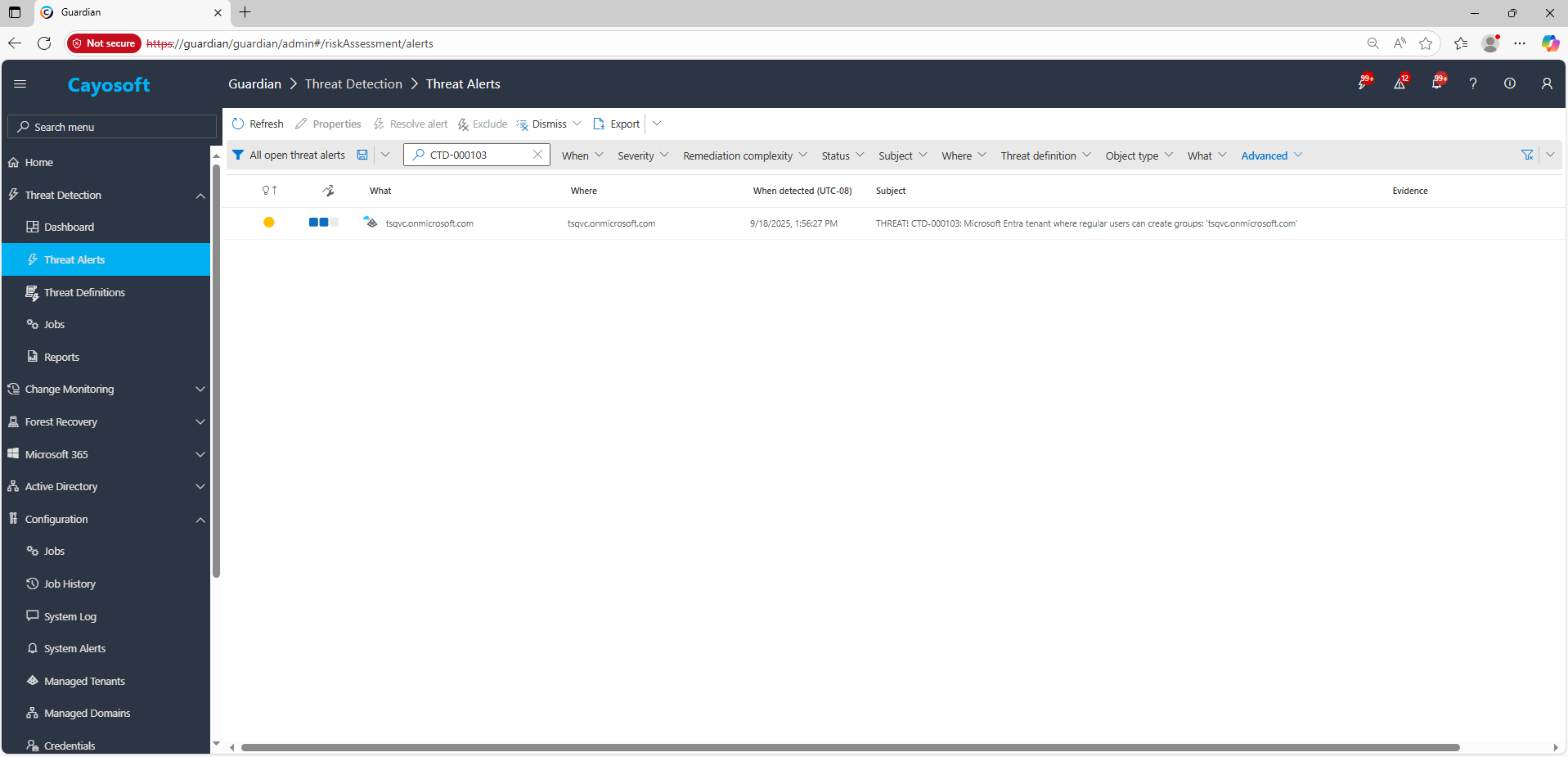
2.) Open All Alerts and search for CTD-000103 or Microsoft Entra tenant where regular users can create Microsoft 365 groups.
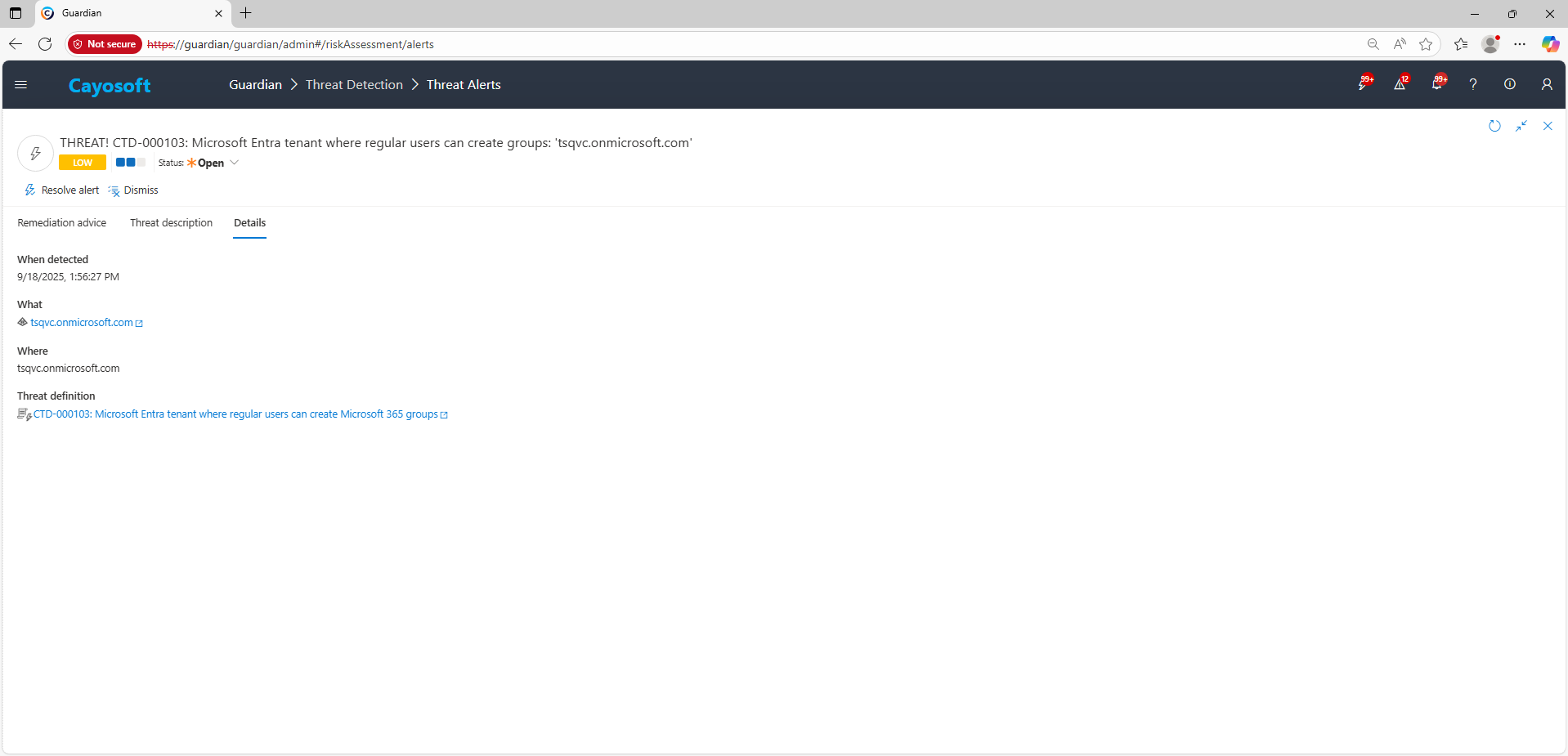
3.) Open any alert and Click for details (from Raise Threat Alert action).
Remediation Steps
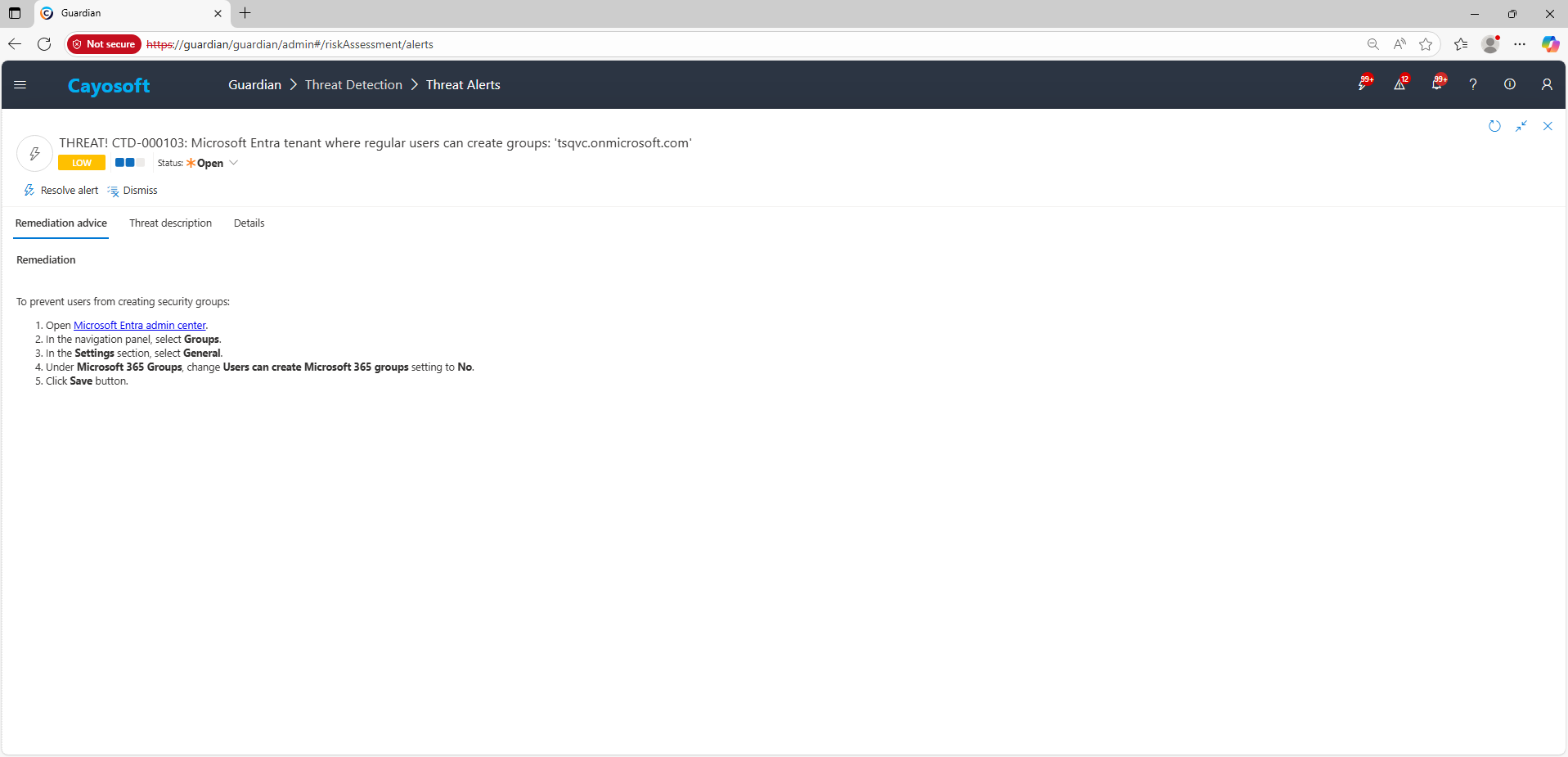
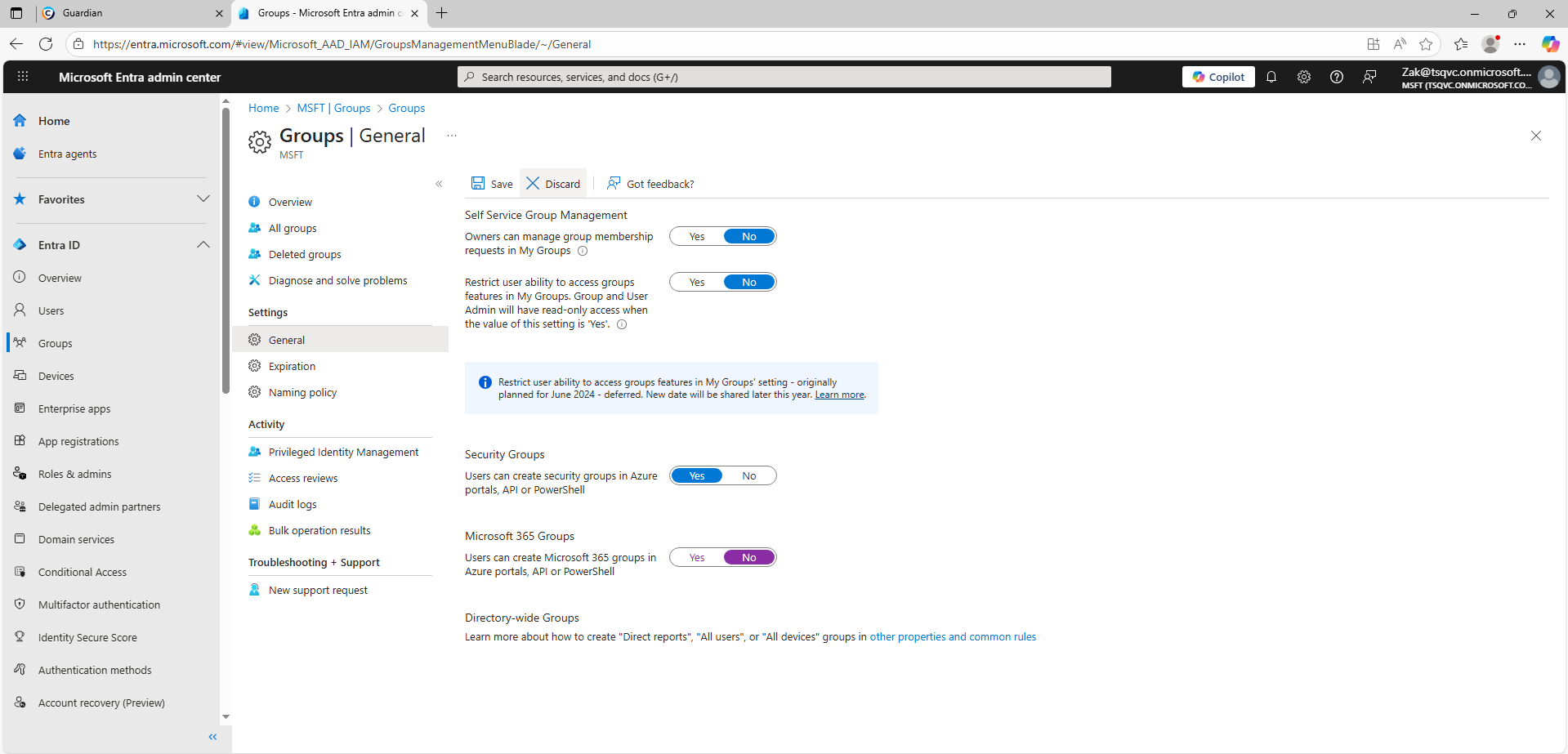
Using the remediation advice in Cayosoft Guardian, follow these steps to remove the vulnerability:
) Under Microsoft 365 Groups, change Users can create Microsoft 365 groups setting to No.
) Click Save button.
How to Prevent It
Cayosoft Guardian can proactively detect and alert on Microsoft Entra tenant where regular users can create Microsoft 365 groups. It continuously monitors Active Directory, Entra ID, Microsoft 365, and Intune for over 200 misconfigurations, providing early warning before attackers can exploit them.
It enables uncontrolled creation of SharePoint sites, Teams, and app-connected mailboxes, which can lead to data exposure, shadow IT, and privilege creep.
Proactive monitoring and timely remediation of configuration risks is essential to maintaining a secure Active Directory and Microsoft 365 environment. By addressing issues like Microsoft Entra tenant where regular users can create Microsoft 365 groups, you reduce attack surfaces and strengthen your organization’s overall security posture.