Allowing guest users to invite additional guests expands your tenant’s attack surface and can enable uncontrolled external account growth. Threat actors can leverage a single compromised guest to seed more guest identities for reconnaissance and future intrusion.
A guest invitation configuration that permits guest users to invite other guest users increases identity exposure. Even with limited permissions, guest accounts can enumerate users and resources, validate the existence of identities, and stage further social engineering or consent-based attacks.
Real-World Scenario
An attacker compromises a partner’s guest account through password reuse. Because guest-to-guest invitations are allowed, the attacker self-invites multiple burner identities from domains they control. These new guests join Teams sites and SharePoint folders shared broadly, harvesting org charts and documents to craft targeted phishing and app-consent lures. The sprawl appears as normal collaboration growth. Cayosoft Guardian surfaces the tenant configuration (guests can invite guests) so administrators can lock down invitations before external sprawl escalates.
Stop Privilege Escalation—Then Undo It with Cayosoft Guardian
Audit & Restore
Real-time alerts across AD & Entra ID with one-click rollback.
Detect this and other threats with Cayosoft Guardian Protector (Free of Charge)
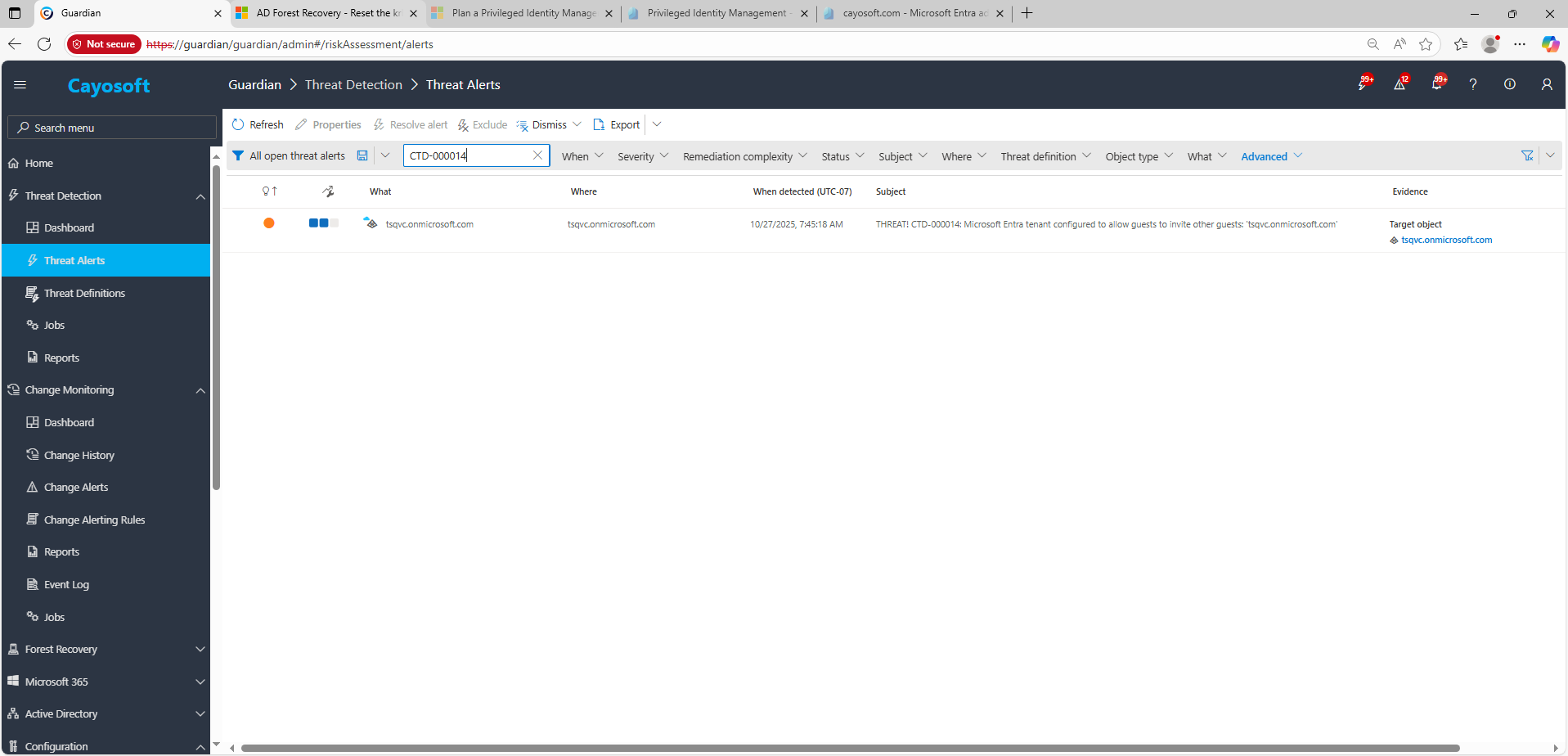
1.) Download Cayosoft Guardian Protector for free real-time threat detection and monitoring of your hybrid AD and Microsoft 365 environment. Once downloaded, sign in and navigate to the Threat Detection Dashboard.
2.) View All Alerts and search for CTD-000014 or AD object with non-default primary group.
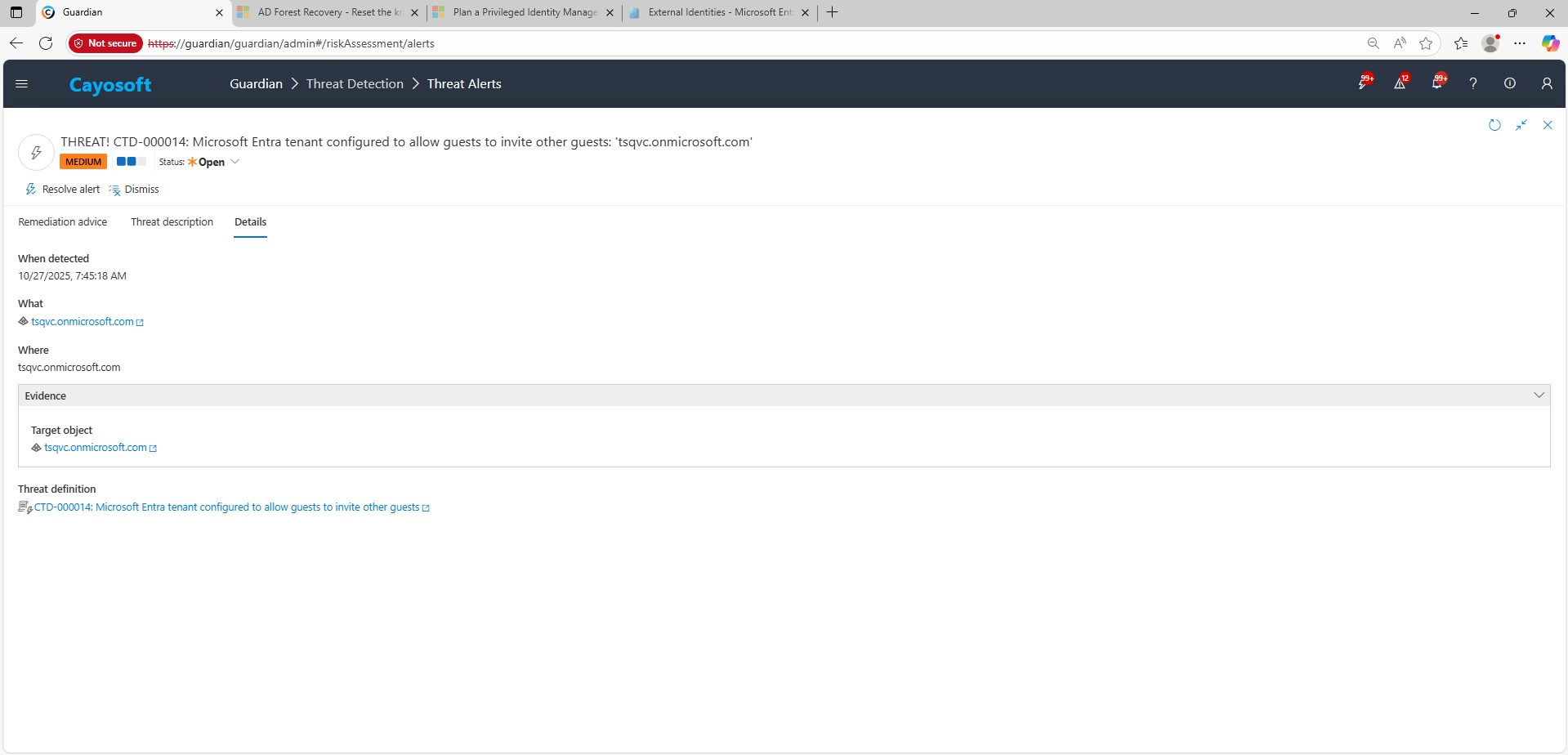
3.) Open any alert and Click for details (from Raise Threat Alert action).
4.) Evidence:
Target object (tenant configuration object)
Remediation Steps
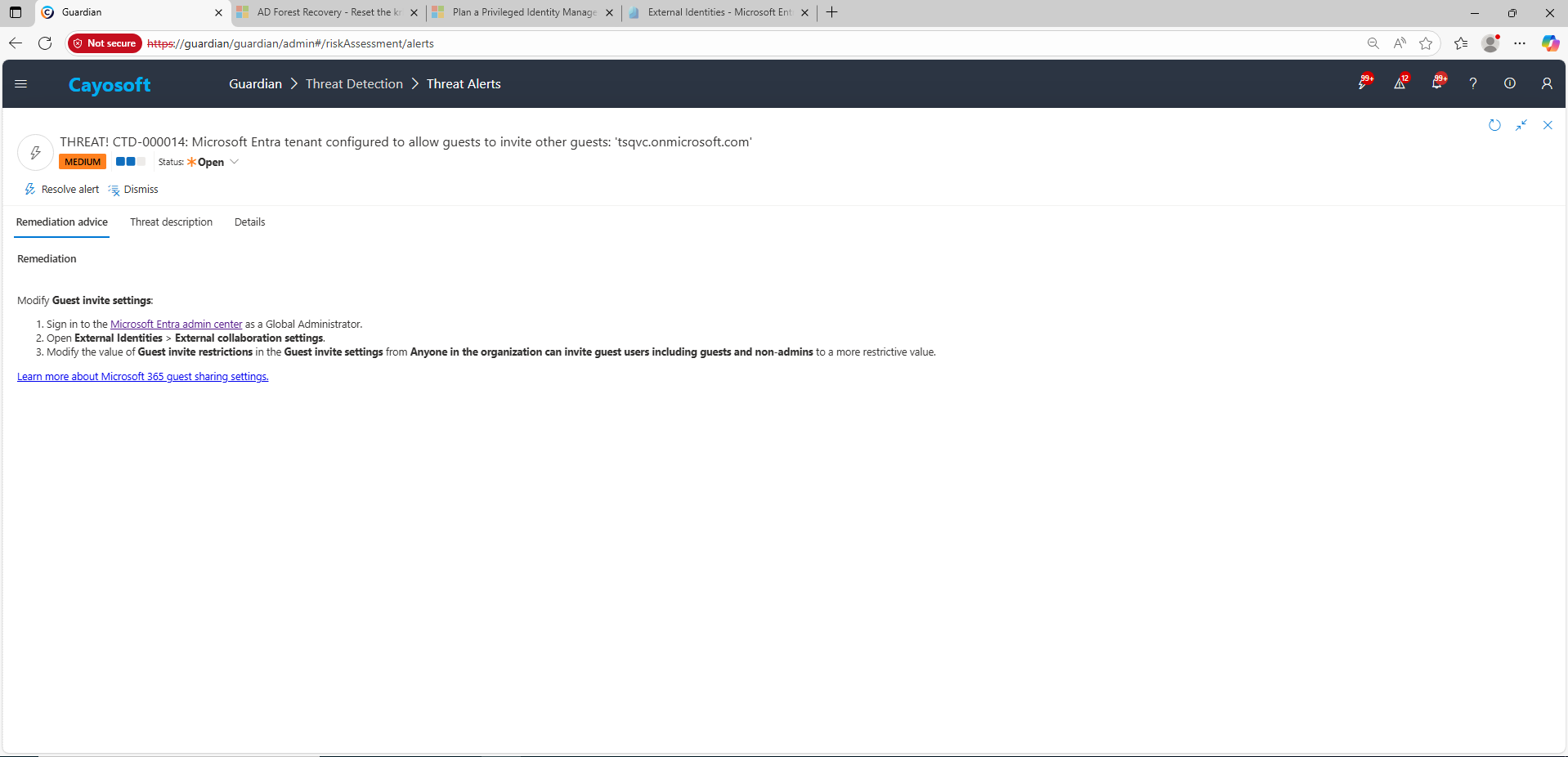
Using the remediation advice in Cayosoft Guardian, follow these steps to remove the vulnerability:
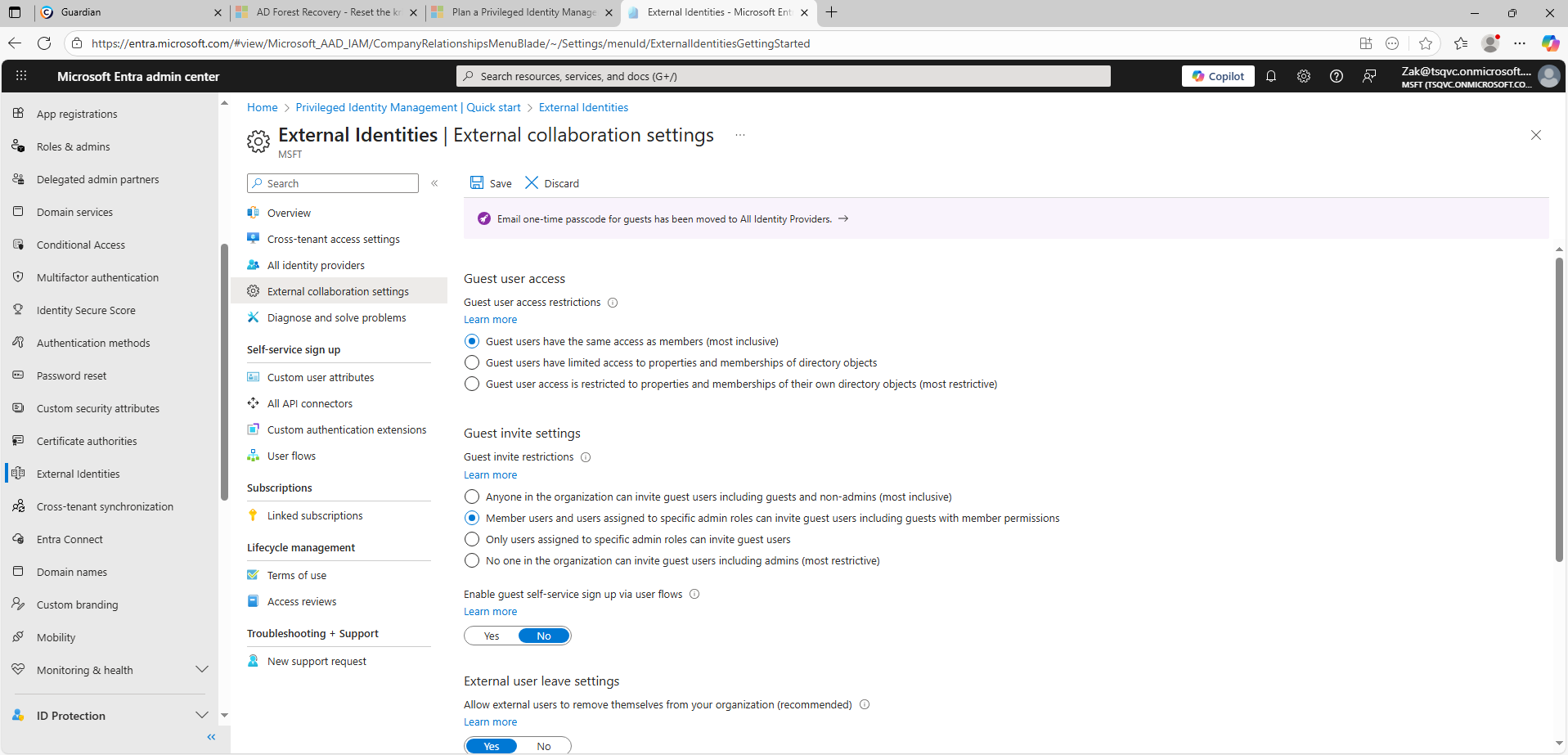
) Open External Identities > External collaboration settings.
) Modify the value of Guest invite restrictions in the Guest invite settings from Anyone in the organization can invite guest users including guests and non-admins to a more restrictive value.
Default to admin- or vetted-inviter-only guest invitations.
Use access reviews, Entitlement Management, and group expiration to control guest lifecycle.
Limit broad resource sharing and monitor anomalous growth in guest accounts.
Cayosoft Guardian can proactively detect and alert on Microsoft Entra tenant configured to allow guests to invite other guests across Entra ID and Microsoft 365, providing early warning before attackers can exploit it.
It enables uncontrolled external account creation, which attackers can exploit to expand access, perform reconnaissance, and persist in collaboration environments without triggering typical admin reviews.
Go to Microsoft Entra admin center → External Identities → External collaboration settings → Guest invite restrictions, then select a more secure option such as “Only admins and users in the guest inviter role can invite.”
Restrict guest invitations to trusted admins or a limited guest inviter role. Combine this with access reviews, Entitlement Management, and automatic guest expiration policies to maintain control over external access.
Yes. Administrators can use Microsoft Entra admin center, Entra audit logs, or PowerShell (Graph API / AzureAD modules) to query and report guest invitation settings and identify tenants where guest-to-guest invitations are enabled.
Yes. Solutions like Cayosoft Guardian, Microsoft Defender for Identity, and ManageEngine ADManager Plus provide automated detection, alerting, and remediation workflows for unsafe guest invitation policies and external identity sprawl.
Proactive monitoring and timely remediation of configuration risks is essential to maintaining a secure Active Directory and Microsoft 365 environment. By addressing issues like Microsoft Entra tenant configured to allow guests to invite other guests, you reduce attack surfaces and strengthen your organization’s overall security posture.