
Microsoft Entra application registration with dangling URI
Cayosoft Threat Definition CTD-000039
Tune into Guardians of the Directory Podcast.




Stop AD Threats As They Happen
Cayosoft Protector provides continuous monitoring and real-time alerts across your entire Microsoft Identity stack
Like This Article?
Subscribe to our LinkedIn Newsletter to receive more educational content
Risk Summary
A dangling redirect URI in an app registration can be hijacked by an attacker to capture authorization codes or tokens, leading to account takeover and data access.
- Severity: Medium
- Platform: Entra ID
- Category: Infrastructure
- MITRE ATT&CK Tactics: Credential Access
- MITRE D3FEND Tactics: Application Configuration Hardening
Description
A redirect URI (reply URL) is where the authorization server sends users—and tokens—after sign-in. If the backing resource (for example, an Azure App Service at *.azurewebsites.net) is deleted but the redirect URI remains on the Microsoft Entra app registration, a threat actor can claim that hostname and harvest tokens sent to the still-registered URI.

Real-World Scenario
Your engineering team deletes a legacy Azure App Service but leaves its https://contoso-prod.azurewebsites.net/signin-oidc URL in an app registration. An attacker discovers the dangling hostname, creates an App Service with the same subdomain, and configures an identical /signin-oidc endpoint. When users authenticate to your app, Microsoft identity platform posts authorization codes to the attacker-controlled endpoint. The attacker exchanges codes for tokens, impersonates users, and accesses APIs without touching your tenant again. Cayosoft Guardian detects the app registration containing dangling URIs and alerts before tokens are siphoned.
Stop Privilege Escalation—Then Undo It with Cayosoft Guardian Audit & Restore
Real-time alerts across AD & Entra ID with one-click rollback.
Detect this and other threats with Cayosoft Guardian Protector (Free of Charge)
1.) Download Cayosoft Guardian Protector for free real-time threat detection and monitoring of your hybrid AD and Microsoft 365 environment. Once downloaded, sign in and navigate to the Threat Detection Dashboard.


2.) View All Alerts and search for CTD-000039 or Microsoft Entra application registration with dangling URI.
3.) Open any alert and Click for details (from Raise Threat Alert action).
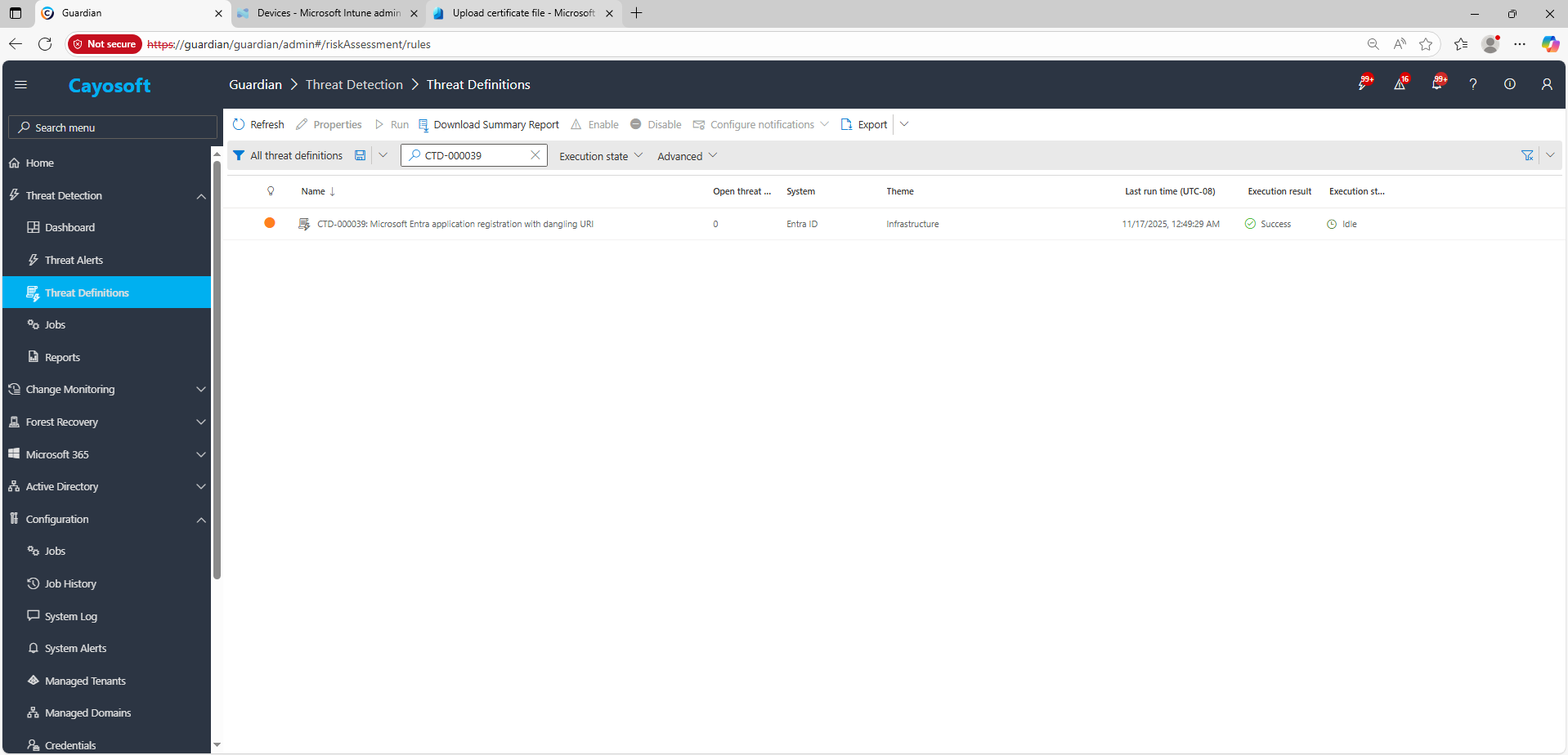
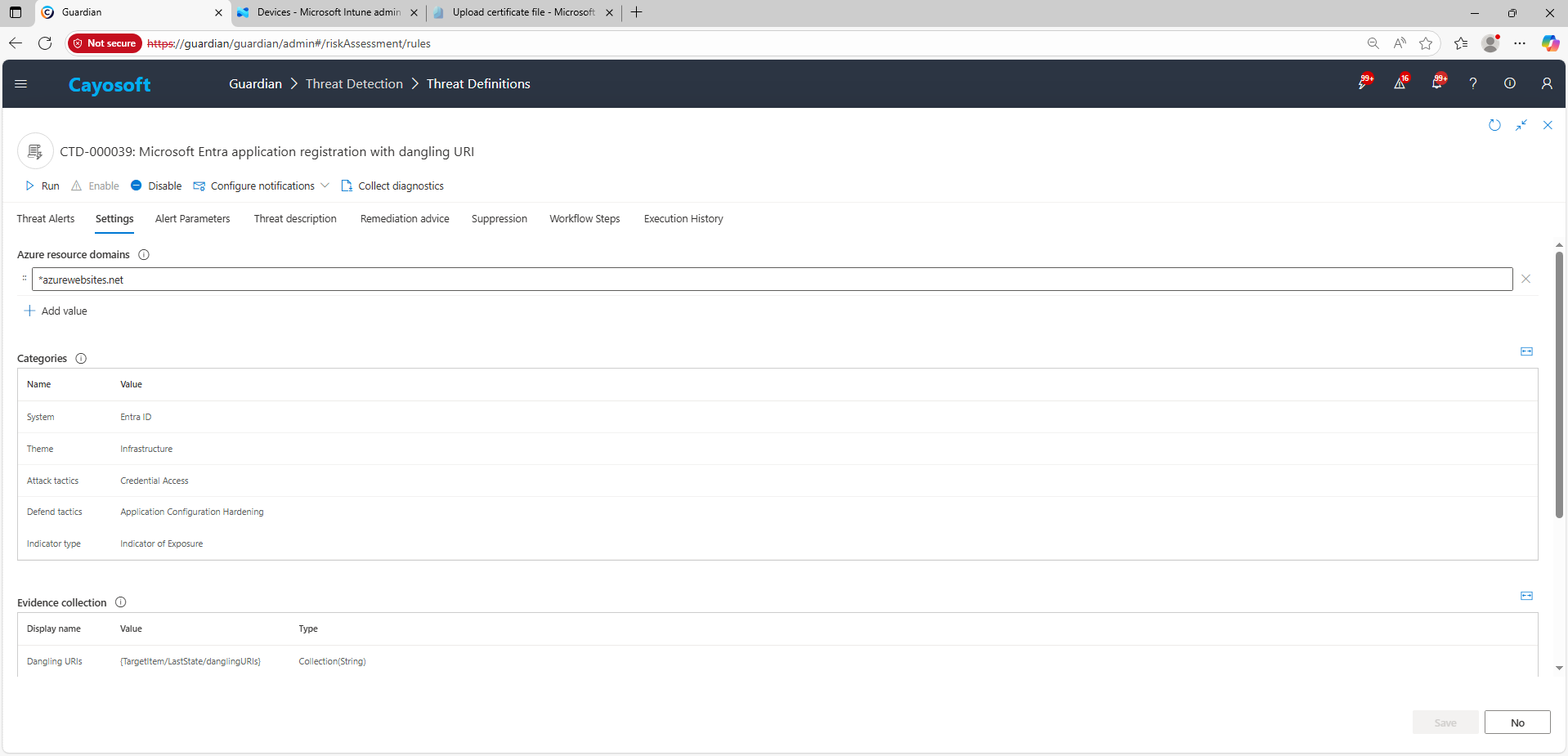
4.) Evidence:
- Dangling URIs
Remediation Steps
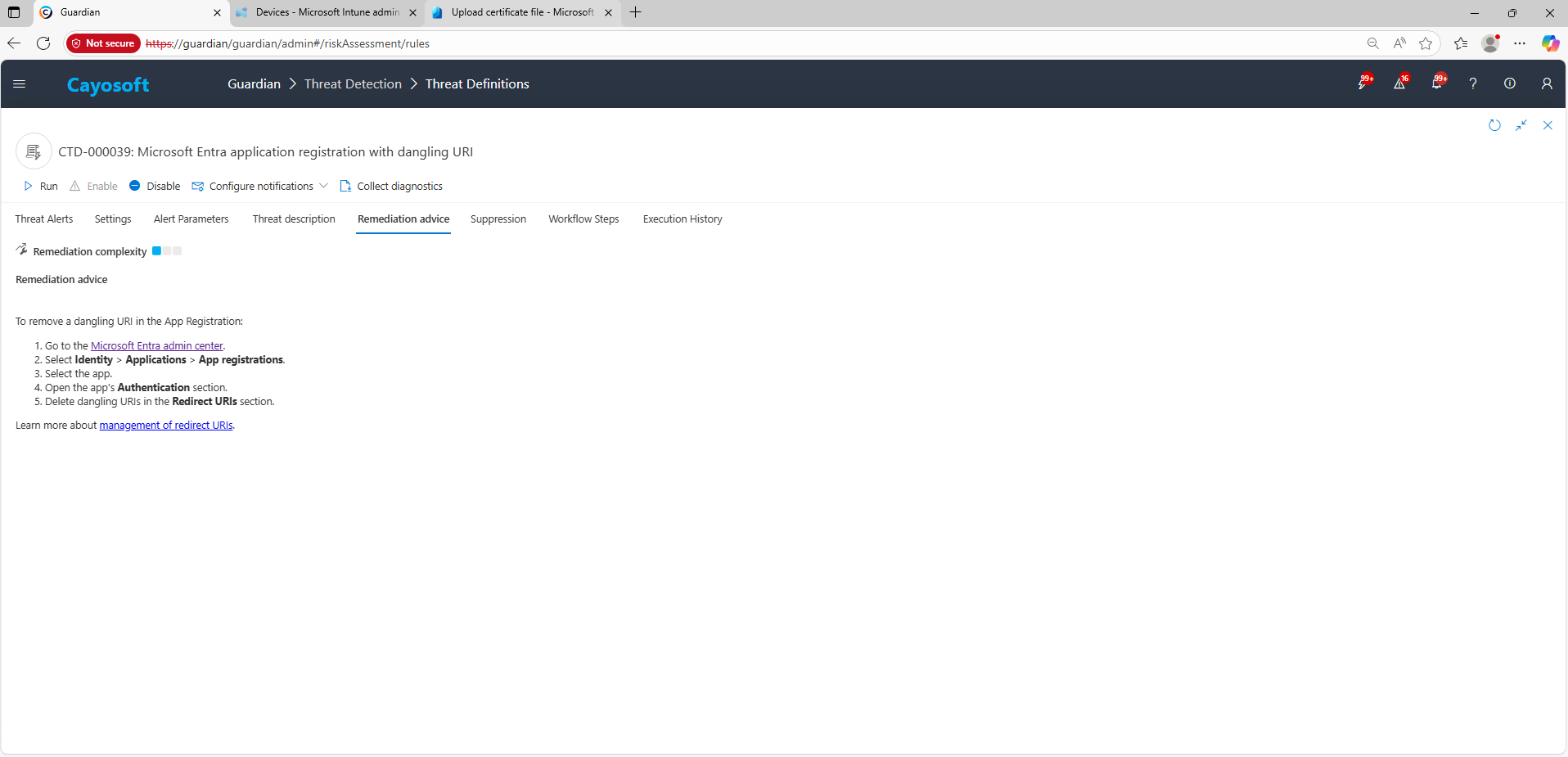
To remove a dangling URI in the App Registration:
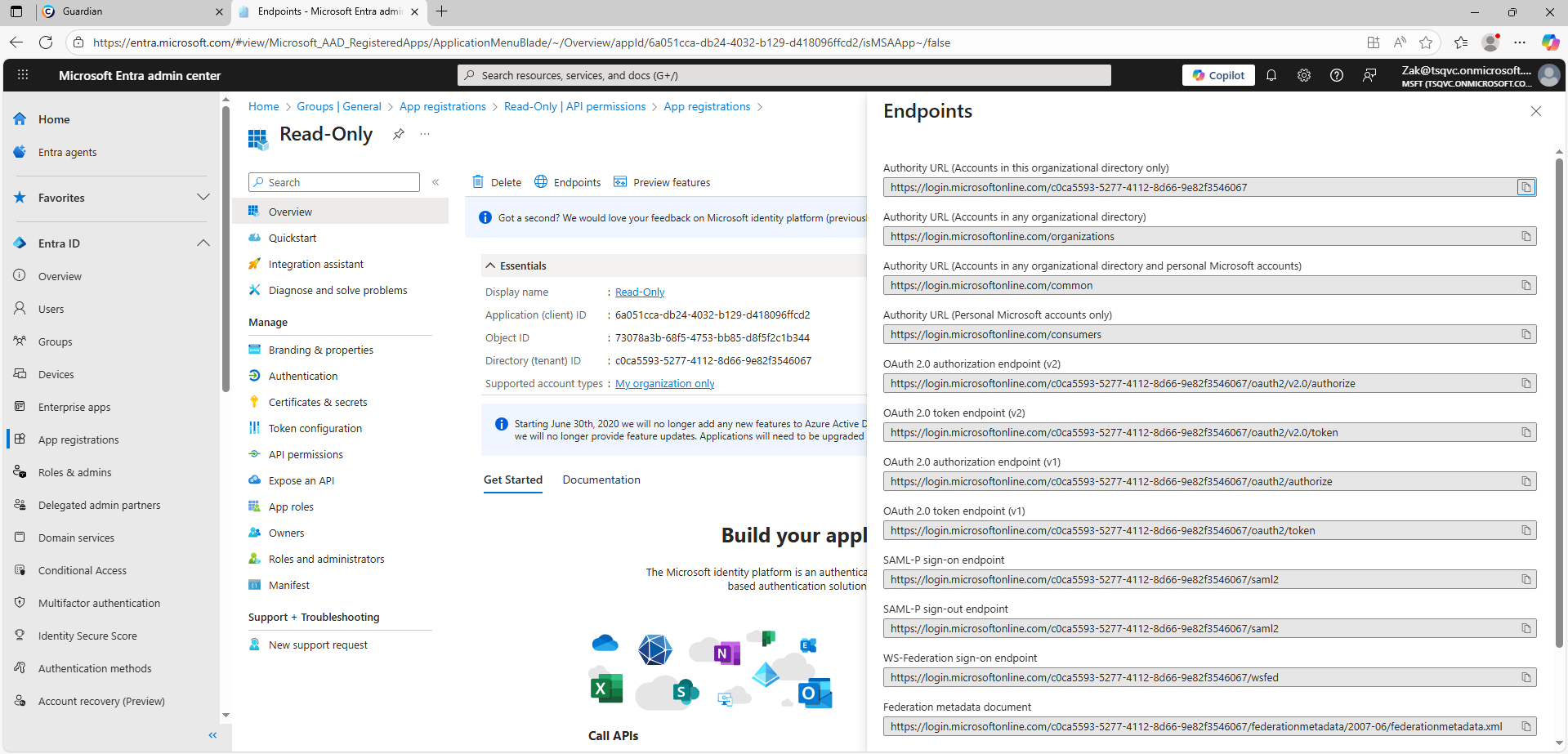
- ) Go to the Microsoft Entra admin center.
- ) Select Identity > Applications > App registrations.
- ) Select the app.
- ) Open the app’s Authentication section.
- ) Delete dangling URIs in the Redirect URIs section.
Learn more about management of redirect URIs.
How to Prevent It
Cayosoft Guardian can proactively detect and alert on Microsoft Entra application registration with dangling URI. It continuously monitors Active Directory, Entra ID, Microsoft 365, and Intune for over 200 misconfigurations, providing early warning before attackers can exploit them.
Additionally:
- Remove redirect URIs as part of every decommission workflow for apps and web resources.
- Prefer custom verified domains; track ownership/lifecycle of *.azurewebsites.net subdomains.
- Periodically inventory redirect URIs across all app registrations; flag hosts that don’t resolve or return unexpected owners.
- Follow Microsoft’s redirect URI hardening guidance; restrict to HTTPS and exact paths.
FAQ
A dangling redirect URI means the app registration still references a web address that no longer belongs to your organization. Attackers can claim that hostname (for example, an abandoned *.azurewebsites.net subdomain) and intercept authorization codes or tokens, leading to user impersonation and unauthorized data access.
In the Cayosoft Guardian Threat Detection Dashboard, search for CTD-000039 or the issue name. The alert identifies application registrations with redirect URIs pointing to deleted or unowned resources, allowing administrators to remove or validate them before attackers can exploit the exposure.
Review each affected app in the Microsoft Entra admin center → App registrations → Authentication. Remove any redirect URI tied to decommissioned or inactive services, especially shared cloud subdomains. Re-test authentication, confirm ownership of active domains, and incorporate URI cleanup into the standard decommission workflow.
Yes, Cayosoft Guardian Protector provides free detection and alerting for this misconfiguration.
Yes, Cayosoft Guardian offers comprehensive detection, auditing, alerting, and guided remediation for risky redirect URIs across all Entra applications.
References
- Microsoft Learn — Prevent subdomain takeover (“dangling DNS/URIs”): https://learn.microsoft.com/azure/security/fundamentals/subdomain-takeover
- Microsoft Learn — Identity platform integration checklist (Security): https://learn.microsoft.com/azure/active-directory/develop/identity-platform-integration-checklist#security
- Microsoft Entra admin center: https://entra.microsoft.com/
Final Thought
Proactive monitoring and timely remediation of configuration risks is essential to maintaining a secure Active Directory and Microsoft 365 environment. By addressing issues like Microsoft Entra application registration with dangling URI, you reduce attack surfaces and strengthen your organization’s overall security posture.