
Entra user added to a privileged role
Cayosoft Threat Definition CTD-000149
Tune into Guardians of the Directory Podcast.




Stop AD Threats As They Happen
Cayosoft Protector provides continuous monitoring and real-time alerts across your entire Microsoft Identity stack
Like This Article?
Subscribe to our LinkedIn Newsletter to receive more educational content
Risk Summary
A user added to the members of a privileged role might be an indication of threat activities. Such changes can provide an attacker with broad administrative capabilities in Entra ID and related cloud services, enabling rapid escalation and high-impact abuse.
- Severity: High
- Platform: Entra ID
- Category: Privileged Access Management
- MITRE ATT&CK Tactics: Privilege Escalation
- MITRE D3FEND Tactics: Restore Configuration
Description
A user added to the members of a privileged role might be an indication of threat activities.
NOTE: This threat rule includes a built-in lookback parameter set to 48 hours. Only events that occurred within this timeframe are processed by the rule.

Real-World Scenario
An attacker compromises a standard user account in Entra ID and waits until off-hours to modify its access. Using stolen credentials, the attacker adds the compromised account to the Global Administrator or Privileged Role Administrator role, instantly gaining broad control over identities, apps, and security settings. To avoid obvious detection, the attacker may perform only a few targeted operations (such as adding another backdoor account or modifying conditional access) and then remove the compromised user from the role again. Business impact can include disabling MFA, granting malicious applications consent, or exfiltrating sensitive data from Microsoft 365. Cayosoft Guardian, via CTD-000149, detects that a user was added to a privileged role within the 48-hour lookback window and alerts the security team so they can roll back the change and investigate.
Stop Privilege Escalation—Then Undo It with Cayosoft Guardian Audit & Restore
Real-time alerts across AD & Entra ID with one-click rollback.
Detect this and other threats with Cayosoft Guardian Protector (Free of Charge)
1.) Download Cayosoft Guardian Protector for free real-time threat detection and monitoring of your hybrid AD and Microsoft 365 environment. Once downloaded, sign in and navigate to the Threat Detection Dashboard.


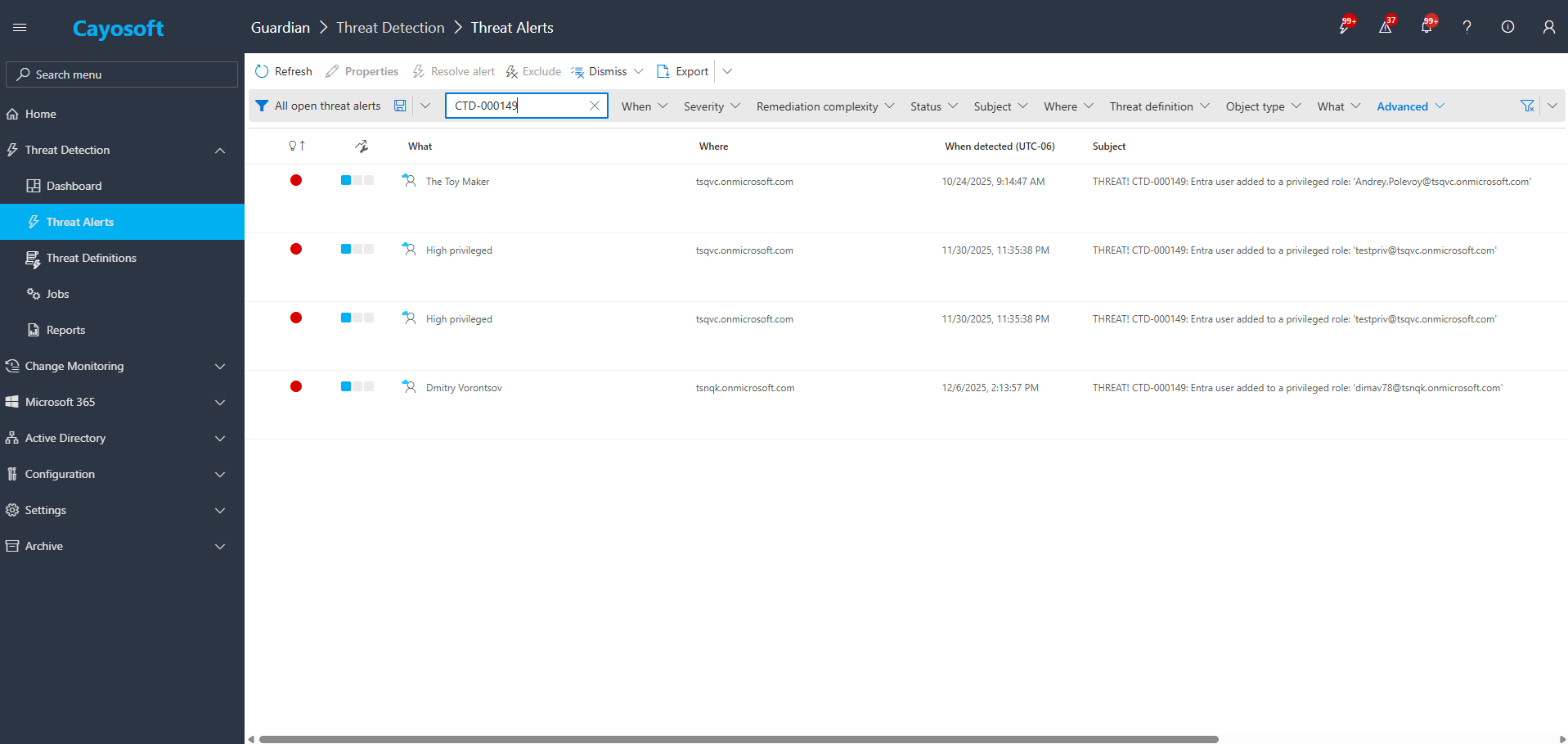
2.) View All Alerts and search for “CTD-000149” or “Entra user added to a privileged role”.
3.) Open any alert and Click for details (from Raise Threat Alert action).
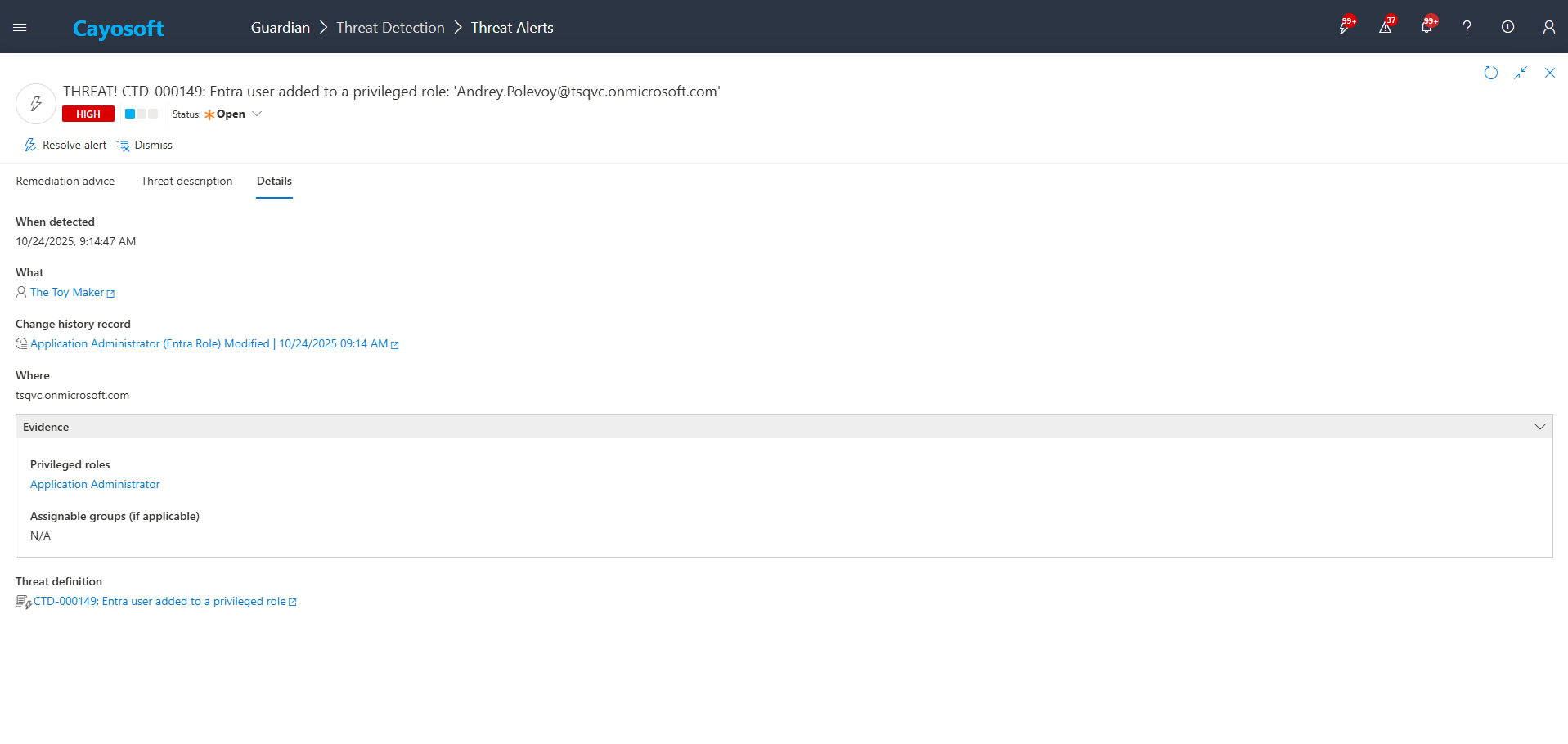
4.)Evidence:
- Privileged roles – assignedRoles
- Assignable groups (if applicable) – assignableGroups
Remediation Steps
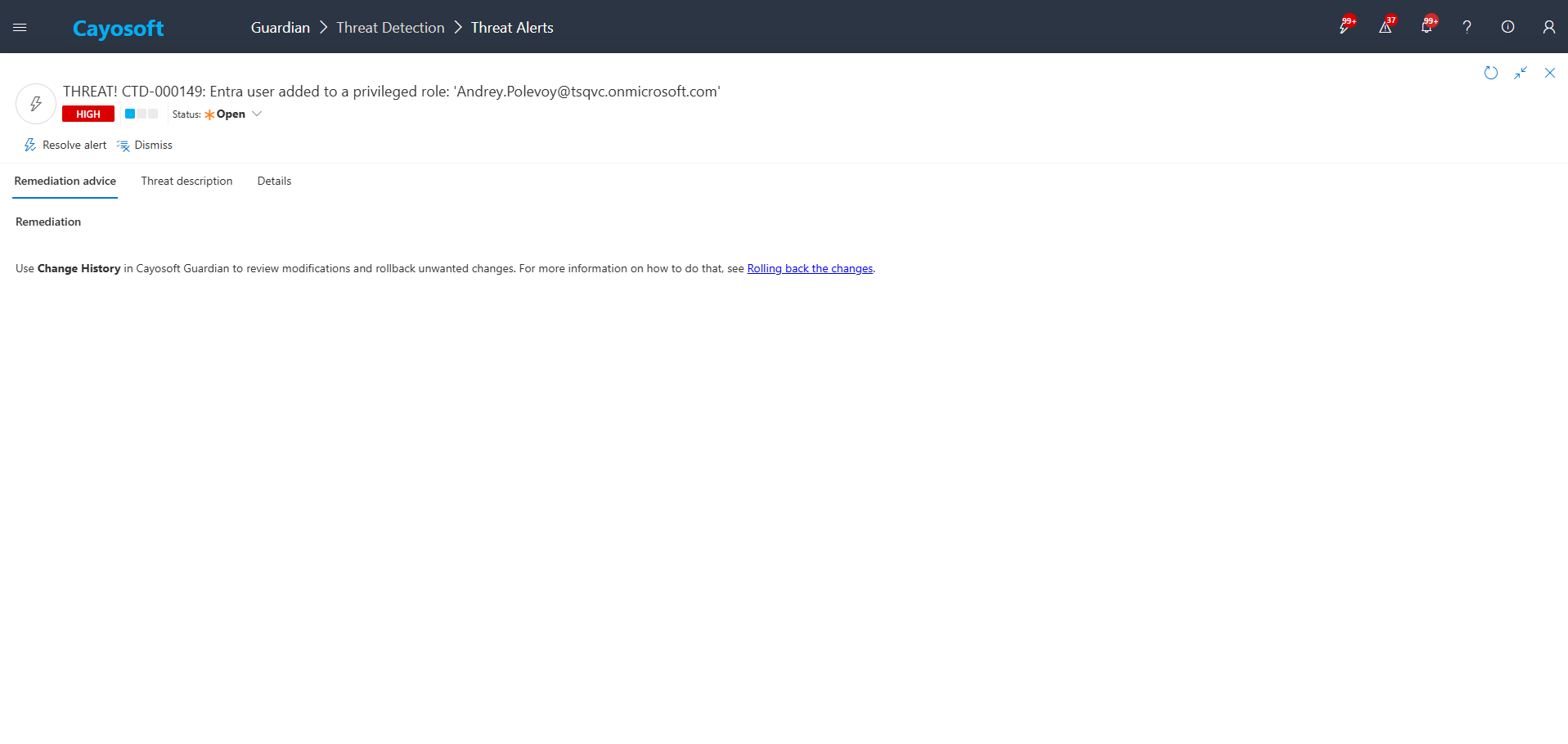
Use Change History in Cayosoft Guardian to review modifications and rollback unwanted changes. For more information on how to do that, see Rolling back the changes.
How to Prevent It
Cayosoft Guardian can proactively detect and alert on Entra user added to a privileged role. It continuously monitors Active Directory, Entra ID, Microsoft 365, and Intune for misconfigurations and risky changes, providing early warning before attackers can exploit them.
To reduce the risk of Entra user added to a privileged role:
- Enforce just-in-time privileged access using Entra ID Privileged Identity Management (PIM) rather than permanent role assignments.
- Limit who can manage role assignments and assignable groups; apply least privilege to admin roles.
- Require multi-factor authentication for all administrators and for any account allowed to assign privileged roles.
- Use Change History and CTD-000149 alerts in Cayosoft Guardian to continuously monitor and quickly roll back unapproved privileged role assignments.
- Periodically review privileged roles and assignable groups to remove stale or unnecessary memberships.
FAQ
It means a user has been granted administrative permissions such as Global Administrator, Privileged Role Administrator, or other high-impact roles. CTD-000149 flags this event because such assignments can dramatically increase the user’s control over the environment.
Privileged roles enable actions that can disable MFA, modify Conditional Access, consent malicious applications, or create backdoor admin accounts. Unauthorized privilege elevation is one of the most common steps attackers take after compromising credentials.
CTD-000149 reviews Entra ID change events within a 48-hour lookback window and alerts when it finds a user added to a privileged role or an assignable group that grants privilege. The alert includes the initiator, timestamp, role name, and related group context.
Yes. Native Entra ID audit logs can be used to manually review privileged role changes. Cayosoft Guardian Protector also provides free visibility into change activity, helping identify risky role assignments, though automated correlation and remediation workflows require the full product.
Yes. Cayosoft Guardian continuously monitors Entra ID for privileged role changes, raises CTD-000149 alerts, provides detailed context, and offers guided rollback and remediation steps—along with protection across 200+ other AD, Entra, Microsoft 365, and Intune risks.
References
- Cayosoft Support – Rolling back the changes: https://support.cayosoft.com/hc/en-us/articles/360042038291
Final Thought
Proactive monitoring and timely remediation of configuration risks is essential to maintaining a secure Active Directory and Microsoft 365 environment. By addressing issues like Entra user added to a privileged role, you reduce attack surfaces and strengthen your organization’s overall security posture.