
Computer not resetting its password periodically
Cayosoft Threat Definition CTD-000028
Tune into Guardians of the Directory Podcast.




Stop AD Threats As They Happen
Cayosoft Protector provides continuous monitoring and real-time alerts across your entire Microsoft Identity stack
Like This Article?
Subscribe to our LinkedIn Newsletter to receive more educational content
Risk Summary
A computer account that has not automatically changed its password can indicate threat activity or system misconfiguration. Stale machine credentials increase the risk of credential replay and pass-through authentication against domain controllers.
- Severity: Low
- Platform: Active Directory
- Category: Infrastructure
- MITRE ATT&CK Tactics: Credential Access
- MITRE D3FEND Tactics: Domain Account Monitoring
Description
A computer account that has not automatically changed its password might be an indication of threat activities. Computer accounts should automatically change their passwords every 30 days. If a threat actor obtains a password, she can potentially perform pass-through authentication to the domain controller.

Real-World Scenario
An attacker gains local admin on a neglected file server whose machine account password hasn’t rotated in months. Using credential replay, the attacker performs pass-through authentication to a domain controller over SMB/RPC, dumping additional secrets and scheduling tasks. Because the computer still appears joined and operational, routine sign-in monitoring doesn’t flag the activity. The attacker maintains access until the host is rebuilt. Cayosoft Guardian surfaces the risk by flagging computers whose pwdLastSet exceeds the policy threshold, providing the object ID and domain for rapid triage.
Stop Privilege Escalation—Then Undo It with Cayosoft Guardian Audit & Restore
Real-time alerts across AD & Entra ID with one-click rollback.
Detect this and other threats with Cayosoft Guardian Protector (Free of Charge)
1.) Download Cayosoft Guardian Protector for free real-time threat detection and monitoring of your hybrid AD and Microsoft 365 environment. Once downloaded, sign in and navigate to the Threat Detection Dashboard.


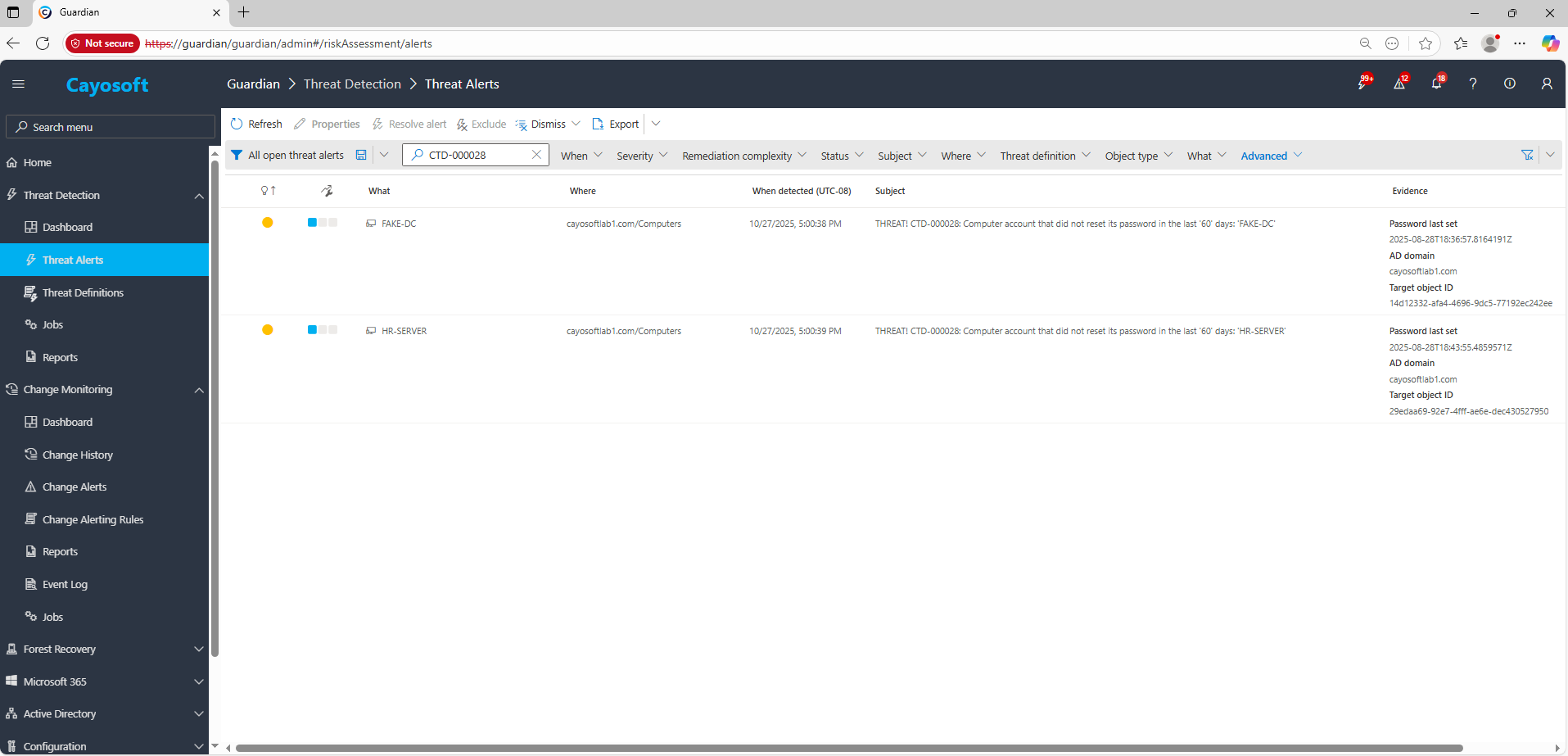
2.) View All Alerts and search for CTD-000028 or Computer not resetting its password periodically.
3.) Open any alert and Click for details (from Raise Threat Alert action).
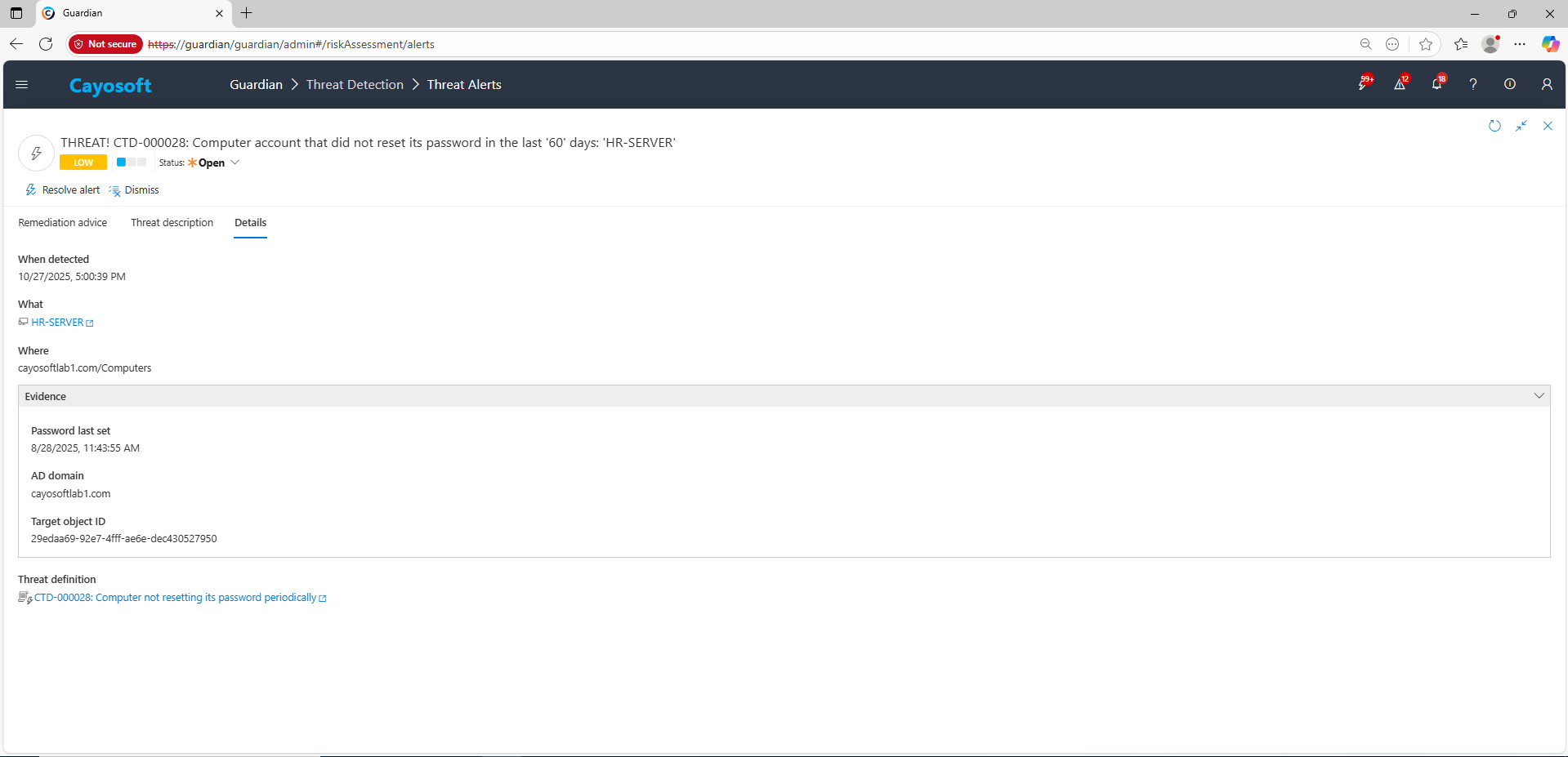
4.) Evidence:
- Password last set (pwdLastSet)
- AD domain (domainName)
- Target object ID (targetObjectId)
Remediation Steps
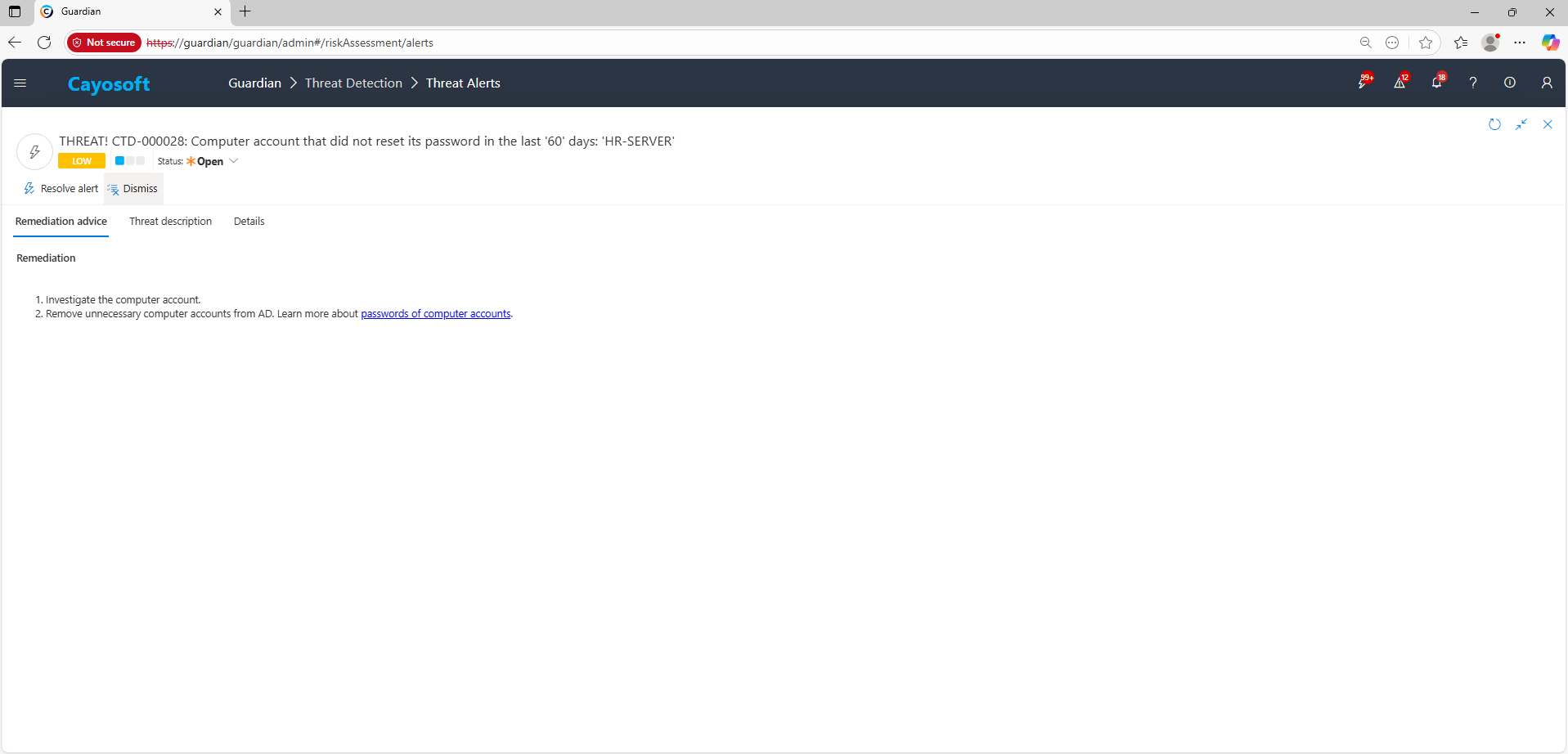
- Investigate the computer account.
- Remove unnecessary computer accounts from AD. Learn more about passwords of computer accounts.
How to Prevent It
Cayosoft Guardian can proactively detect and alert on Computer not resetting its password periodically. It continuously monitors Active Directory for stale machine credentials and other misconfigurations, providing early warning before attackers can exploit them.
FAQ
When a computer account fails to automatically change its password, its credentials can become stale. Attackers who gain access to that machine can replay the old password against domain controllers, perform pass-through authentication, or use it to move laterally in the network. Regular password rotation helps prevent credential reuse and strengthens domain trust security.
In the Cayosoft Guardian Threat Detection Dashboard, search for CTD-000028 or the issue name. The alert lists computers where the pwdLastSet attribute exceeds the policy threshold (typically 60 days), along with each object’s domain and ID. This helps identify systems that are no longer updating their machine passwords automatically.
Investigate the flagged computer accounts to verify their status and recent activity. Remove decommissioned or inactive systems from Active Directory, and for active hosts, use Reset-ComputerMachinePassword or Test-ComputerSecureChannel -Repair to restore trust and force password rotation. Regular auditing ensures that machine credentials continue to refresh as expected.
Yes, Cayosoft Guardian
Cayosoft Guardian continuously monitors Active Directory for stale machine credentials, flags computer accounts that aren’t rotating their passwords, provides evidence such as pwdLastSet and object identifiers, and delivers prescriptive remediation guidance for rapid correction.
References
- Microsoft Tech Community – Machine account password process: https://techcommunity.microsoft.com/t5/ask-the-directory-services-team/machine-account-password-process/ba-p/396026
Final Thought
Proactive monitoring and timely remediation of configuration risks is essential to maintaining a secure Active Directory and Microsoft 365 environment. By addressing issues like Computer not resetting its password periodically, you reduce attack surfaces and strengthen your organization’s overall security posture.