A user or a computer account with Primary Group IDs (PGIDs) set to a non-default value is a possible indication of threat activities. This can silently grant the account the same permissions as the target primary group and evade some membership-change auditing.
Severity: High
Platform: Active Directory
Category: Account protection
MITRE ATT&CK Tactics: Privilege Escalation
MITRE D3FEND Tactics: Domain Account Monitoring
Description
A user or a computer account with Primary Group IDs (PGIDs) set to a non-default value is a possible indication of threat activities. When the PGID of an account is set to a value corresponding to the PGID of some group, the account has the same permissions as members of the primary group. However, some auditing solutions do not monitor changes in group membership by PGID. Changing the value of the primaryGroupID attribute allows a threat actor to silently elevate permissions and hide persistence in the domain.
Real-World Scenario
An attacker gains a foothold as a standard domain user and writes the primaryGroupID attribute on their account from the default Domain Users (513) to Domain Admins (512). No visible “added to group” event fires in tools that only watch explicit membership changes, but the attacker now inherits Domain Admin rights via the primary group. The attacker pushes Group Policy changes to disable endpoint logging and deploys a backdoor, then resets primaryGroupID to 513 to reduce suspicion. Cayosoft Guardian flags the non-default PGID condition and raises an alert tied to the affected object, enabling rapid containment before persistence is established.
Stop Privilege Escalation—Then Undo It with Cayosoft Guardian
Audit & Restore
Real-time alerts across AD & Entra ID with one-click rollback.
Detect this and other threats with Cayosoft Guardian Protector (Free of Charge)
1.) Download Cayosoft Guardian Protector for free real-time threat detection and monitoring of your hybrid AD and Microsoft 365 environment. Once downloaded, sign in and navigate to the Threat Detection Dashboard.
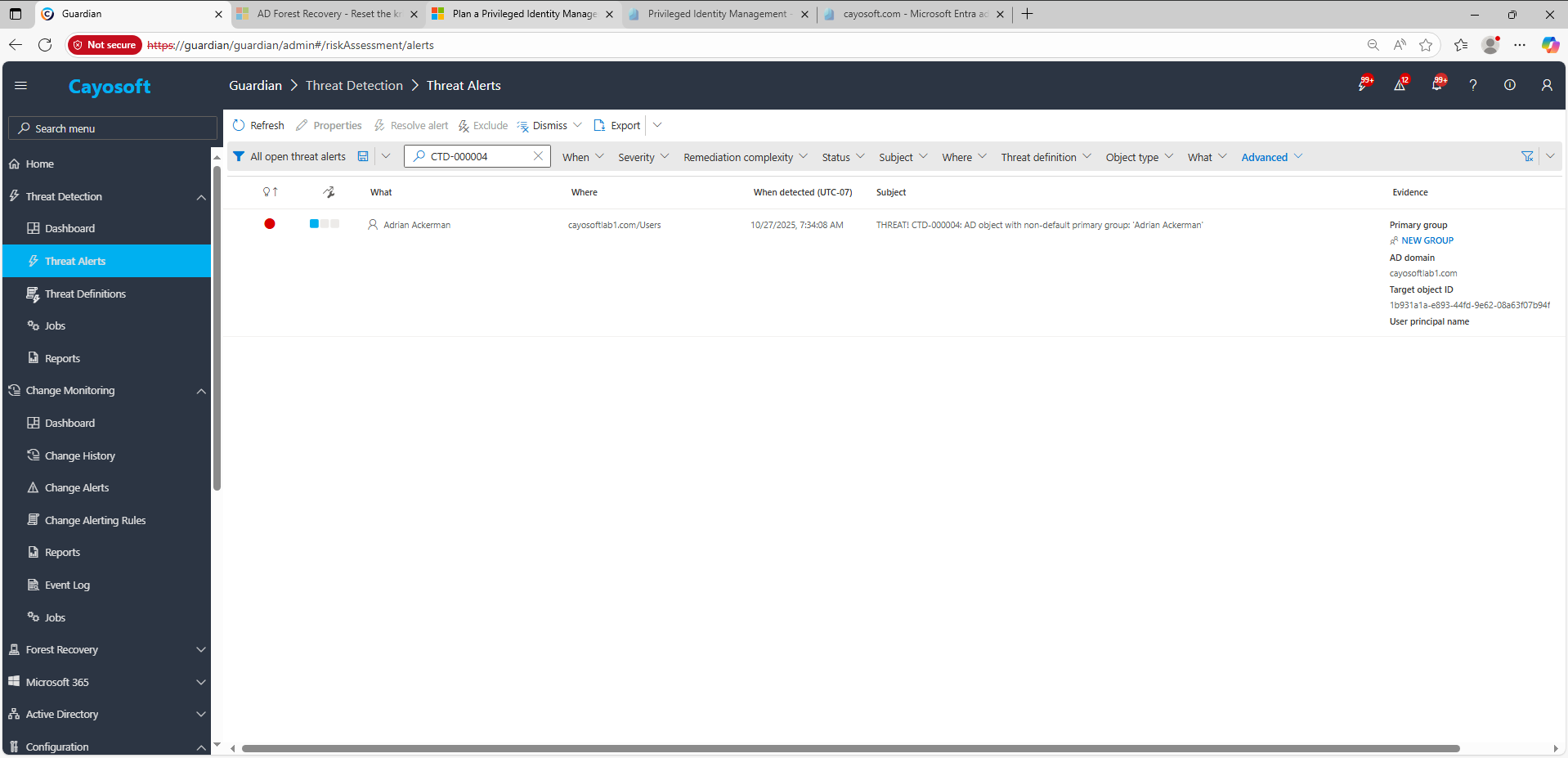
2.) View All Alerts and search for CTD-000004 or AD object with non-default primary group.
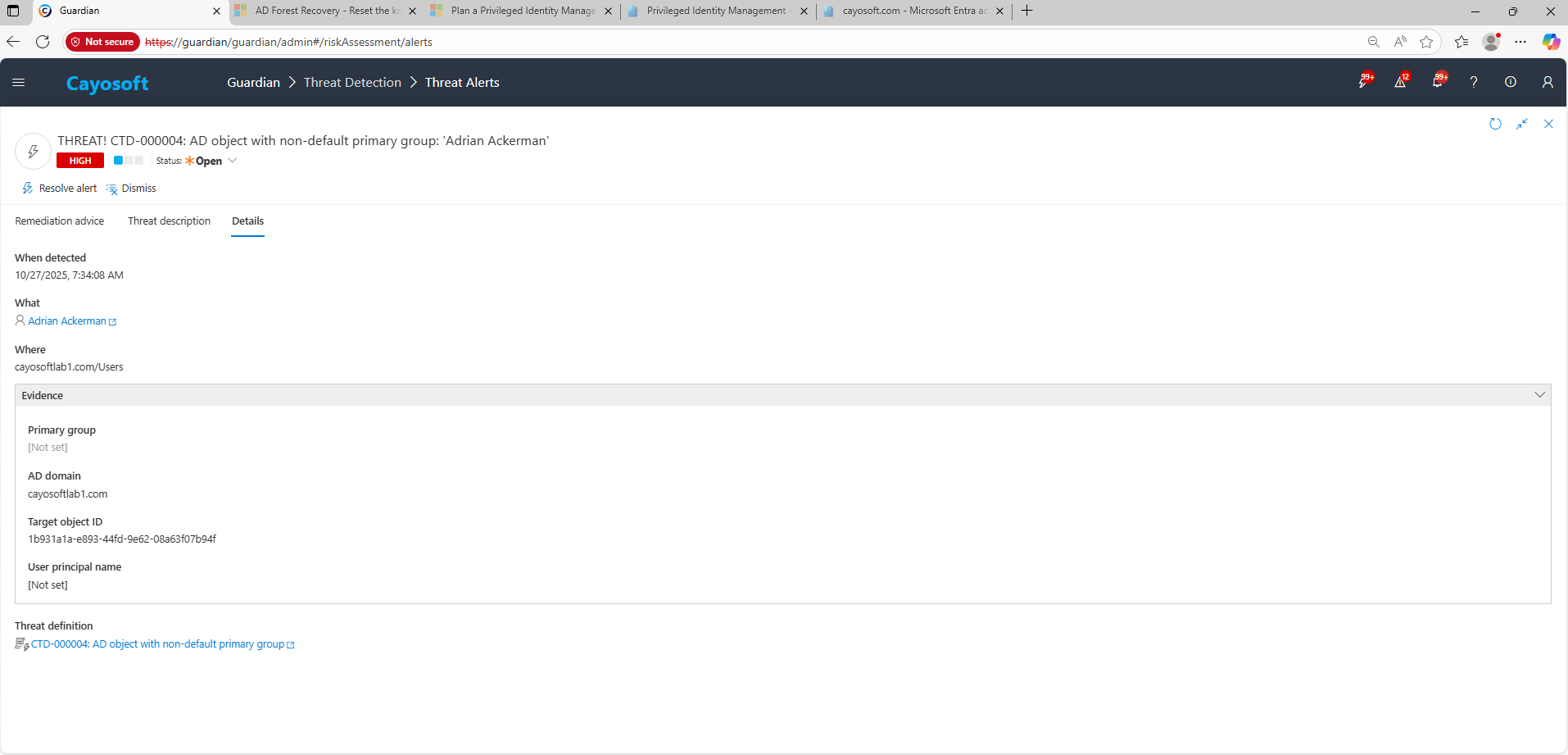
3.) Open any alert and Click for details (from Raise Threat Alert action).
4.) Evidence
Primary group
AD domain
Target object ID
User principal name
Remediation Steps
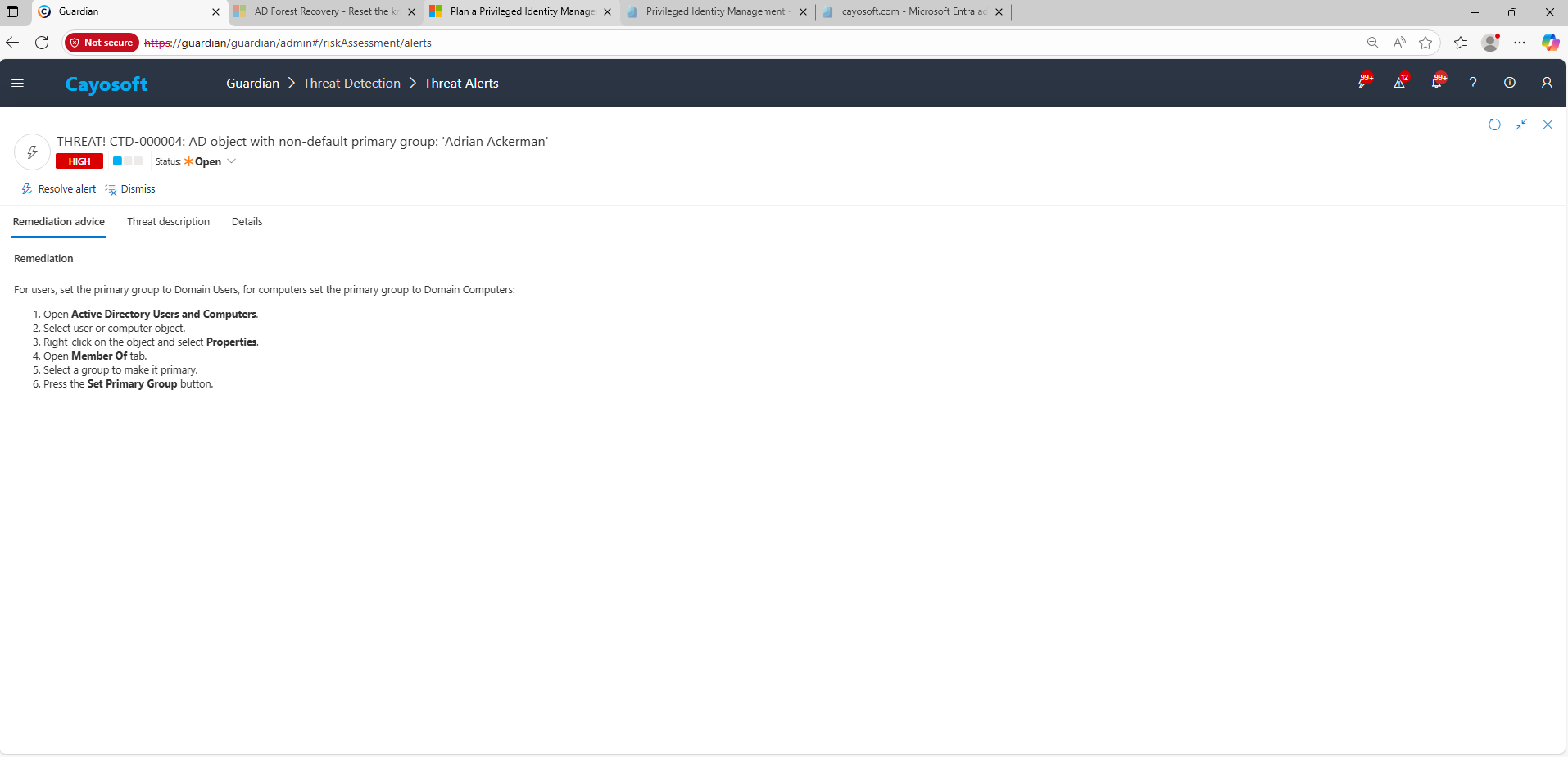
Using the remediation advice in Cayosoft Guardian, follow these steps to remove the vulnerability:
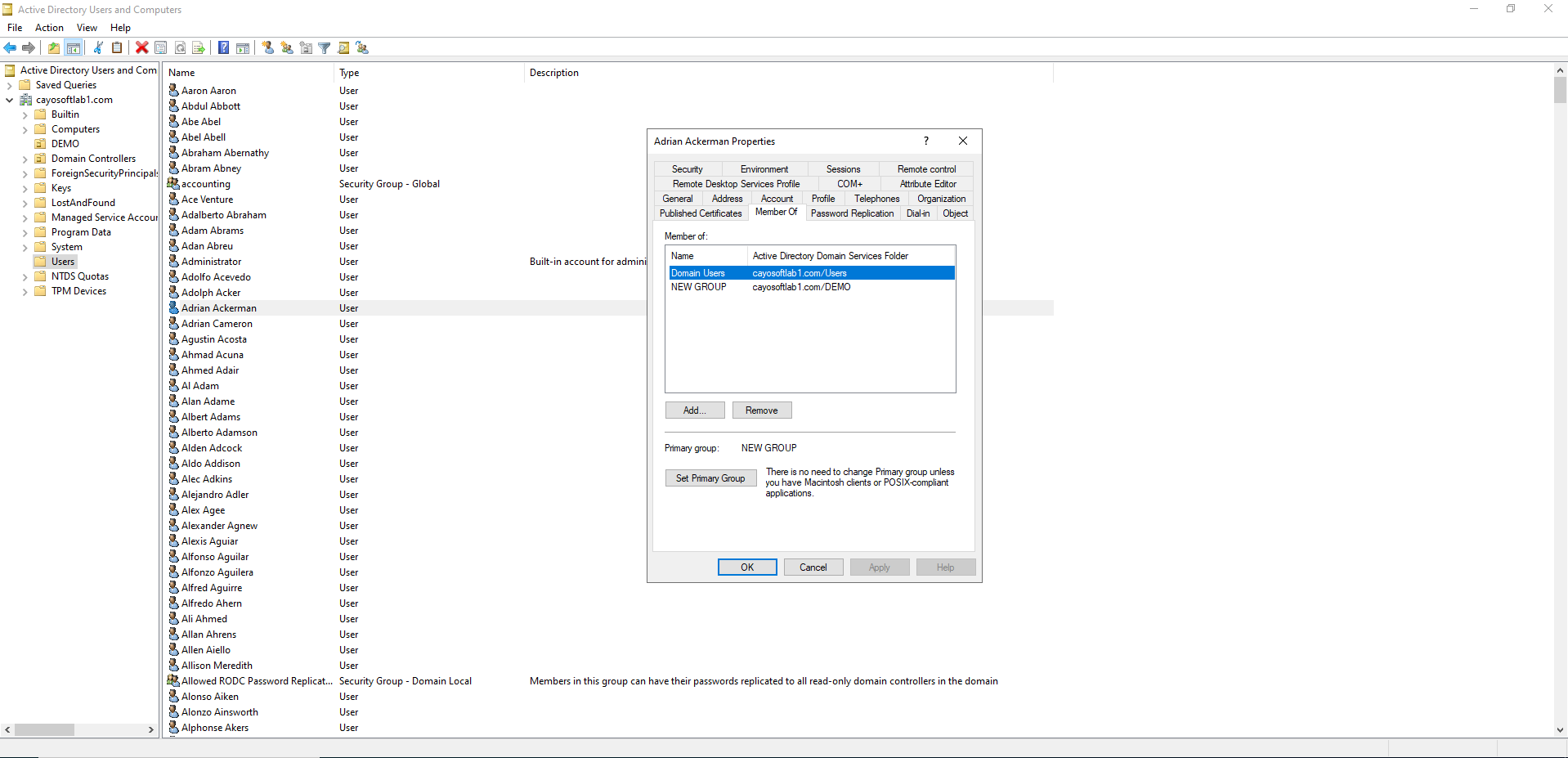
) Open Active Directory Users and Computers.
) Select user or computer object.
) Right-click on the object and select Properties.
) Open Member Of tab.
) Select a group to make it primary.
) Press the Set Primary Group button.
How to Prevent It
Cayosoft Guardian can proactively detect and alert on AD object with non-default primary group. It continuously monitors Active Directory, Entra ID, Microsoft 365, and Intune for over 200 misconfigurations, providing early warning before attackers can exploit them.
Limit who can modify primaryGroupID; remove this right from non-admin admins and service accounts.
Monitor and alert on any change to primaryGroupID, especially to privileged RIDs (e.g., 512 Domain Admins).
Periodically baseline accounts to ensure users = 513 and computers = 515.
The account inherits the permissions of the primary group, enabling stealthy privilege escalation without a typical “added to group” trail. Attackers can exploit this to obtain elevated rights while evading standard audit logs.
For users, the default PGID is 513 (Domain Users); for computers, it’s 515 (Domain Computers). Any deviation from these values should be reviewed immediately.
No. Most auditing tools do not capture changes to the primaryGroupID attribute, so attackers can escalate privileges silently unless this attribute is explicitly monitored.
Yes. Administrators can use built-in Microsoft tools such as PowerShell (Get-ADUser / Get-ADComputer with primaryGroupID filters) or Advanced Security Audit Policies to identify accounts with abnormal PGIDs and detect potential misuse.
Yes. Cayosoft Guardian, Quest Change Auditor, and Semperis Directory Services Protector continuously monitor Active Directory for unauthorized primaryGroupID changes, alerting administrators before attackers can leverage elevated access.
Final Thought
Proactive monitoring and timely remediation of configuration risks is essential to maintaining a secure Active Directory and Microsoft 365 environment. By addressing issues like AD object with non-default primary group, you reduce attack surfaces and strengthen your organization’s overall security posture.