
AD object with non-default permissions on AdminSDHolder
Cayosoft Threat Definition CTD-000005
Tune into Guardians of the Directory Podcast.




Stop AD Threats As They Happen
Cayosoft Protector provides continuous monitoring and real-time alerts across your entire Microsoft Identity stack
Like This Article?
Subscribe to our LinkedIn Newsletter to receive more educational content
Risk Summary
Non-default permissions on the AdminSDHolder object can allow attackers to grant themselves or others persistent elevated privileges across protected accounts and groups, bypassing normal administrative oversight.
- Severity: Critical
- Platform: Active Directory
- Category: AD Delegation, AdminSDHolder
- MITRE ATT&CK Tactics: Defense Evasion, Privilege Escalation
- MITRE D3FEND Tactics: Application Configuration Hardening, Domain Account Monitoring
Description
A modification of the AdminSDHolder object might be an indication of threat actor activities. Active Directory uses the AdminSDHolder object, protected groups, and Security Descriptor propagator (SDPROP) as protection for privileged users and groups.
When an AD group is marked as protected, AD ensures that the owner, ACLs, and inheritance settings match those on the AdminSDHolder container, and applies them to the group and its members.
Threat actors may alter AdminSDHolder permissions to propagate unauthorized access rights to all protected objects.

Real-World Scenario
An attacker gains temporary access to a Domain Admin account. Instead of making obvious changes, they edit the AdminSDHolder object to grant a hidden security principal full control. Every 60 minutes, AD’s SDPROP process pushes these altered permissions to all protected groups (e.g., Domain Admins, Enterprise Admins) and their members, granting the attacker long-term covert access.
The change might go unnoticed by standard monitoring tools because permissions replicate automatically without further manual action.
Cayosoft Guardian detects this misconfiguration in real time, generating an alert with details of the modified ACLs so security teams can respond immediately before the attacker leverages their persistent foothold.
Stop Privilege Escalation—Then Undo It with Cayosoft Guardian Audit & Restore
Real-time alerts across AD & Entra ID with one-click rollback.
Detect this and other threats with Cayosoft Guardian Protector (Free of Charge)
1.) Download Cayosoft Guardian Protector for free real-time threat detection and monitoring of your hybrid AD and Microsoft 365 environment. Once downloaded, sign in and navigate to the Threat Detection Dashboard.


2.) View All Alerts and search for CTD-000005 or AD object with non-default permissions on AdminSDHolder.
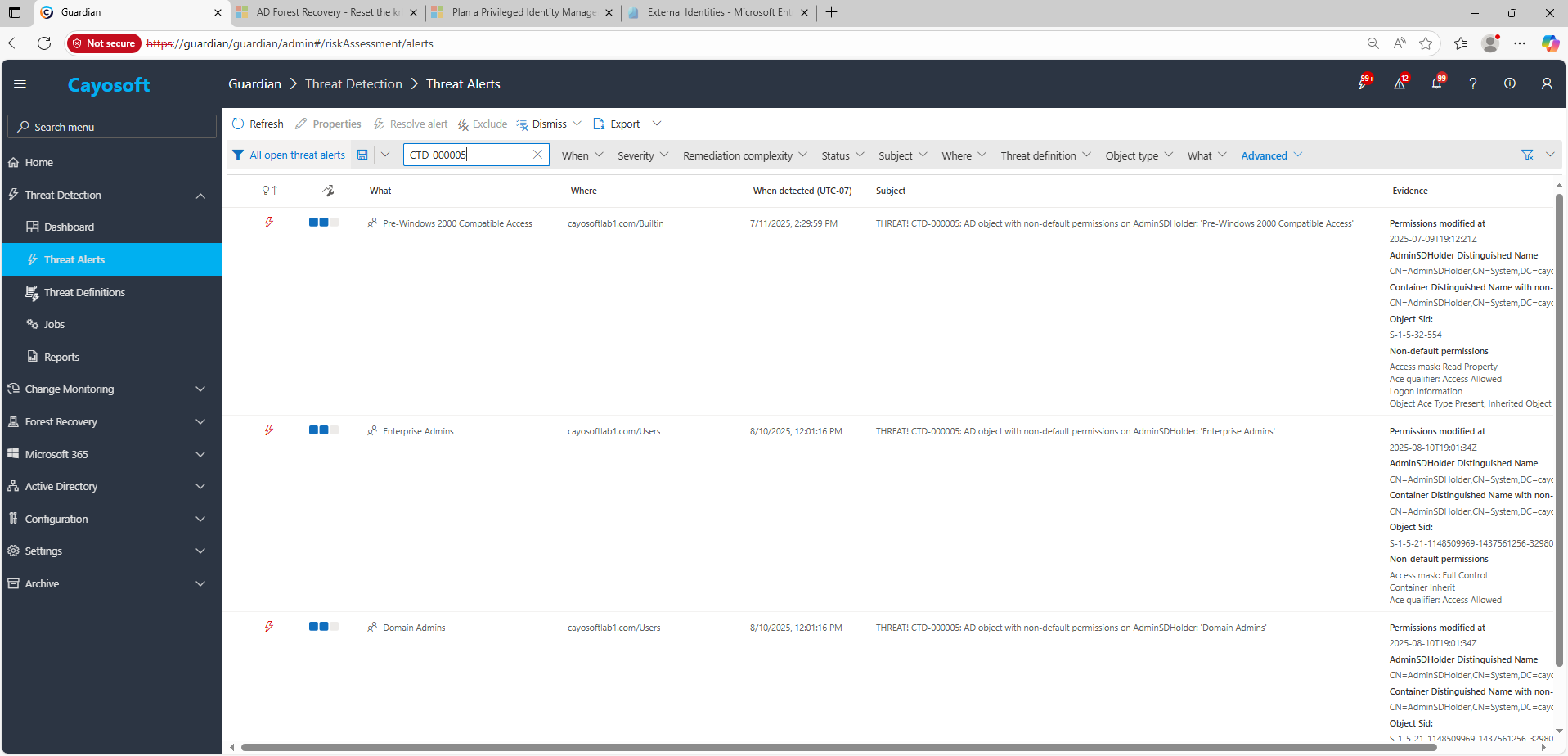
3.) Open any alert and Click for details (from Raise Threat Alert action).
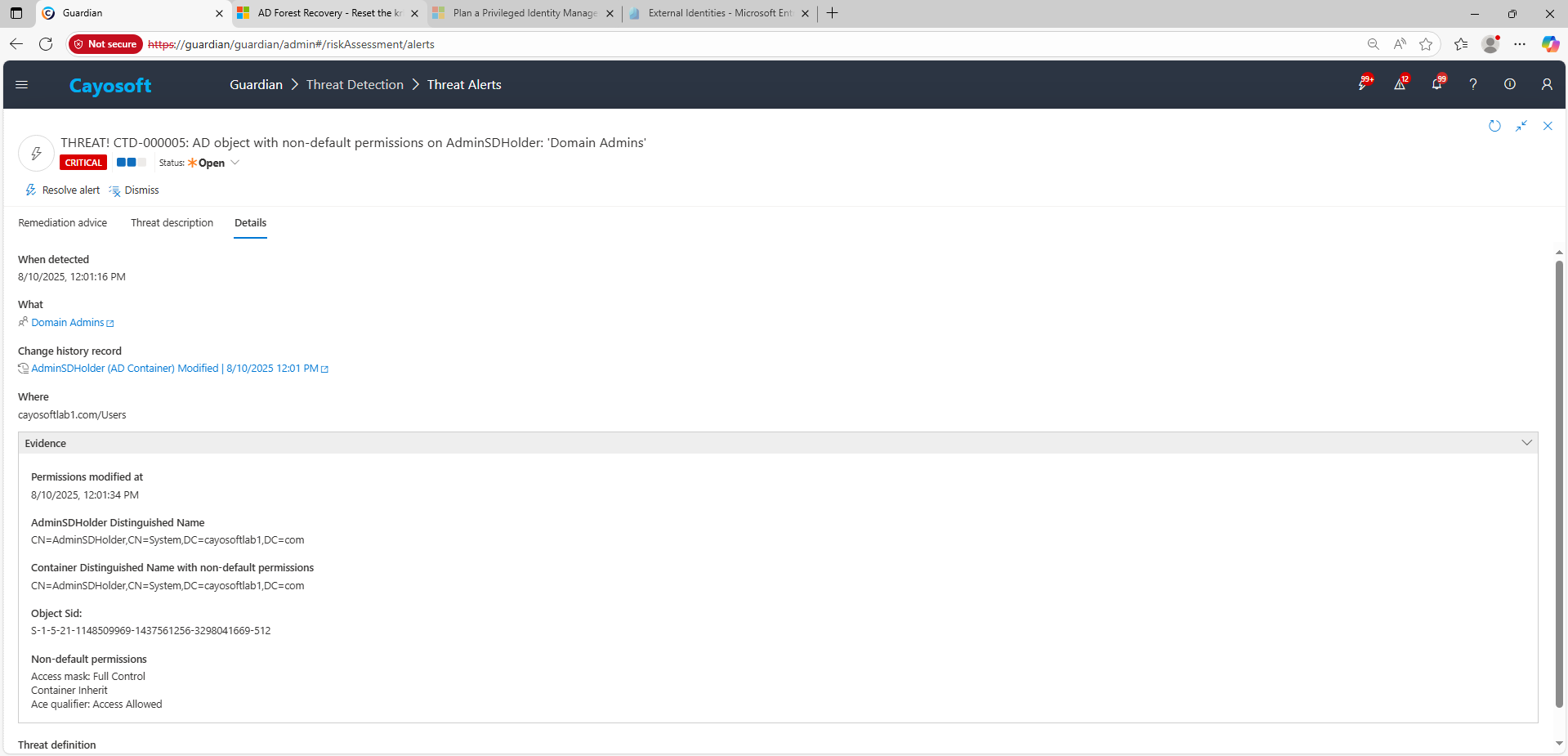
4.) Evidence:
- Permissions modified at
- AdminSDHolder Distinguished Name
- Container Distinguished Name with non-default permissions
- Object SID
- Non-default permissions
Remediation Steps
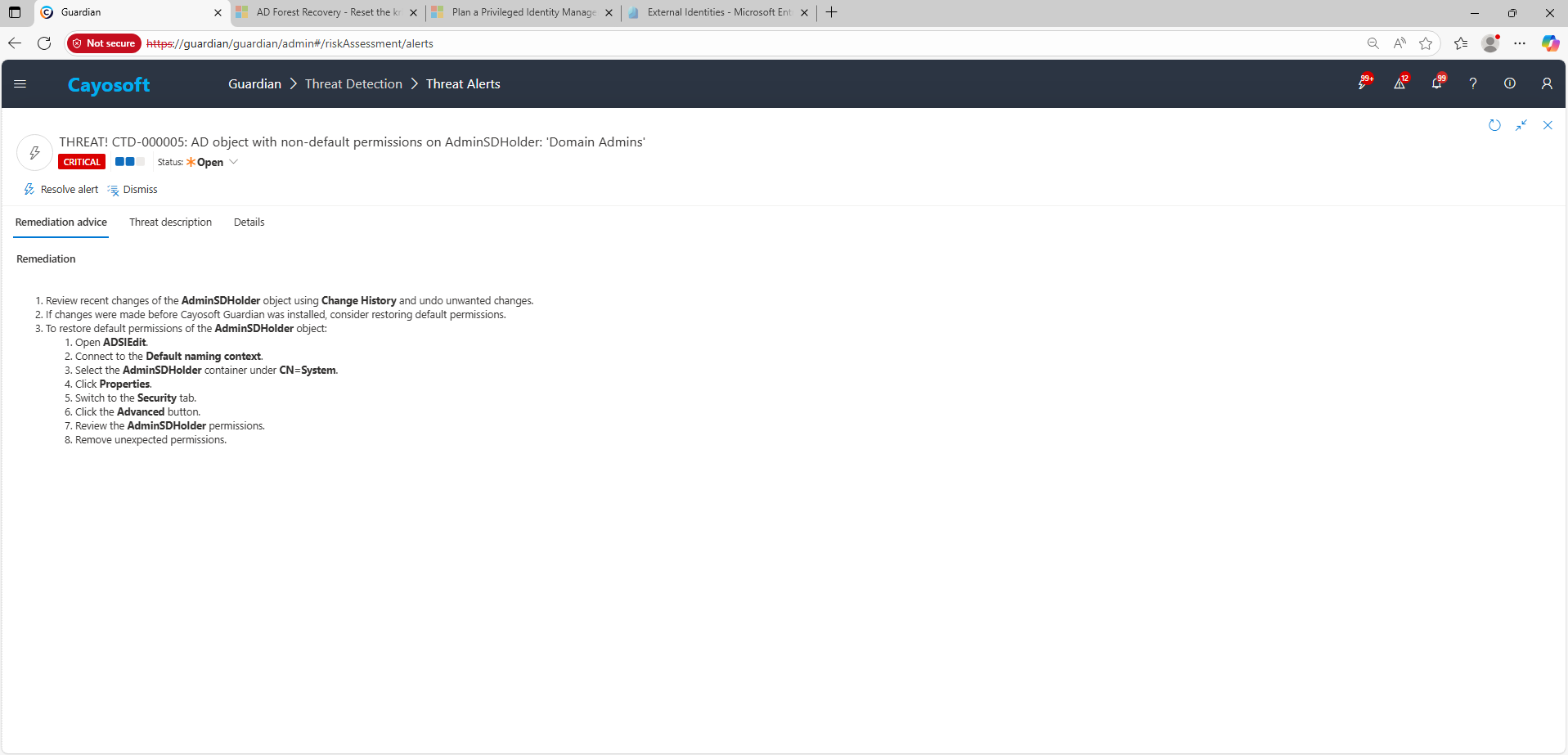
- ) Review recent changes of the AdminSDHolder object using Change History and undo unwanted changes.
- ) If changes were made before Cayosoft Guardian was installed, consider restoring default permissions.
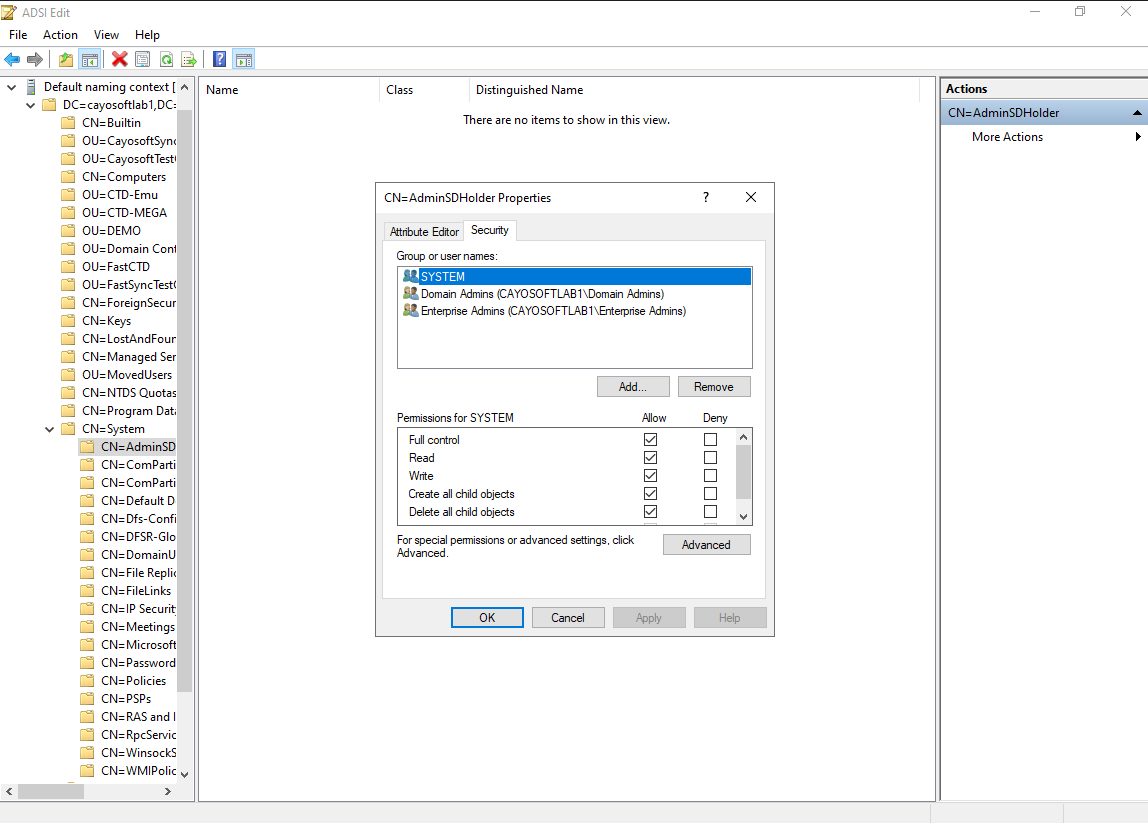
- ) To restore default permissions of the AdminSDHolder object:
- ) Open ADSIEdit.
- ) Connect to the Default naming context.
- ) Select the AdminSDHolder container under CN=System.
- ) Click Properties.
- ) Switch to the Security tab.
- ) Click the Advanced button.
- ) Review the AdminSDHolder permissions.
- ) Remove unexpected permissions.
How to Prevent It
- Keep the Guest account disabled across all domains and OUs.
- Deny local logon to Guests via GPO on servers and shared workstations.
- Use least-privilege, audited, time-bound access for legitimate visitor scenarios (e.g., separate non-domain networks).
- Cayosoft Guardian can proactively detect and alert on AD domain with built-in domain Guest account enabled. It continuously monitors Active Directory, Entra ID, Microsoft 365, and Intune for over 200 misconfigurations, providing early warning before attackers can exploit them.
FAQ
Because changes made to the AdminSDHolder object automatically propagate to all protected groups and accounts, giving or removing privileges across Domain Admins, Enterprise Admins, and other critical objects. Attackers can use this to maintain stealthy, persistent control.
By default, the SDPROP process runs every 60 minutes, pushing AdminSDHolder permissions to all protected accounts and groups.
Yes. You can use ADSIEdit or PowerShell to remove unexpected entries and restore the default ACLs without requiring downtime or service disruption.
Yes. Cayosoft Guardian Protector can detect and alert when non-default permissions are applied to the AdminSDHolder object.
Yes. Cayosoft Guardian provides full monitoring, alerting, and rollback capabilities for unauthorized AdminSDHolder permission changes, helping organizations prevent privilege persistence and maintain secure AD delegation.
References
- Microsoft Docs – AdminSDHolder, Protected Groups, and SDPROP
Final Thought
Proactive monitoring and timely remediation of configuration risks is essential to maintaining a secure Active Directory environment. By addressing issues like non-default permissions on AdminSDHolder, you reduce attack surfaces and protect privileged accounts from stealthy compromise.