AD object created by unusual Initiator
Cayosoft Threat Definition CTD-000129
Stop AD Threats As They Happen
Cayosoft Protector provides continuous monitoring and real-time alerts across your entire Microsoft Identity stack
Like This Article?
Subscribe to our LinkedIn Newsletter to receive more educational content
Risk Summary
Anomalous account creation—especially when performed by an unexpected or inactive initiator—often signals abuse of credentials or process bypass. Such events can precede lateral movement, privilege escalation, or persistence.
- Severity: Medium
- Platform: Active Directory
- Category: Account protection
- MITRE ATT&CK Tactics: Execution, Defense Evasion, Credential Access, Lateral Movement
- MITRE D3FEND Tactics: Domain accounts monitoring
Description
Alerts are triggered when an AD object creation is detected from an unusual initiator—i.e., an account not in the known-initiators list or inactive for more than two weeks (inactive initiators are removed after two weeks).
Note: This rule uses a built-in lookback window of 25 hours; only events within that timeframe are evaluated.
Real-World Scenario
An attacker phishes a desktop technician and uses those credentials to create a new AD user outside the normal provisioning pipeline. Because the technician hasn’t created accounts recently, the action stands out from baselines. The attacker immediately adds the new user to sensitive groups and sets a password that never expires to persist while blending in as “helpdesk work.” Cayosoft Guardian detects the creation by an unusual initiator and raises CTD-000129 before the attacker can expand privileges further.
Stop Privilege Escalation—Then Undo It with Cayosoft Guardian
Real-time alerts across AD & Entra ID with one-click rollback.
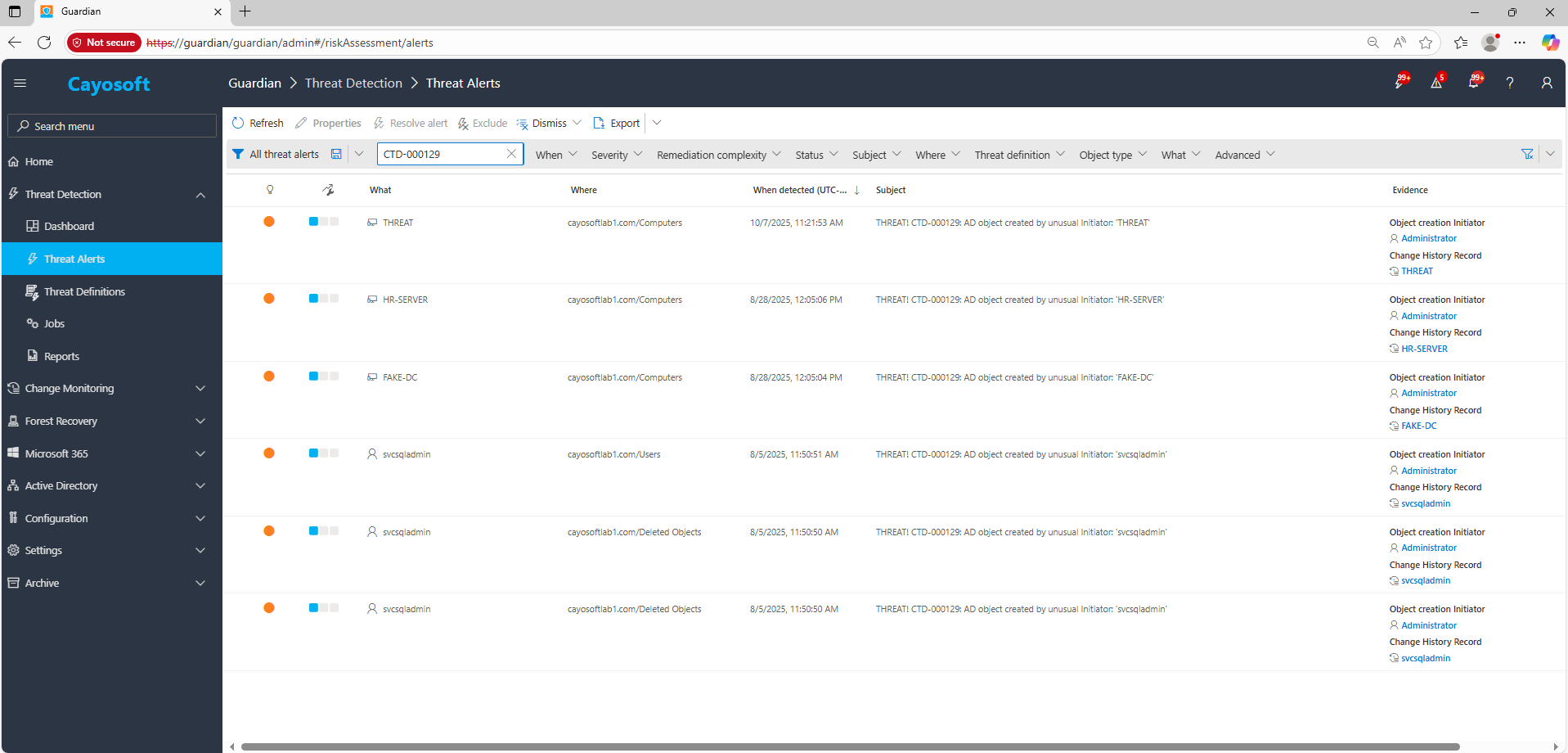
2.) View All Alerts and search for CTD-000129 or AD object created by unusual Initiator.
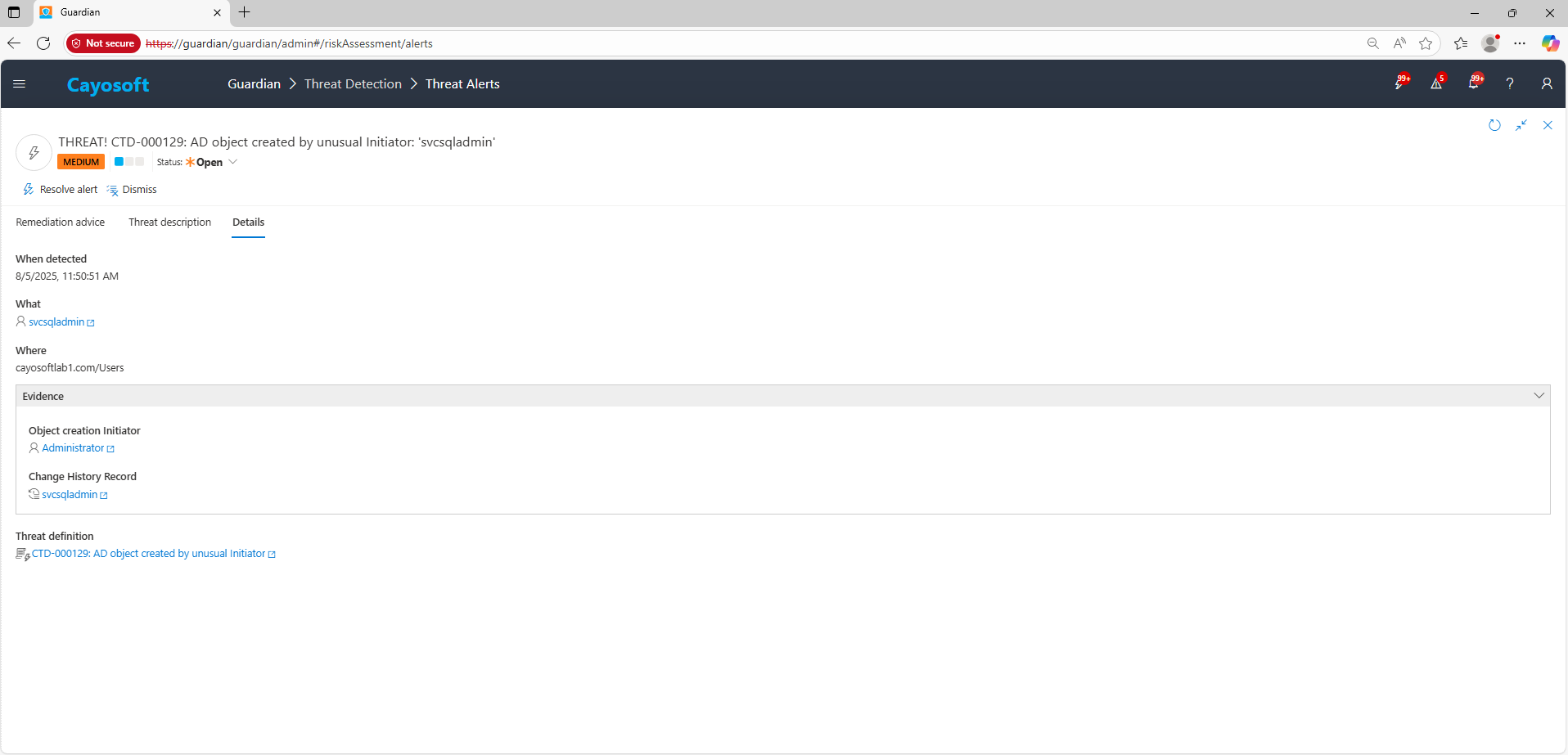
3.) Open any alert and Click for details (from Raise Threat Alert action).
4.) Evidence
- Object creation Initiator (initiatorObj)
- Change History Record (changeRecord)
Remediation Steps
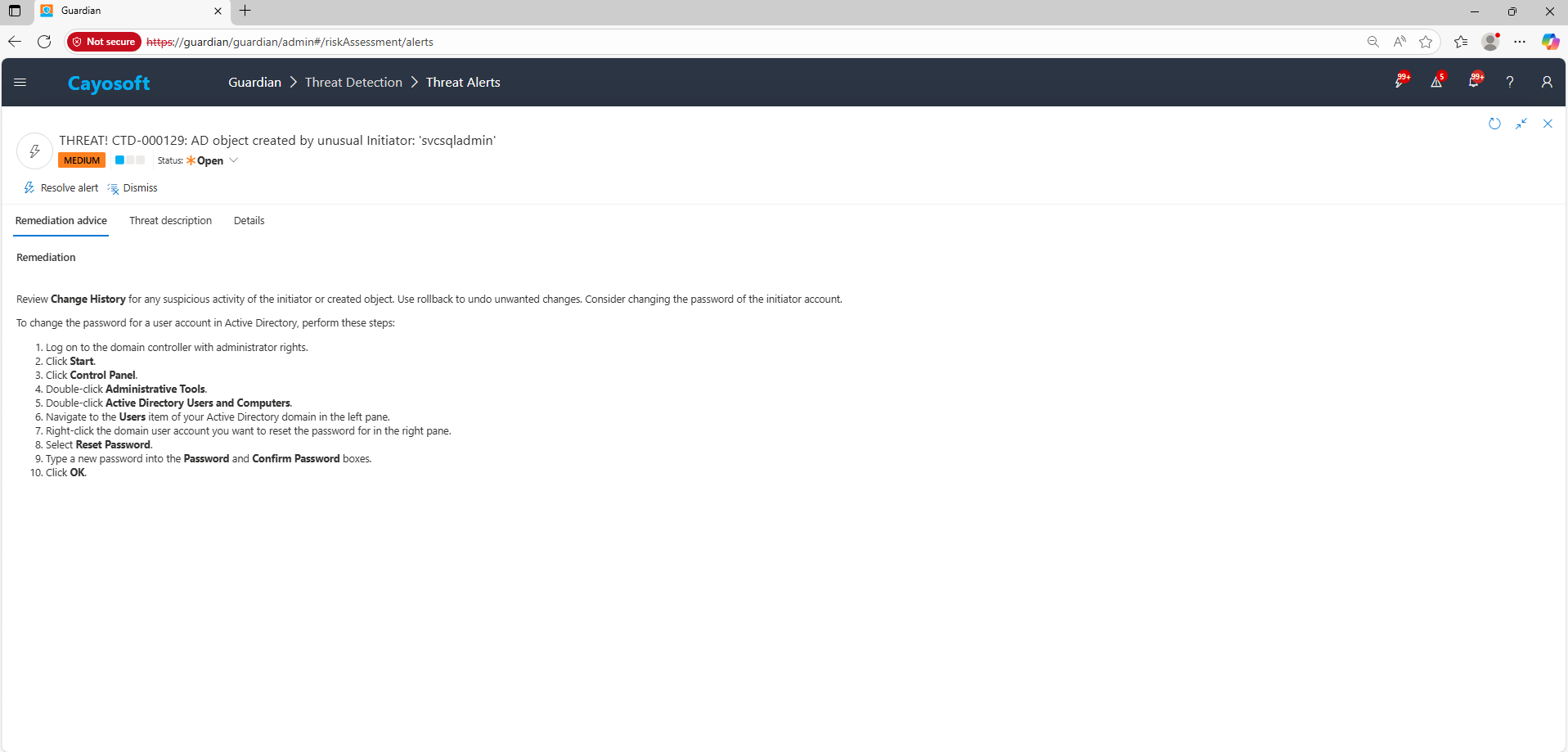
Review Change History for any suspicious activity of the initiator or created object. Use rollback to undo unwanted changes. Consider changing the password of the initiator account.
To change the password for a user account in Active Directory, perform these steps:
- Log on to the domain controller with administrator rights.
- Click Start.
- Click Control Panel.
- Double-click Administrative Tools.
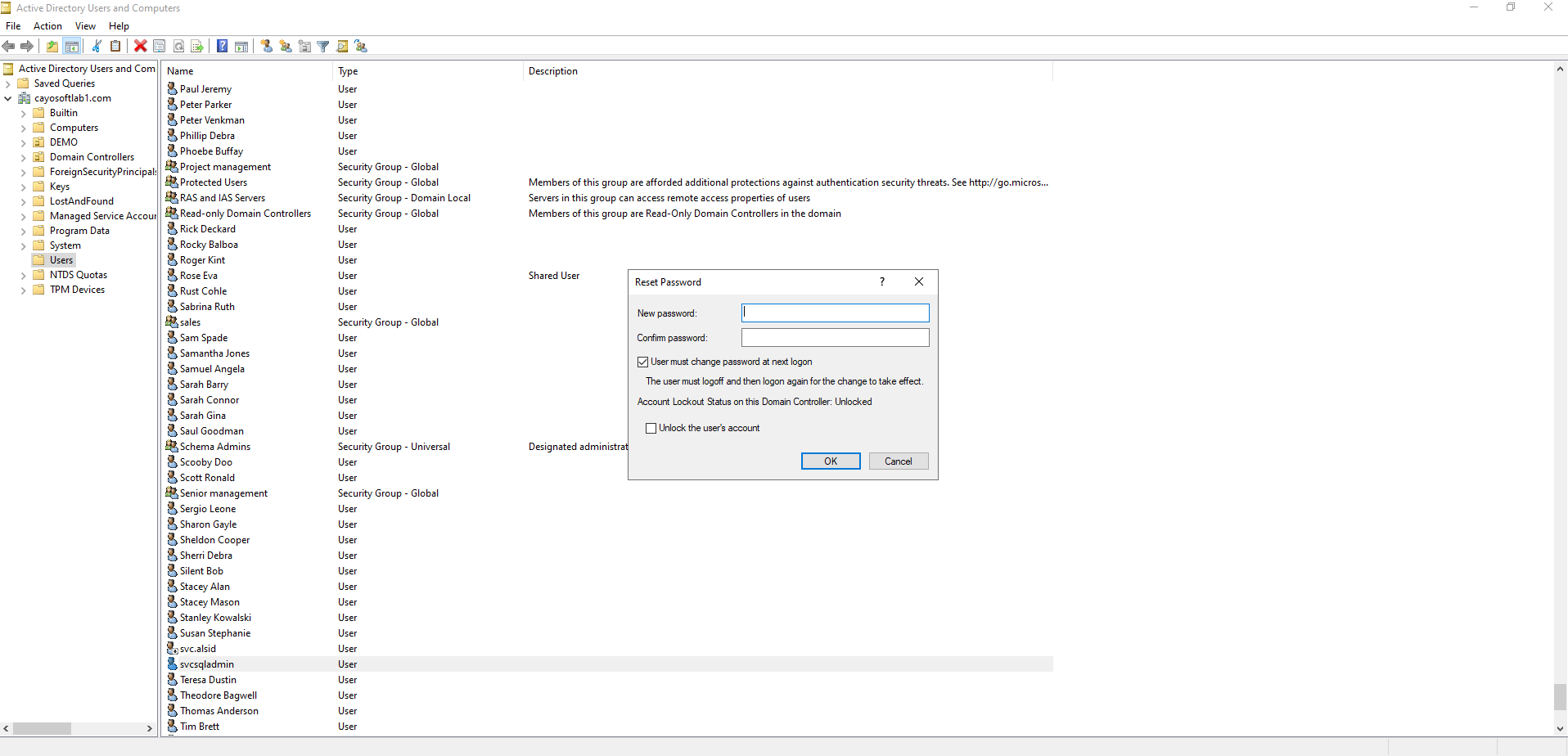
- Double-click Active Directory Users and Computers.
- Navigate to the Users item of your Active Directory domain in the left pane.
- Right-click the domain user account you want to reset the password for in the right pane.
- Select Reset Password.
- Type a new password into the Password and Confirm Password boxes.
- Click OK.
How to Prevent It
Cayosoft Guardian can proactively detect and alert on AD object created by unusual Initiator. It continuously monitors Active Directory, Entra ID, Microsoft 365, and Intune for over 200 misconfigurations, providing early warning before attackers can exploit them.
FAQ
Because new AD objects—like users or groups—created by unexpected or inactive accounts often indicate credential misuse or automation abuse. Attackers frequently use compromised accounts to create backdoor users or service accounts, enabling persistence and privilege escalation without immediate detection. Catching these unusual initiators early helps stop lateral movement before privileges are expanded.
Immediately review the initiator’s recent activity in Cayosoft Guardian’s Change History, verify legitimacy with the requester, and if unauthorized, rollback the creation. Disable or reset the initiator’s credentials, check for privilege changes or group additions, and analyze related GPO or service account modifications to ensure full containment.

Maintain an up-to-date known initiators list in Cayosoft Guardian. Add verified automation or provisioning service accounts that routinely create objects. Regularly audit this list and remove inactive entries after two weeks—Guardian automatically applies this policy—to ensure alerts focus only on genuine anomalies.
Yes, administrators can use native Windows Event Logs, PowerShell scripts querying msDS-CreatorSID, or basic SIEM correlation rules for detection.
Yes, Cayosoft Guardian and Microsoft Sentinel can detect unusual initiators, alert administrators, provide audit trails, and guide remediation steps.
Final Thought
Proactive monitoring and timely remediation of configuration risks is essential to maintaining a secure Active Directory and Microsoft 365 environment. By addressing issues like AD object created by unusual Initiator, you reduce attack surfaces and strengthen your organization’s overall security posture.