
AD forest is not protected against forest-wide failure by Cayosoft Guardian
Cayosoft Threat Definition CTD-000119
Tune into Guardians of the Directory Podcast.




Stop AD Threats As They Happen
Cayosoft Protector provides continuous monitoring and real-time alerts across your entire Microsoft Identity stack
Like This Article?
Subscribe to our LinkedIn Newsletter to receive more educational content
Risk Summary
Threat actors might use different tactics and tools to attack your environment. If ransomware or corruption impacts domain controllers across the forest and no Guardian-based forest protection exists, recovery time and business impact can be severe.
- Severity: High
- Platform: Active Directory
- Category: Forest-wide
- MITRE ATT&CK Tactics: Persistence, Impact
- MITRE D3FEND Tactics: Restore Network Access, Restore User Account Access, Restore Configuration, Restore Database, Restore Disk Image, Restore File, Restore Software, Reissue Credential
Description
Threat actors might use different tactics and tools to attack your environment. For example, ransomware might encrypt data on your domain controllers resulting in a forest-wide failure. In such case, switching to a standby forest created by Cayosoft Guardian might sufficiently reduce downtime in comparison with other recovery solutions.

Real-World Scenario
Ransomware detonates on multiple domain controllers, encrypting the SYSVOL and database files and taking AD offline for every domain in the forest. Helpdesk, SSO, and line-of-business apps fail because Kerberos and LDAP are unavailable. Without a prepared standby forest and domain-by-domain protection, the organization scrambles to rebuild from disparate backups, extending outage duration and raising the risk of reinfection. With Cayosoft Guardian Instant AD Forest Recovery configured, operators could fail over to a pre-staged, clean standby forest to restore authentication services quickly while forensic work proceeds. Guardian would flag CTD-000119 earlier by identifying domains not included in protection plans, enabling teams to close gaps before a crisis.
Stop Privilege Escalation—Then Undo It with Cayosoft Guardian Audit & Restore
Real-time alerts across AD & Entra ID with one-click rollback.
Detect this and other threats with Cayosoft Guardian Protector (Free of Charge)
1.) Download Cayosoft Guardian Protector for free real-time threat detection and monitoring of your hybrid AD and Microsoft 365 environment. Once downloaded, sign in and navigate to the Threat Detection Dashboard.


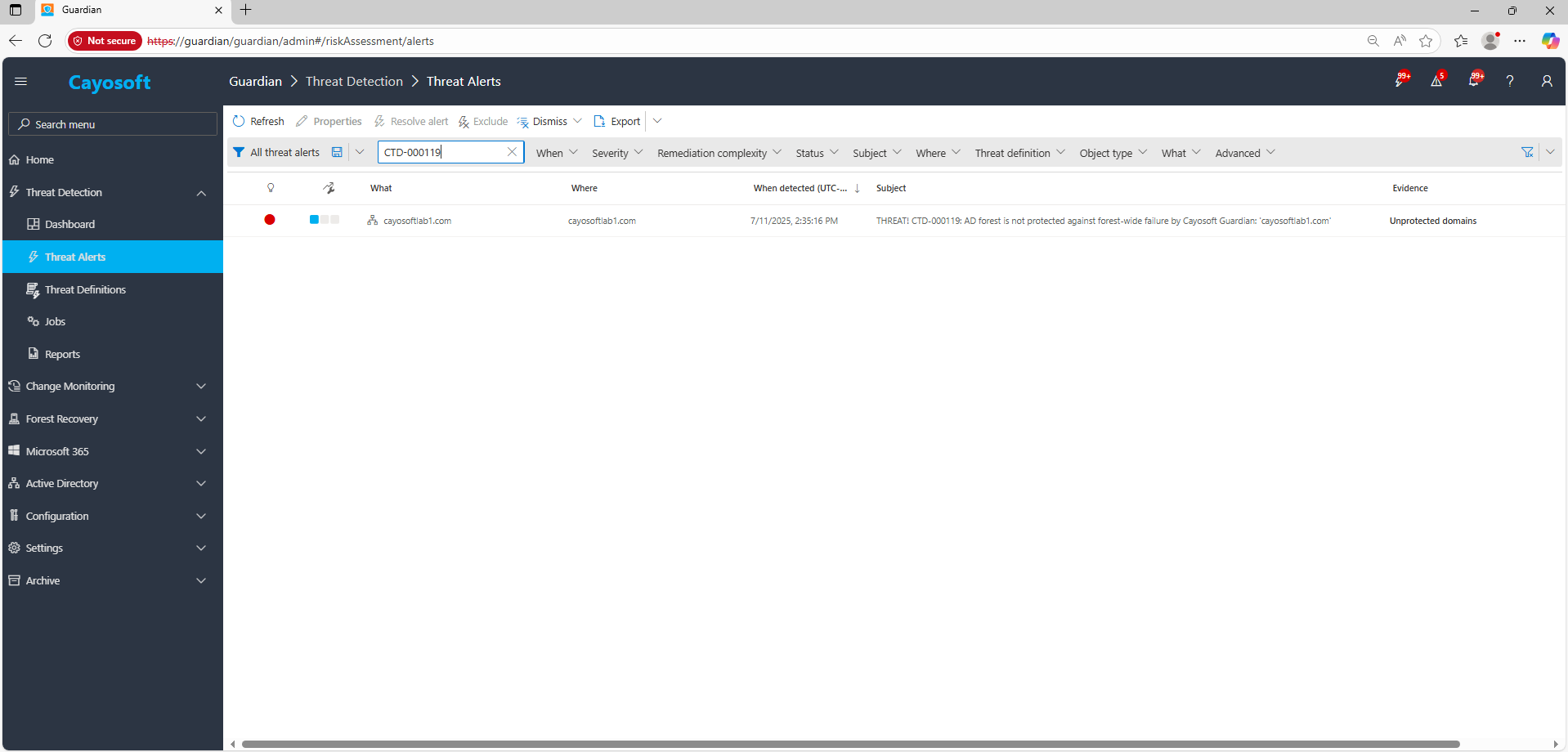
2.) Open All Alerts and search for CTD-000119 or AD forest is not protected against forest-wide failure by Cayosoft Guardian.
3.) Open any alert and Click for details (from Raise Threat Alert action).
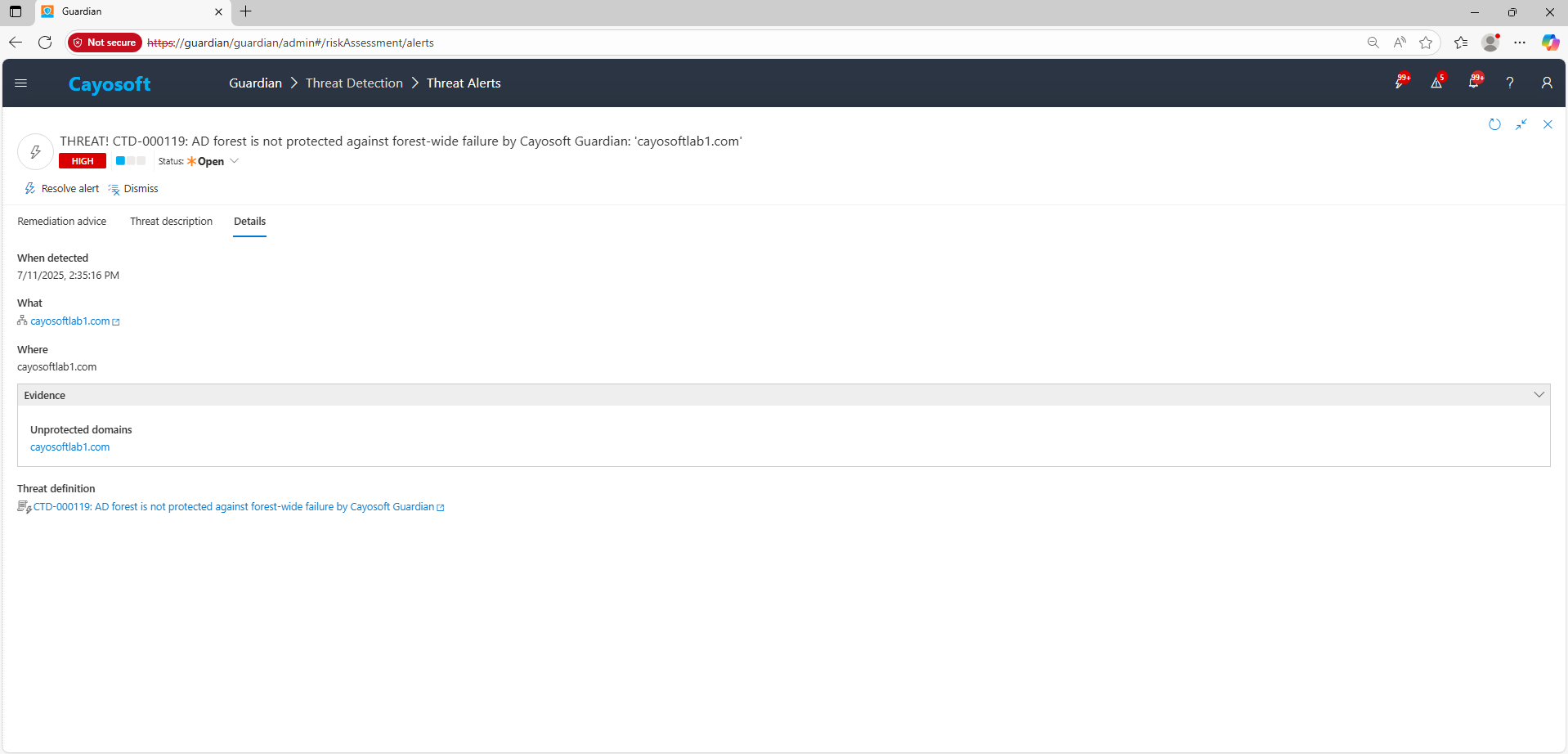
4.) Review Evidence:
- Unprotected domains – list of domains not covered by Guardian’s forest protection/backup plan.
Remediation Steps
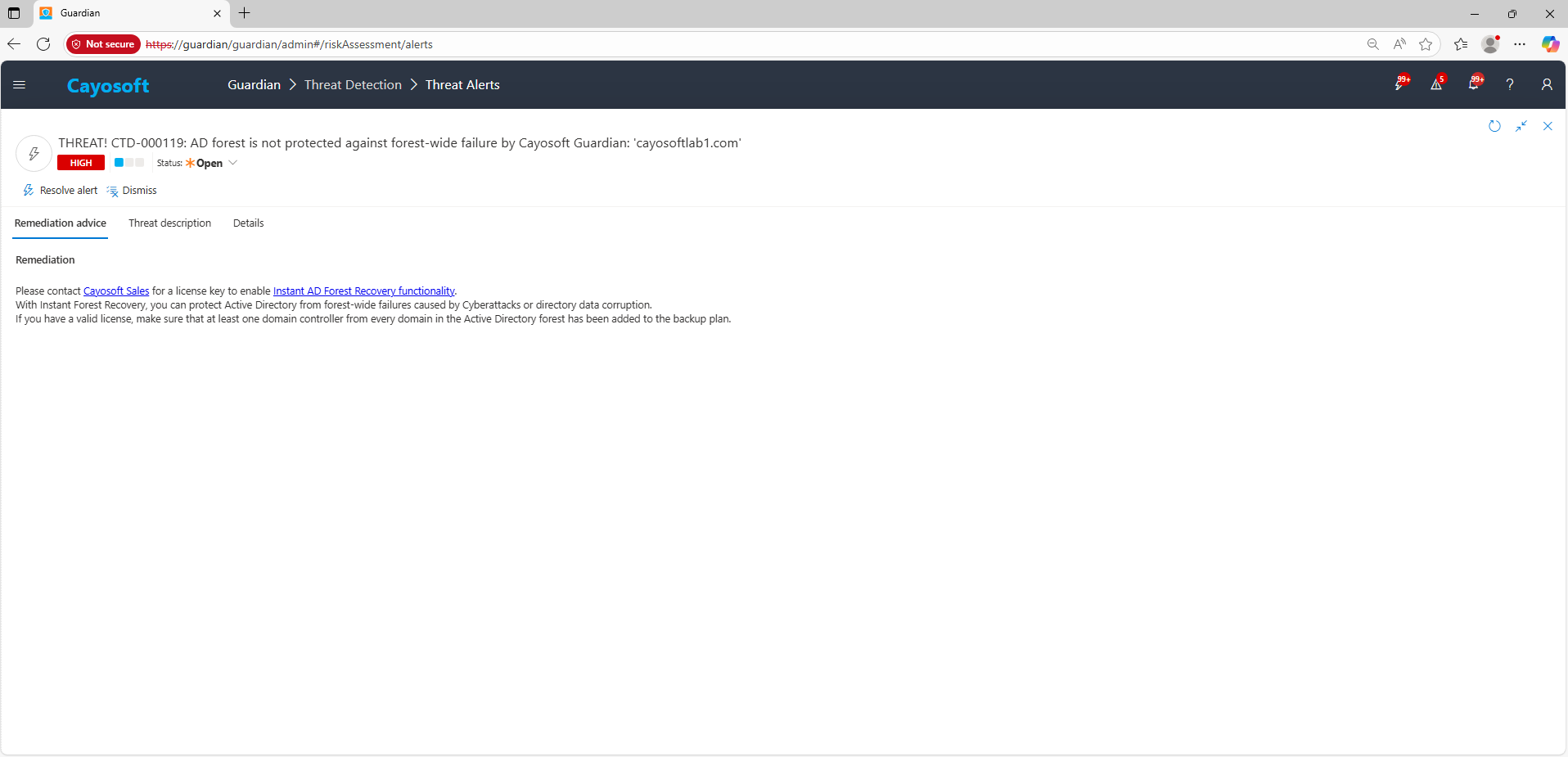
Please contact Cayosoft Sales for a license key to enable Instant AD Forest Recovery functionality.
With Instant Forest Recovery, you can protect Active Directory from forest-wide failures caused by Cyberattacks or directory data corruption.
If you have a valid license, make sure that at least one domain controller from every domain in the Active Directory forest has been added to the backup plan.
How to Prevent It
- Establish a standby forest with Cayosoft Guardian Instant AD Forest Recovery and keep it synchronized.
- Include every domain (at least one DC per domain) in the backup/protection plan; regularly test recoveries.
- Segment administrative access and maintain offline, immutable copies of critical recovery materials (KRBTGT keys, backup encryption keys).
- Monitor Guardian for new/unprotected domains and resolve findings promptly.
- Cayosoft Guardian can proactively detect and alert on AD forest is not protected against forest-wide failure by Cayosoft Guardian. It continuously monitors Active Directory, Entra ID, Microsoft 365, and Intune for over 200 misconfigurations, providing early warning before attackers can exploit them.
FAQ
Without Guardian’s Instant AD Forest Recovery, an organization is vulnerable to total Active Directory loss from ransomware or corruption. If multiple domain controllers across the forest are compromised, authentication and access services for all domains can fail simultaneously. Guardian’s standby forest recovery drastically reduces downtime, allowing rapid restoration of directory services while investigation and remediation continue.
In the Cayosoft Guardian Threat Detection Dashboard, search for CTD-000119 alerts or view the Unprotected domains evidence. Then, in the Forest Protection / Backup Plan, ensure at least one domain controller per domain is listed as protected. Once coverage is confirmed, the status should show Healthy/Protected for all domains.
Maintain a synchronized standby forest using Guardian’s Instant AD Forest Recovery, regularly test recovery procedures, and include every domain in the backup plan. Keep offline copies of key recovery materials such as KRBTGT keys and backup encryption keys, and continuously monitor Guardian for any new unprotected domains.
Yes. The alert’s “Unprotected domains” evidence lists any domains not included in the protection plan, allowing you to remediate gaps.
Detailed guidance on setup, prerequisites, and capabilities is available here: Instant AD Forest Recovery
References
- Cayosoft Contact: https://www.cayosoft.com/about/contact-us/
- Instant AD Forest Recovery: https://support.cayosoft.com/hc/en-us/articles/10303182560141
Final Thought
Proactive monitoring and timely remediation of configuration risks is essential to maintaining a secure Active Directory and Microsoft 365 environment. By addressing issues like AD forest is not protected against forest-wide failure by Cayosoft Guardian, you reduce attack surfaces and strengthen your organization’s overall security posture.