A threat actor can potentially compromise a domain controller that has the SMBv1 protocol enabled by exploiting vulnerabilities in the protocol, such as the EternalBlue exploit.
A threat actor can potentially compromise a domain controller that has the SMBv1 protocol enabled by exploiting vulnerabilities in the protocol, such as the EternalBlue exploit. This exploit can allow an attacker to remotely execute code on a vulnerable system and gain unauthorized access, potentially leading to a complete compromise of the domain controller and the associated network. To prevent such attacks, it is recommended to disable SMBv1 and only use newer, more secure versions of the SMB protocol.
Real-World Scenario
An unpatched legacy server leaves SMBv1 enabled on a domain controller for backward compatibility. An attacker delivers an EternalBlue-style exploit over port 445, gains SYSTEM on the DC, and dumps domain credentials. With DC control, the attacker forges Kerberos tickets to laterally move and deploy ransomware to file servers, causing widespread downtime and recovery costs. Because SMBv1 traffic appears “normal” to legacy monitoring, the intrusion blends in. Cayosoft Guardian—using CTD-000047: AD domain controller with SMB1 enabled—would have flagged the DC’s risky configuration before exploitation.
Stop Privilege Escalation—Then Undo It with Cayosoft Guardian
Audit & Restore
Real-time alerts across AD & Entra ID with one-click rollback.
Detect this and other threats with Cayosoft Guardian Protector (Free of Charge)
1.) Download Cayosoft Guardian Protector for free real-time threat detection and monitoring of your hybrid AD and Microsoft 365 environment. Once downloaded, sign in and navigate to the Threat Detection Dashboard.
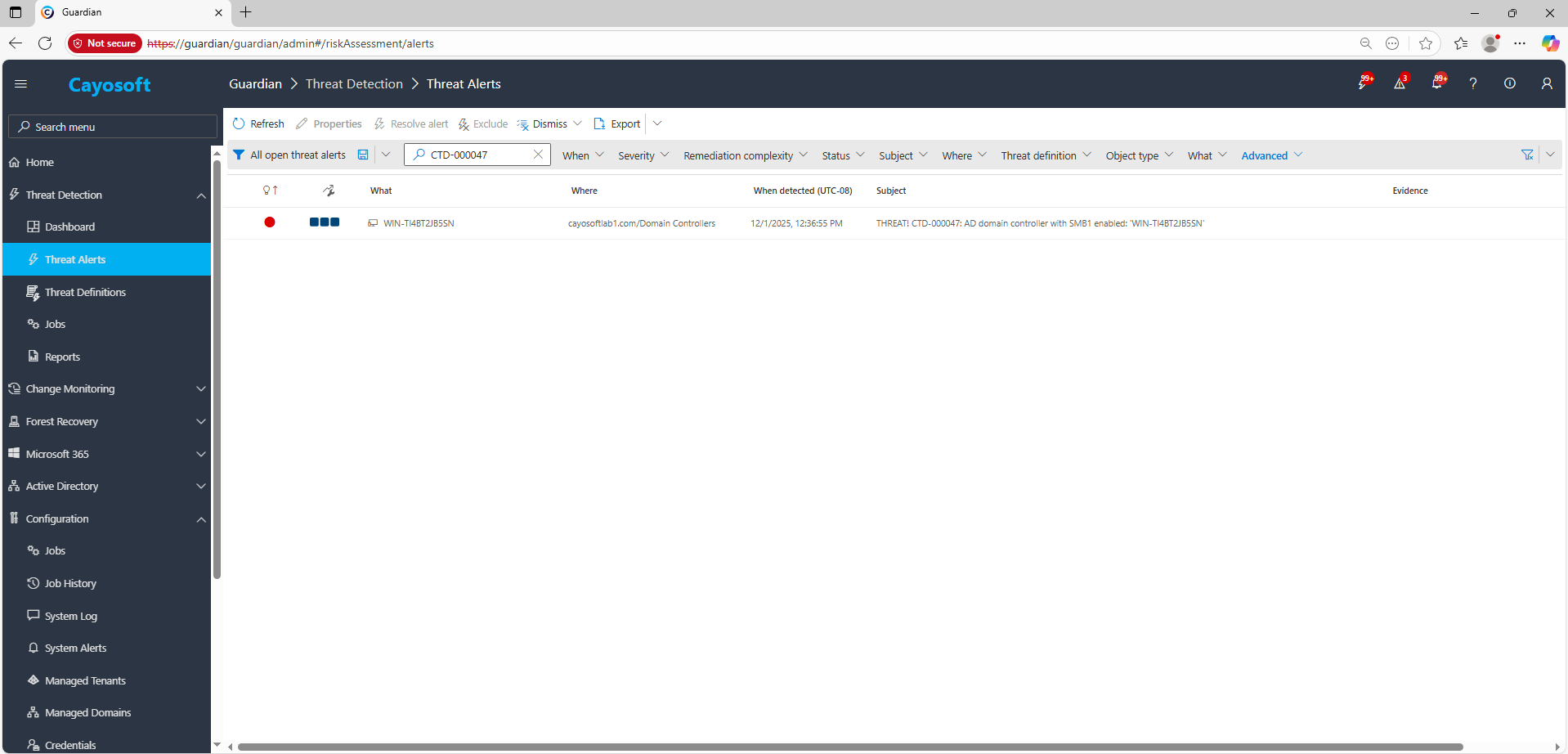
2.) Open All Alerts and search for CTD-000047 or AD domain controller with SMB1 enabled.
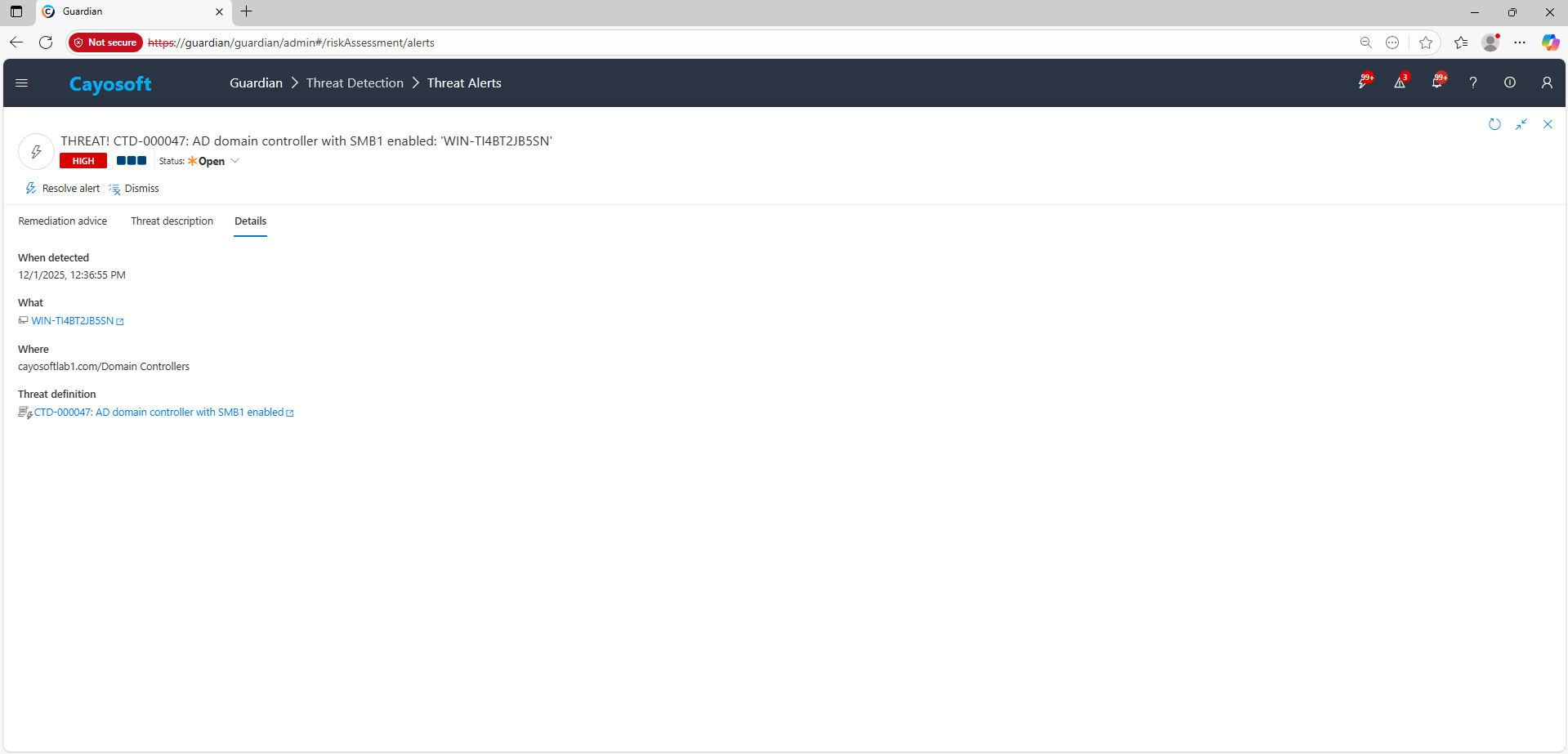
3.) Open any alert and Click for details (from Raise Threat Alert action).
Remediation Steps
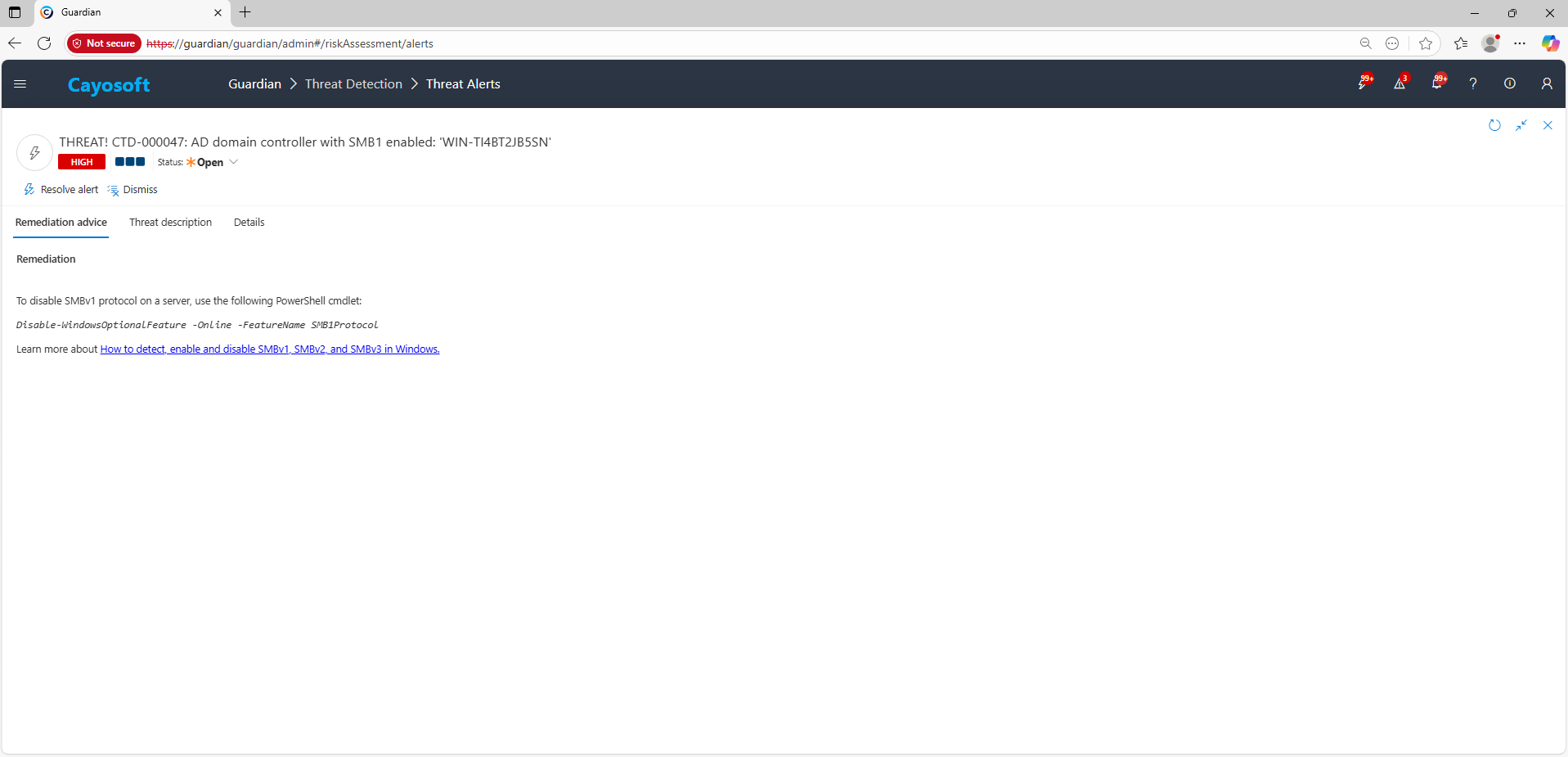
Using the remediation advice in Cayosoft Guardian, follow these steps to remove the vulnerability:
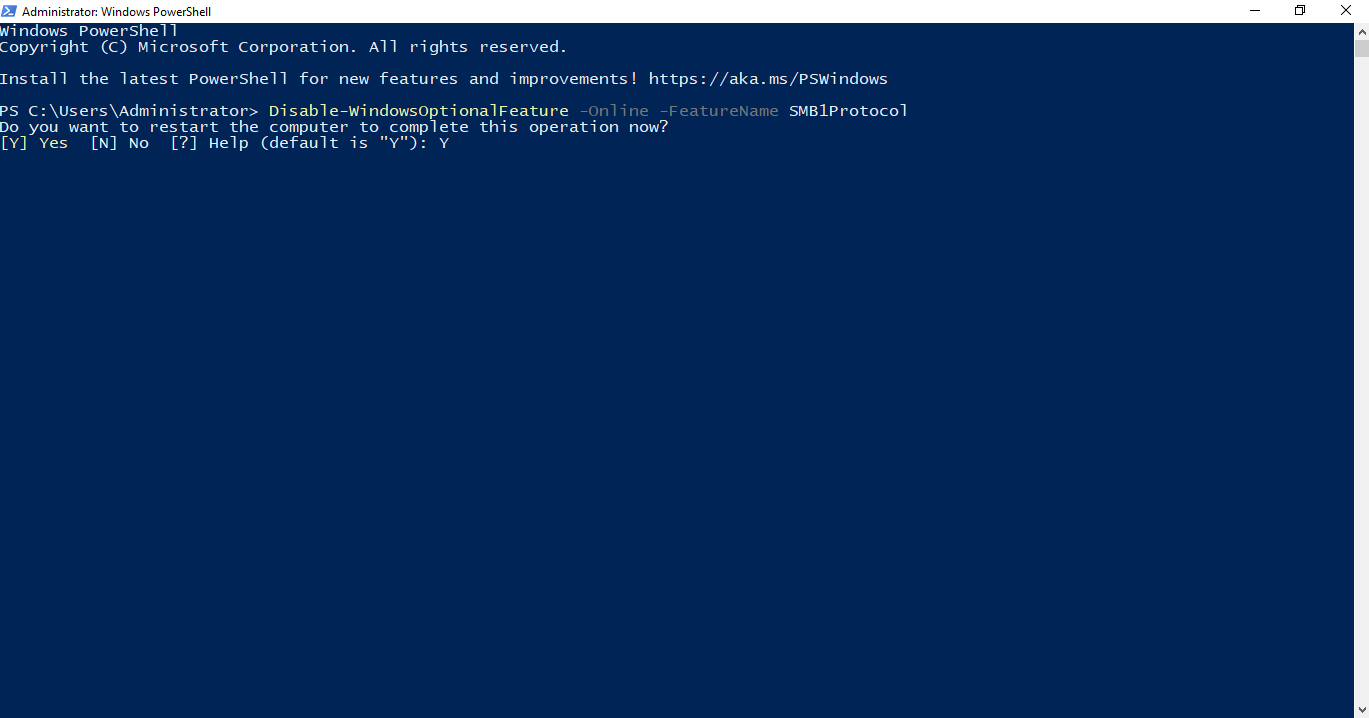
To disable SMBv1 protocol on a server, use the following PowerShell cmdlet:
Cayosoft Guardian can proactively detect and alert onAD domain controller with SMB1 enabled. It continuously monitors Active Directory, Entra ID, Microsoft 365, and Intune for over 200 misconfigurations, providing early warning before attackers can exploit them.
SMBv1 contains multiple remote code execution vulnerabilities—most notably EternalBlue—that allow attackers to gain SYSTEM-level access remotely. On a domain controller, this can lead to immediate full domain compromise.
Run Get-WindowsOptionalFeature -Online -FeatureName SMB1Protocol. If the feature appears as Enabled, it must be removed and the server rebooted to complete mitigation.
Potentially. Older systems and devices that support only SMBv1 will no longer connect. These should be upgraded, migrated to SMBv2/3, or decommissioned to maintain security.
Yes. Cayosoft Guardian provides continuous monitoring, alerting, configuration auditing, and prescriptive remediation for SMBv1-related risks and more than 200 other AD/M365 misconfigurations.
Proactive monitoring and timely remediation of configuration risks is essential to maintaining a secure Active Directory and Microsoft 365 environment. By addressing issues like AD domain controller with SMB1 enabled, you reduce attack surfaces and strengthen your organization’s overall security posture.