
AD domain controller allowing vulnerable Netlogon secure channel connections
Cayosoft Threat Definition CTD-000069
Tune into Guardians of the Directory Podcast.




Stop AD Threats As They Happen
Cayosoft Protector provides continuous monitoring and real-time alerts across your entire Microsoft Identity stack
Like This Article?
Subscribe to our LinkedIn Newsletter to receive more educational content
Risk Summary
The Netlogon service on the remote host is vulnerable to Zerologon; an unauthenticated attacker can abuse MS-NRPC to establish a secure channel and change a computer account password, enabling rapid domain privilege escalation.
- Severity: Medium
- Platform: Active Directory
- Category: Account protection, Infrastructure
- MITRE ATT&CK Tactics: Privilege Escalation
- MITRE D3FEND Tactics: Application Configuration Hardening, Software Update
Description
The Netlogon service on the remote host is vulnerable to the Zerologon vulnerability. An unauthenticated, remote attacker can exploit this by spoofing a client credential to establish a secure channel to a domain controller using the Netlogon remote protocol (MS-NRPC). The attacker can then use this to change the computer’s Active Directory (AD) password and escalate privileges to domain admin.

Real-World Scenario
An attacker lands on a workstation and scans the network for domain controllers that still allow vulnerable Netlogon secure channel connections. Using a Zerologon exploit, the attacker resets the DC’s machine account password to a known value, then performs a DCSync to extract hashes and gains Domain Admin in minutes. To avoid obvious detection, the attacker restores the original machine password and clears event logs, then laterally moves using forged Kerberos tickets. Cayosoft Guardian with CTD-000069 would have highlighted DCs permitting vulnerable connections or having an Allow list configured, prompting remediation before exploitation.
Stop Privilege Escalation—Then Undo It with Cayosoft Guardian Audit & Restore
Real-time alerts across AD & Entra ID with one-click rollback.
Detect this and other threats with Cayosoft Guardian Protector (Free of Charge)
1.) Download Cayosoft Guardian Protector for free real-time threat detection and monitoring of your hybrid AD and Microsoft 365 environment. Once downloaded, sign in and navigate to the Threat Detection Dashboard.


2.) Open All Alerts and search for CTD-000069 or AD domain controller allowing vulnerable Netlogon secure channel connections.
3.) Open any alert and Click for details (from Raise Threat Alert action).
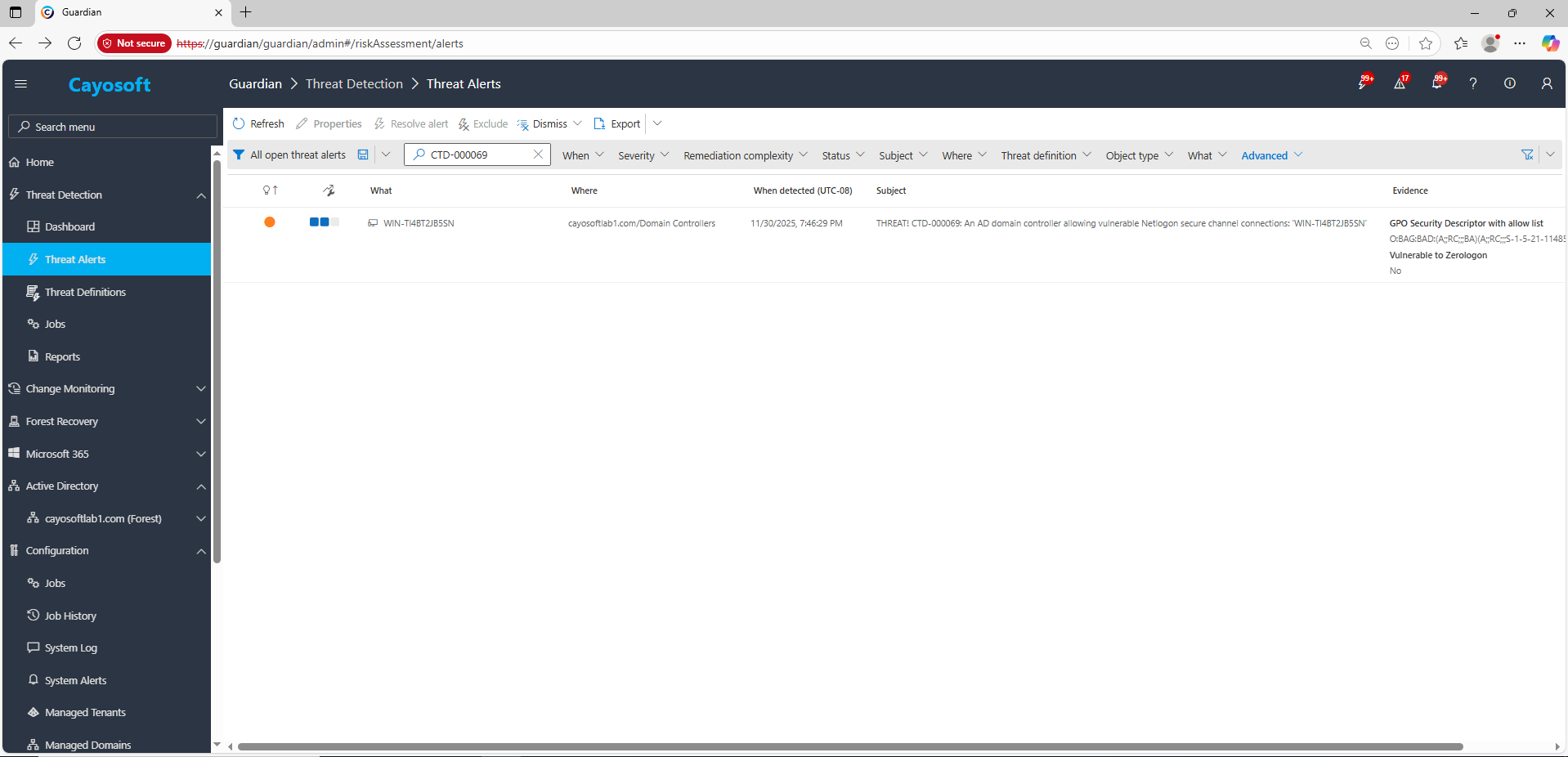
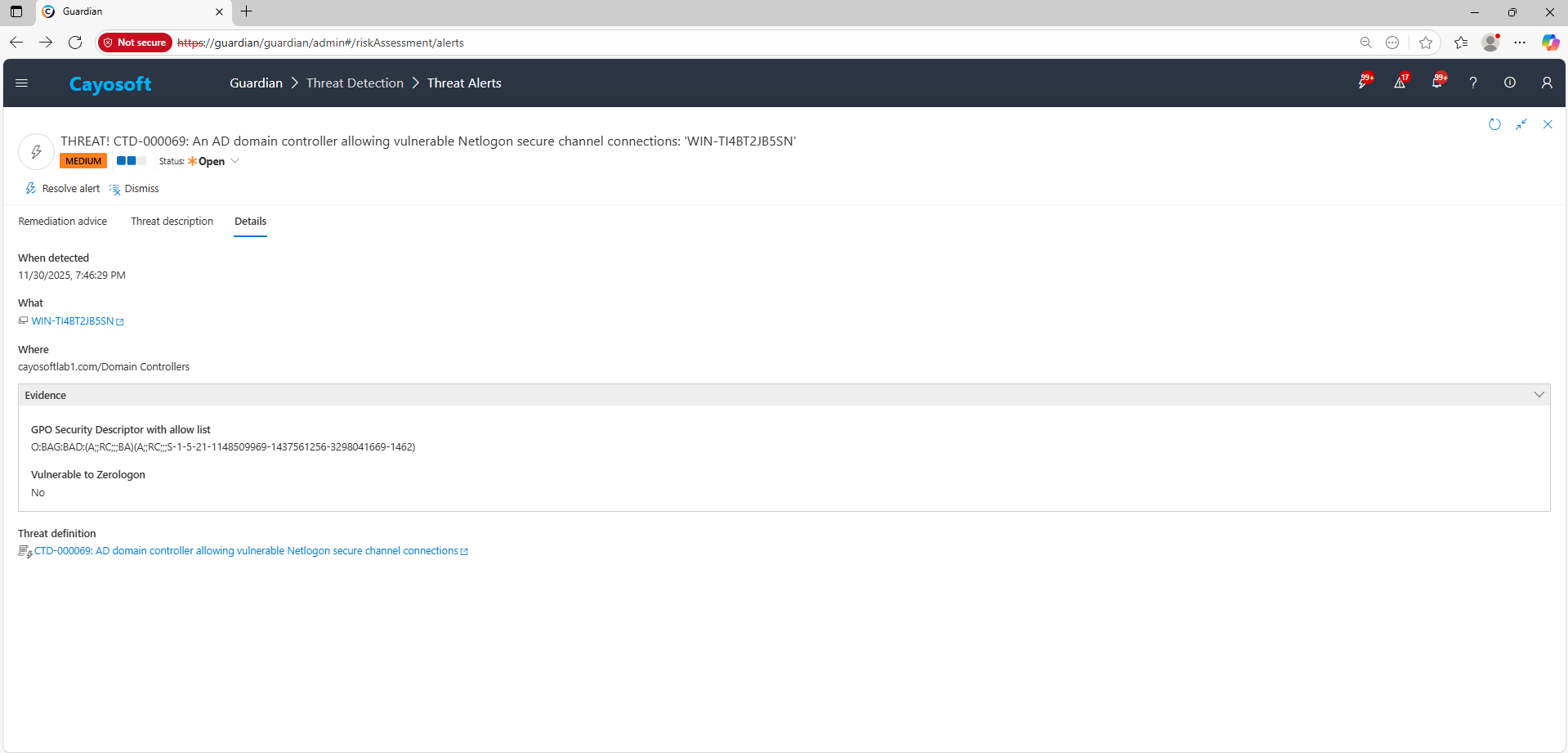
4.) Evidence:
- GPO Security Descriptor with allow list (zerologonAllowList)
- Vulnerable to Zerologon (zerologonExploitStatus)
Remediation Steps
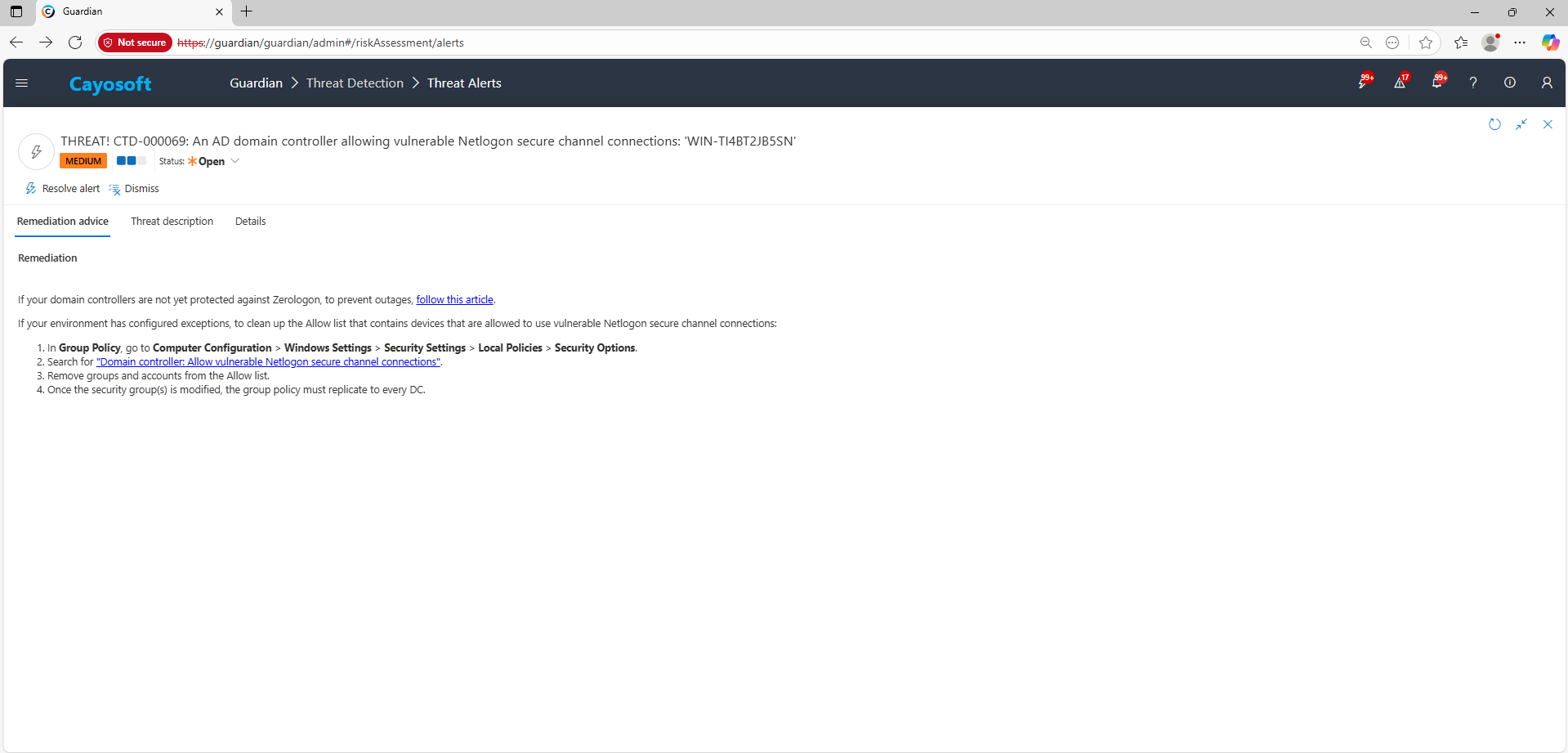
If your domain controllers are not yet protected against Zerologon, to prevent outages, follow this article.
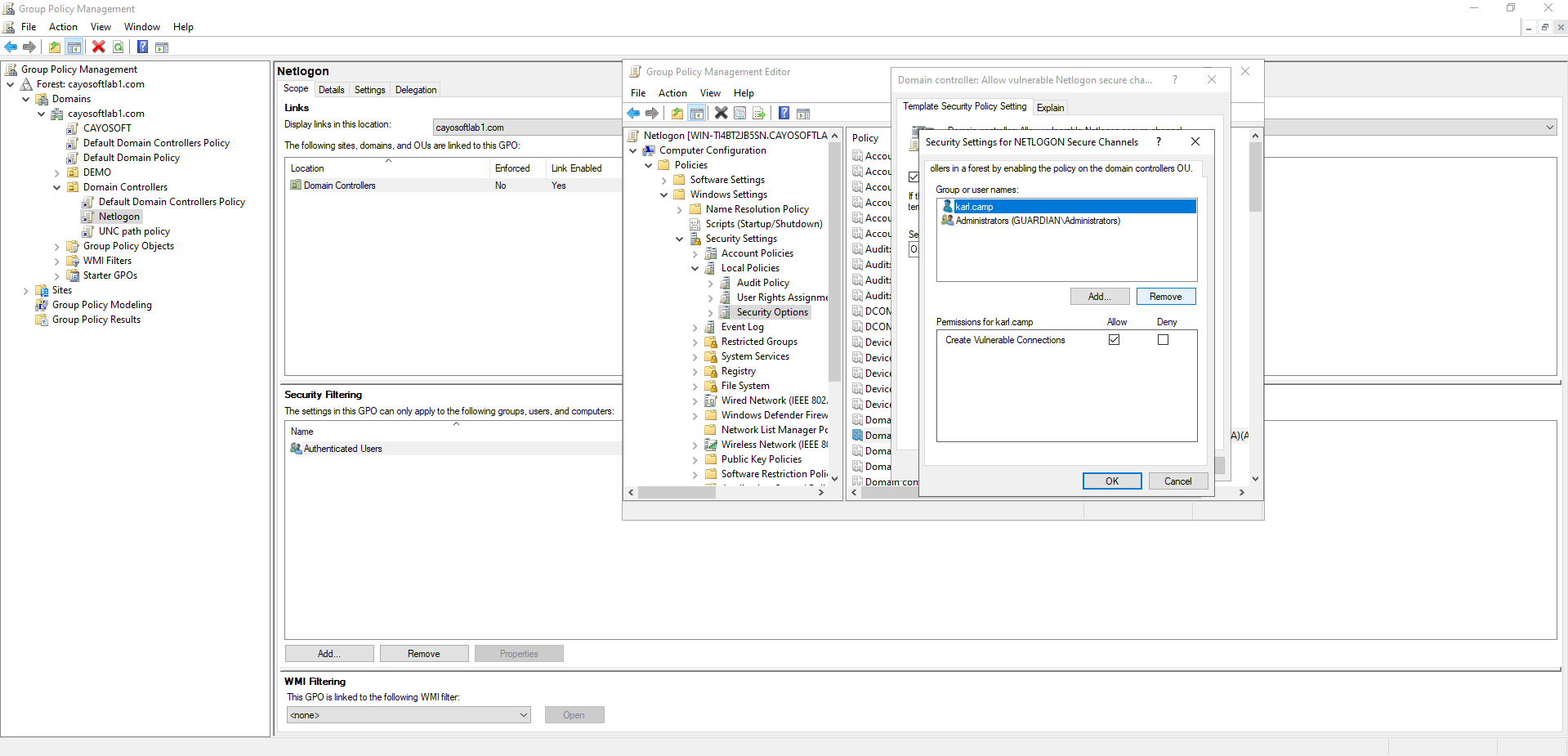
If your environment has configured exceptions, to clean up the Allow list that contains devices that are allowed to use vulnerable Netlogon secure channel connections:
- ) In Group Policy, go to Computer Configuration > Windows Settings > Security Settings > Local Policies > Security Options.
- ) Search for “Domain controller: Allow vulnerable Netlogon secure channel connections”.
- ) Remove groups and accounts from the Allow list.
- ) Once the security group(s) is modified, the group policy must replicate to every DC.
How to Prevent It
Cayosoft Guardian can proactively detect and alert on AD domain controller allowing vulnerable Netlogon secure channel connections. It continuously monitors Active Directory, Entra ID, Microsoft 365, and Intune for 200+ misconfigurations, providing early warning before attackers can exploit them.
FAQ
The Domain controller: Allow vulnerable Netlogon secure channel connections policy in Security Options manages exceptions and determines whether outdated or insecure clients can use the Netlogon secure channel.
No. Long-term exceptions reintroduce Zerologon risk. Update or retire noncompliant systems, then remove them from the Allow list to maintain full protection.
Yes. Older or improperly configured systems may fail secure channel operations once enforcement is enabled. Plan migrations, patches, or decommissioning before removing exceptions.
Yes. Cayosoft Guardian Protector can detect DCs that allow vulnerable Netlogon secure channel connections at no cost.
Yes. Cayosoft Guardian provides continuous monitoring, alerting, configuration auditing, and prescriptive remediation for Zerologon-related risks and 200+ other AD/M365 misconfigurations.
References
Microsoft Support — How to manage the changes in Netlogon secure channel connections associated with CVE-2020-1472 (Zerologon): https://support.microsoft.com/en-us/topic/how-to-manage-the-changes-in-netlogon-secure-channel-connections-associated-with-cve-2020-1472-f7e8cc17-0309-1d6a-304e-5ba73cd1a11e
Final Thought
Proactive monitoring and timely remediation of configuration risks is essential to maintaining a secure Active Directory and Microsoft 365 environment. By addressing issues like AD domain controller allowing vulnerable Netlogon secure channel connections, you reduce attack surfaces and strengthen your organization’s overall security posture.